NIUCLOUD是一款SaaS管理后台框架多应用插件+云编译。上千名开发者、服务商正在积极拥抱开发者生态。欢迎开发者们免费入驻。一起助力发展! 广告
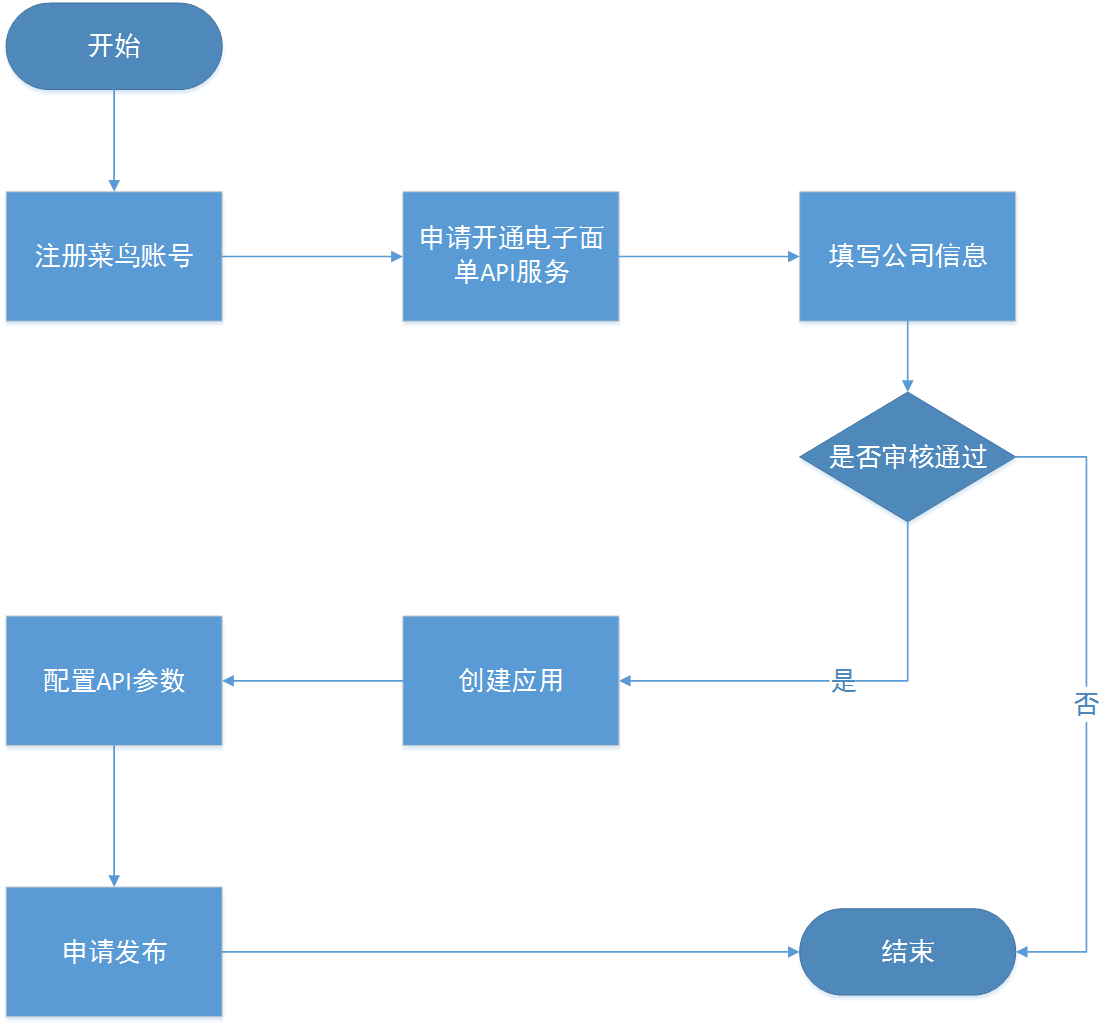
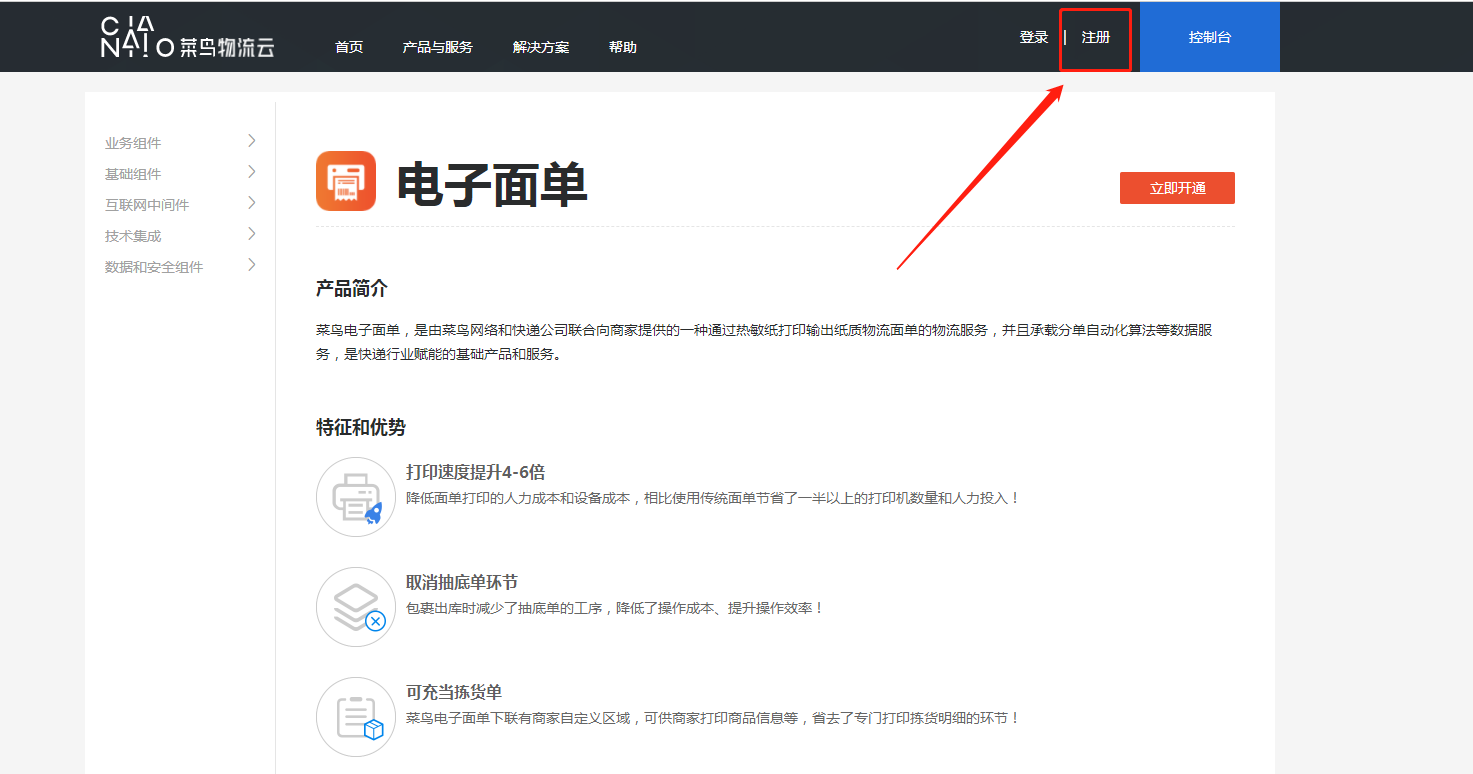
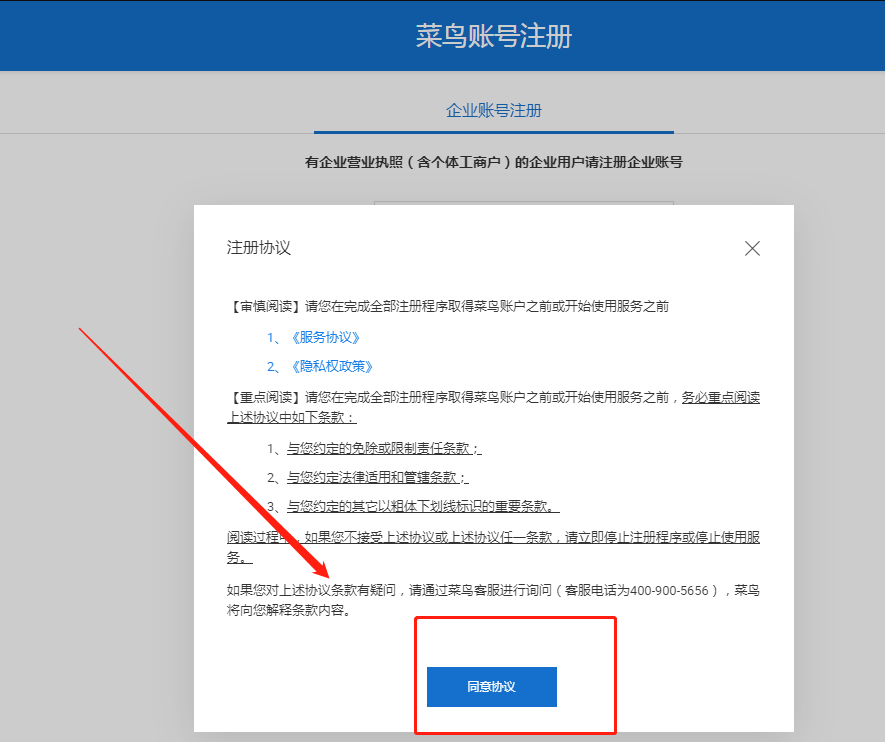
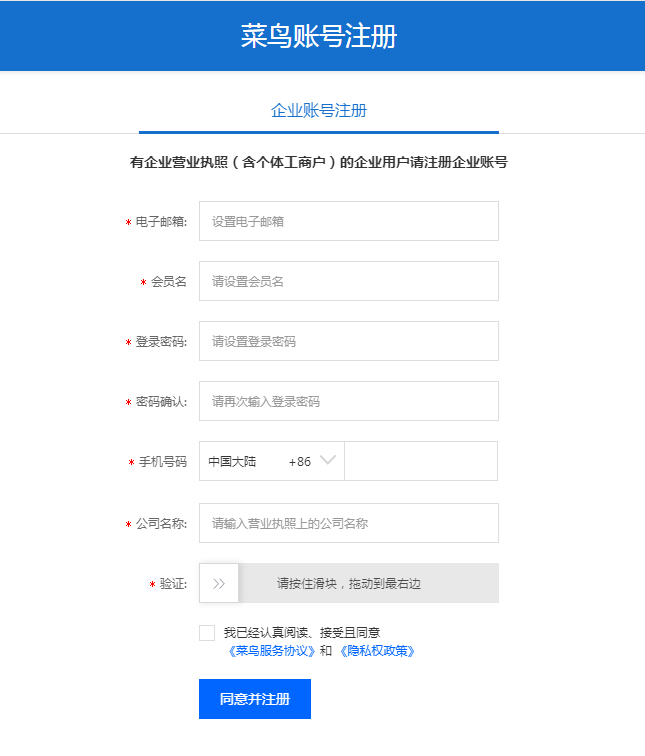
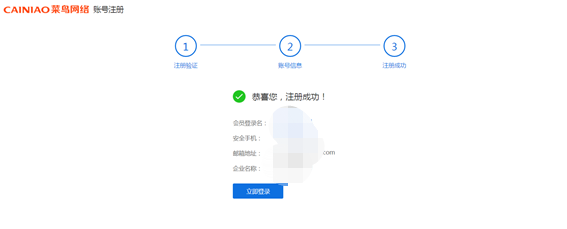
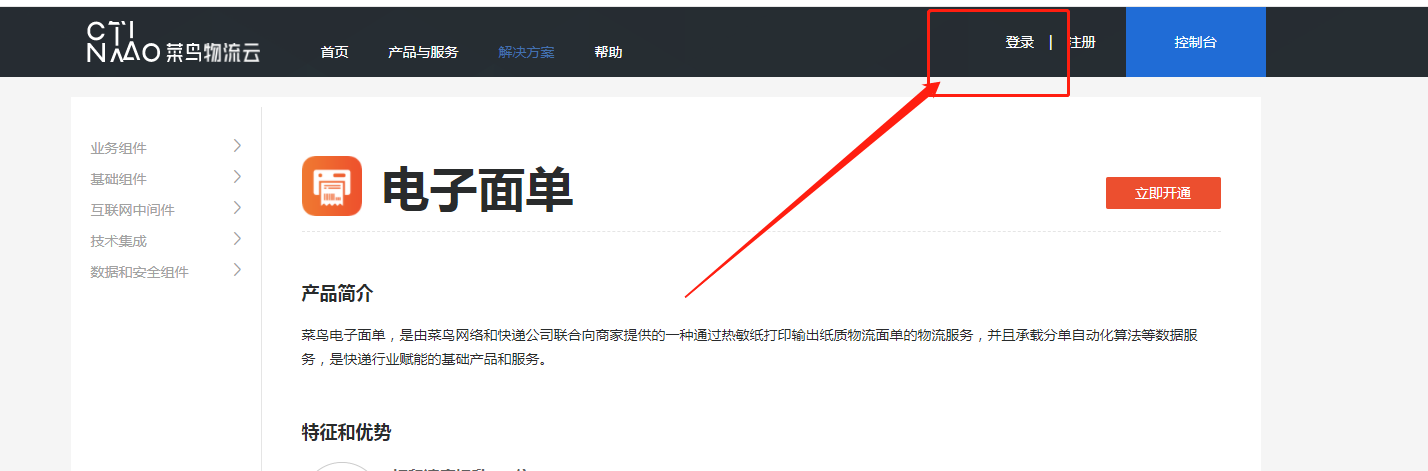
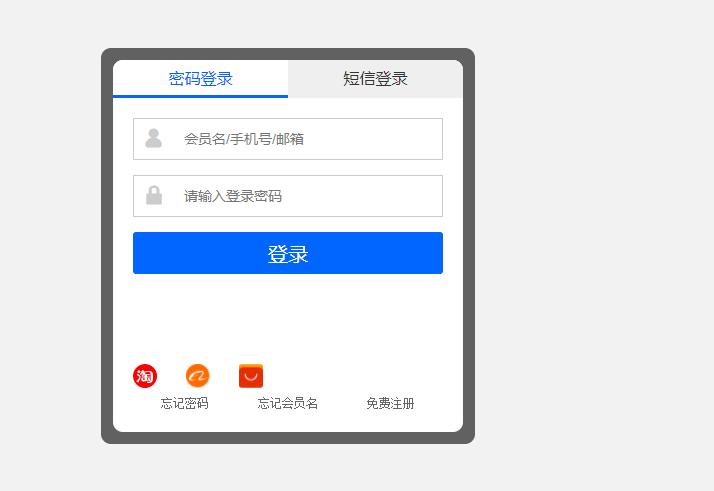
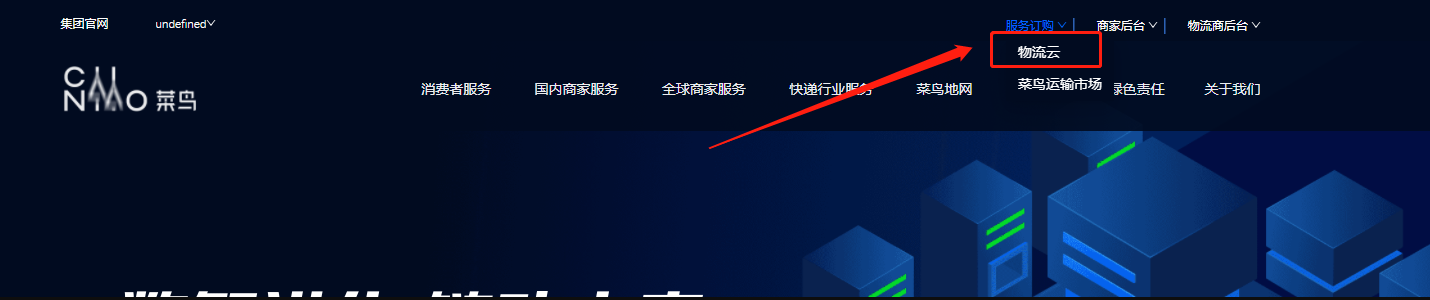
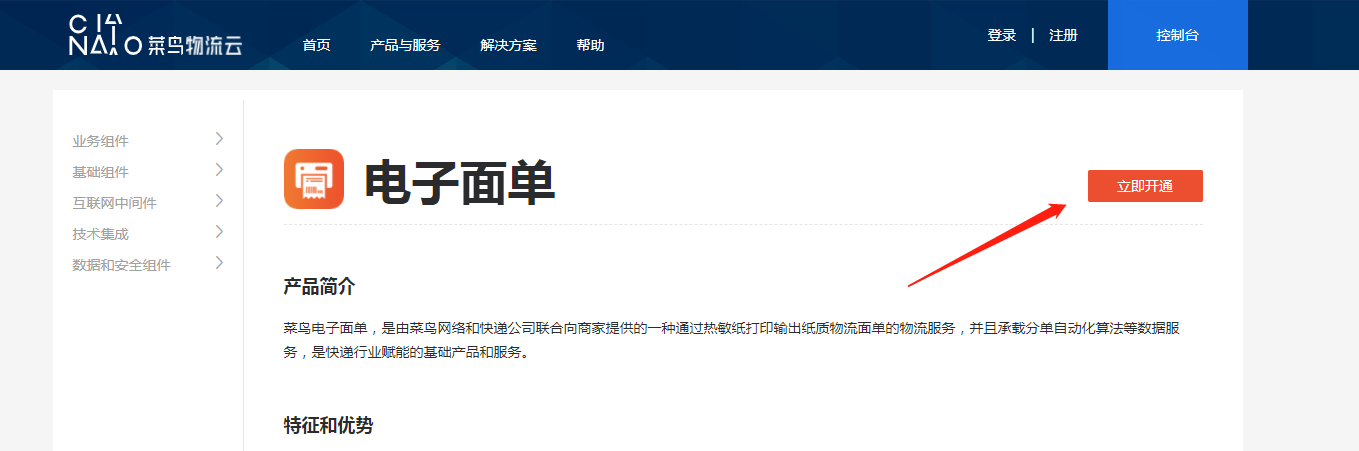
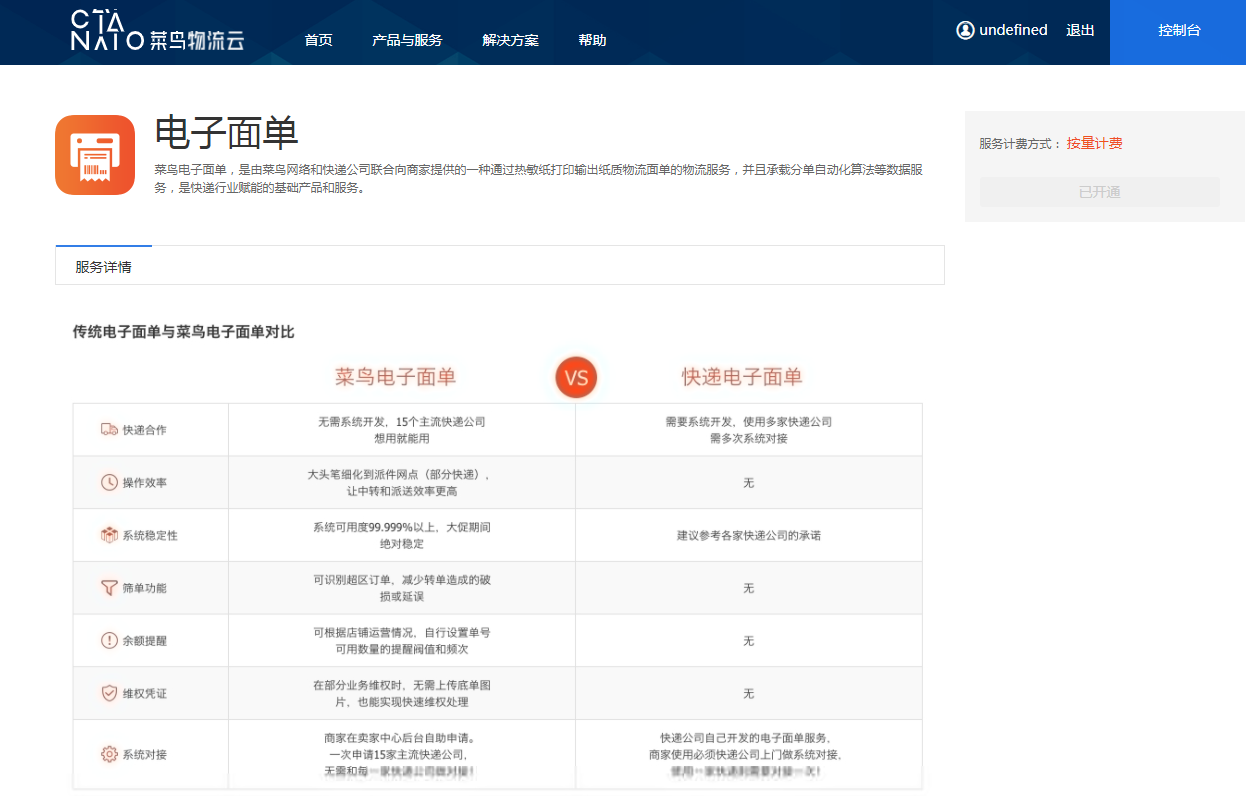
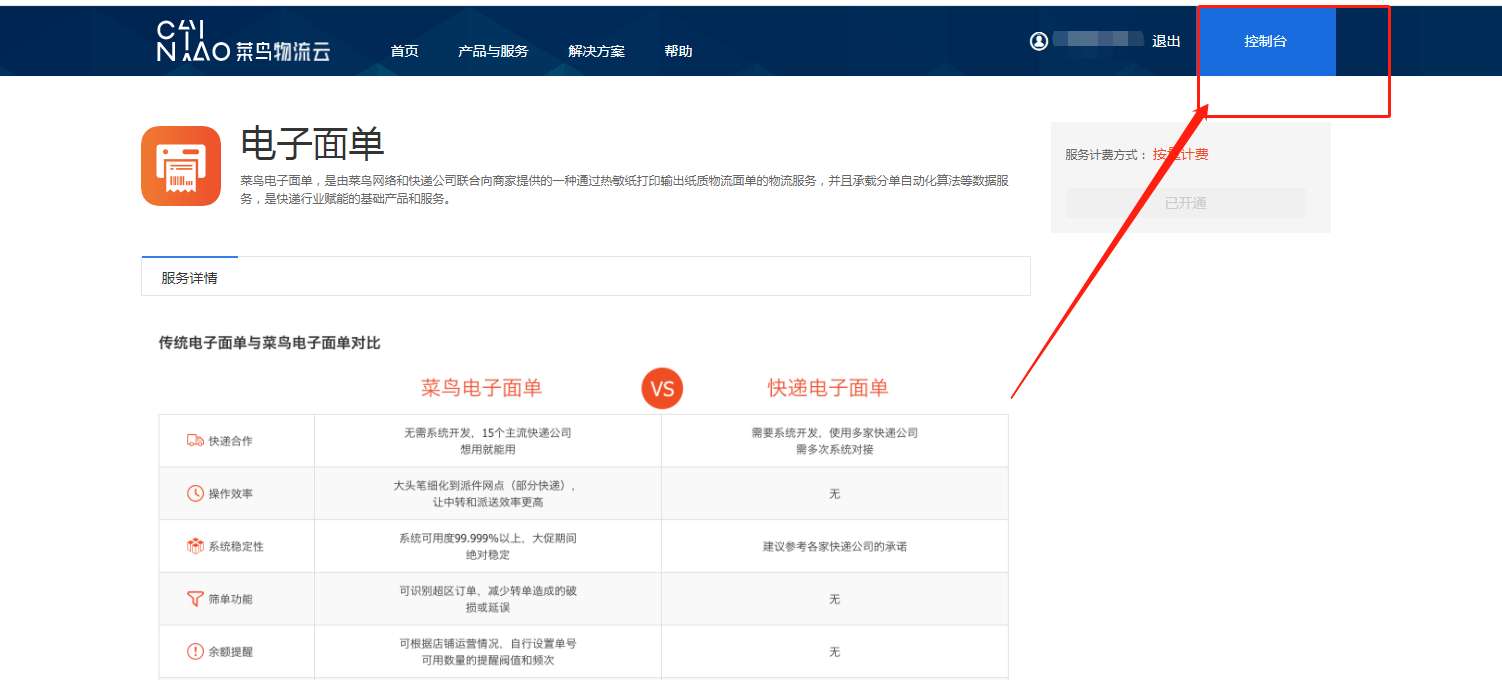
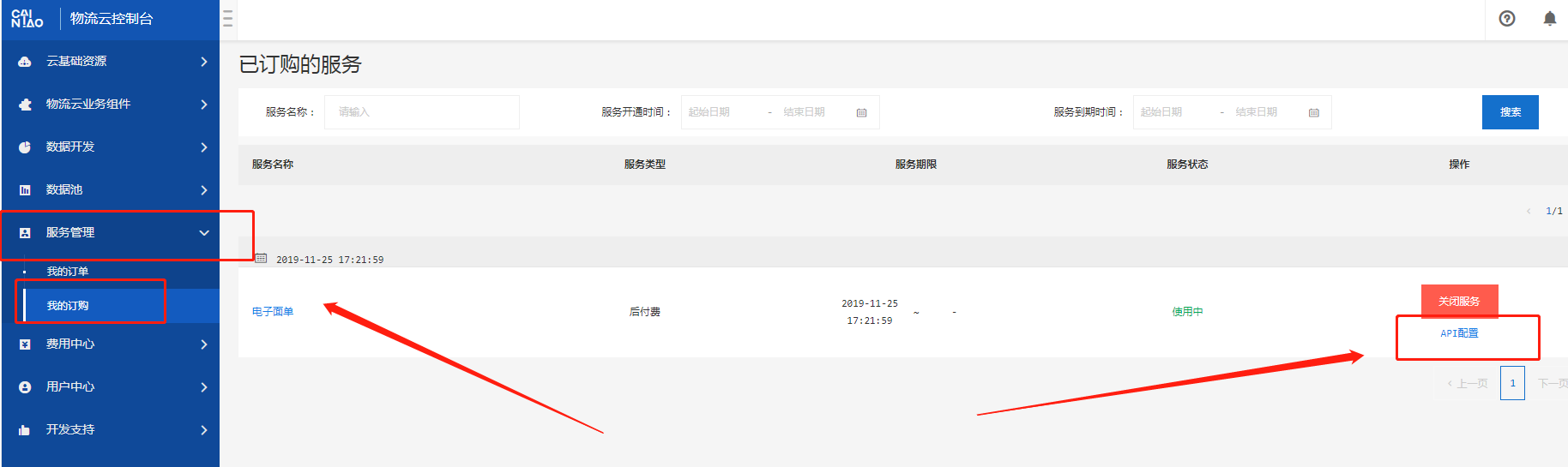
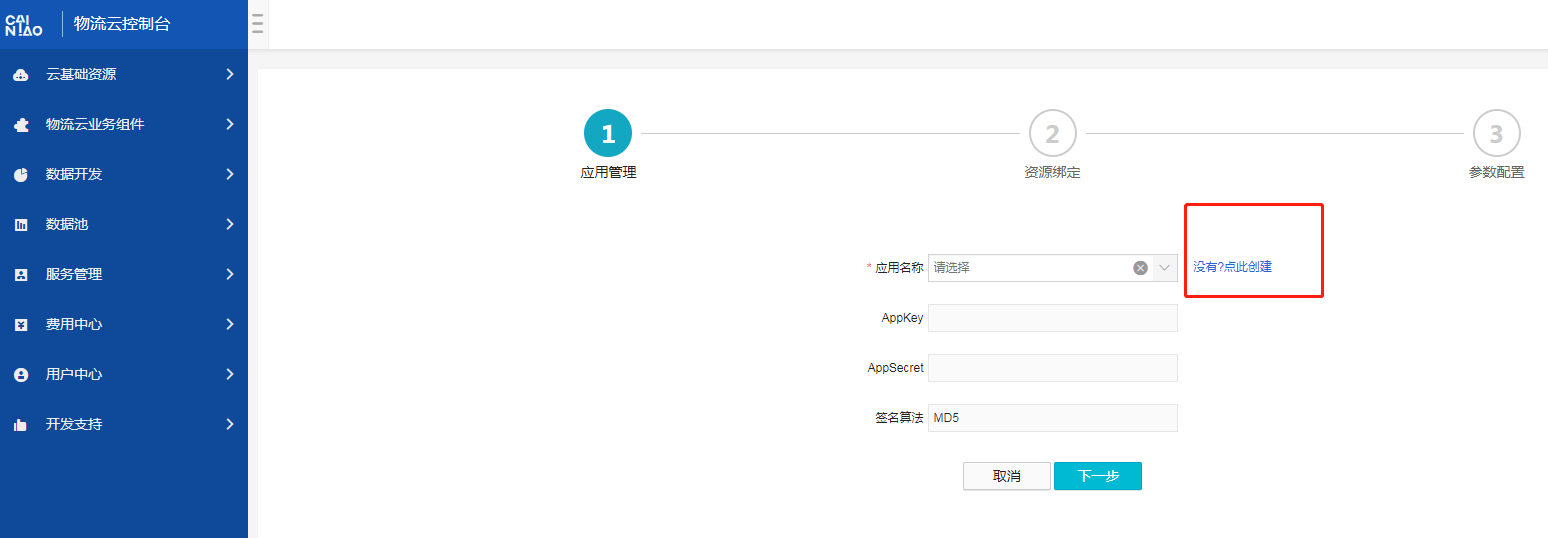
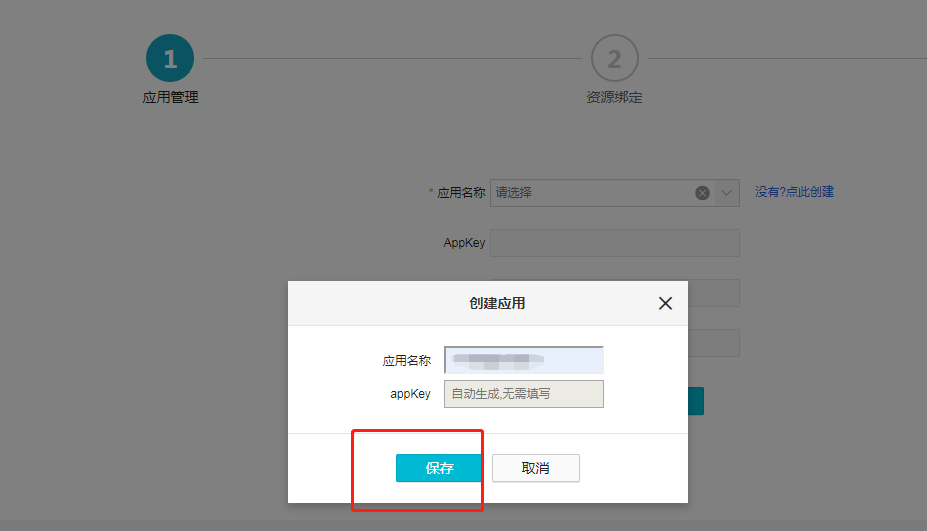
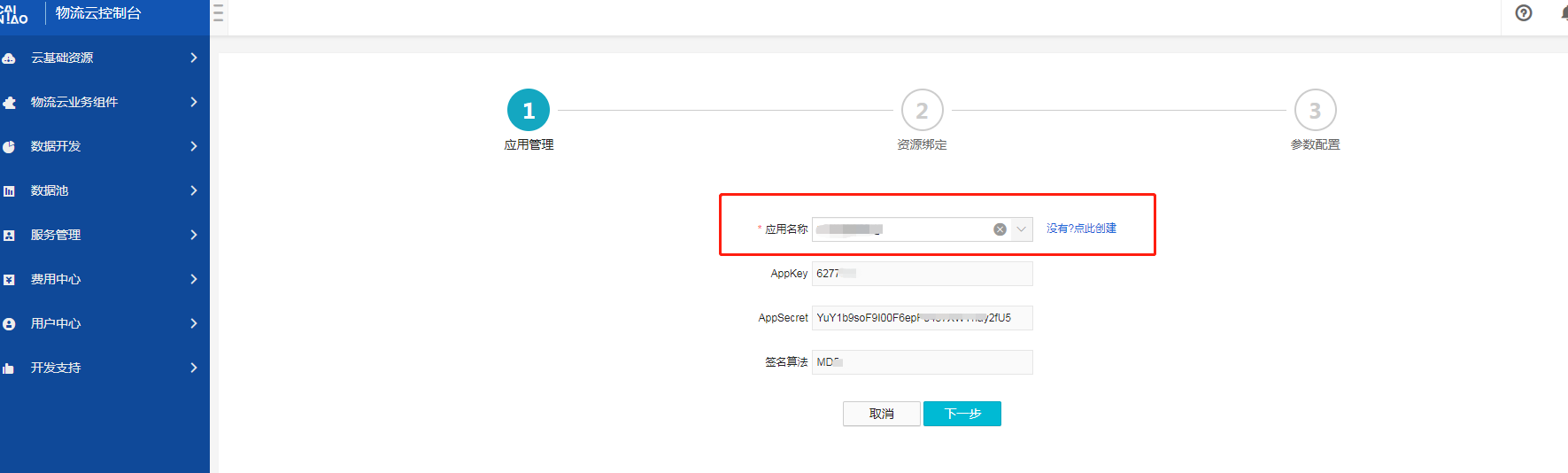
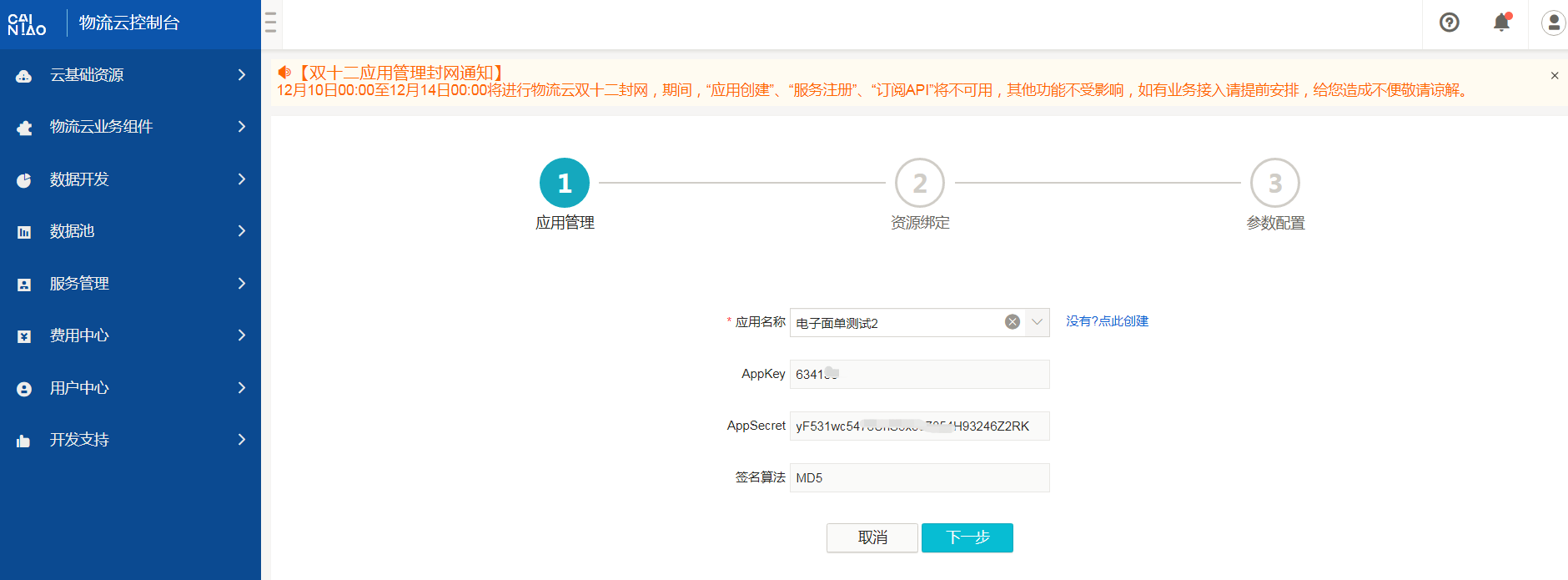
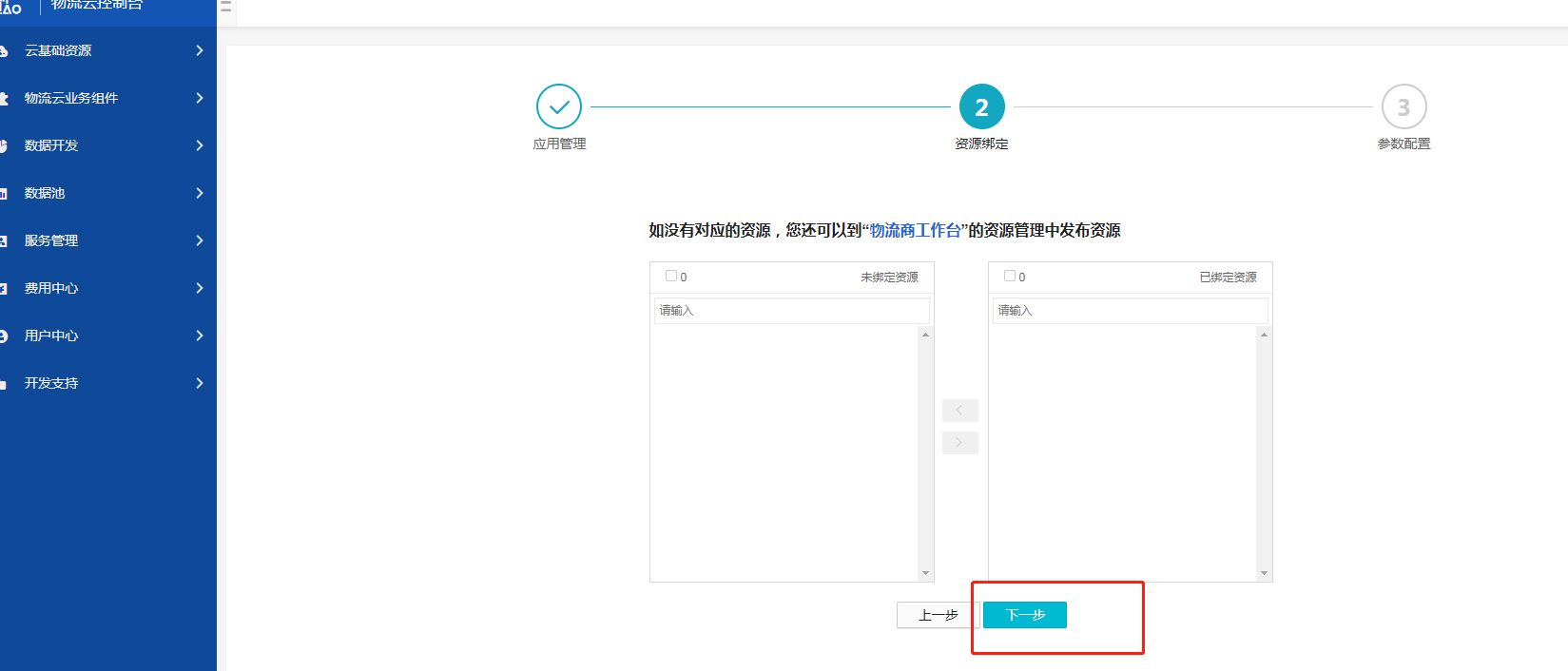
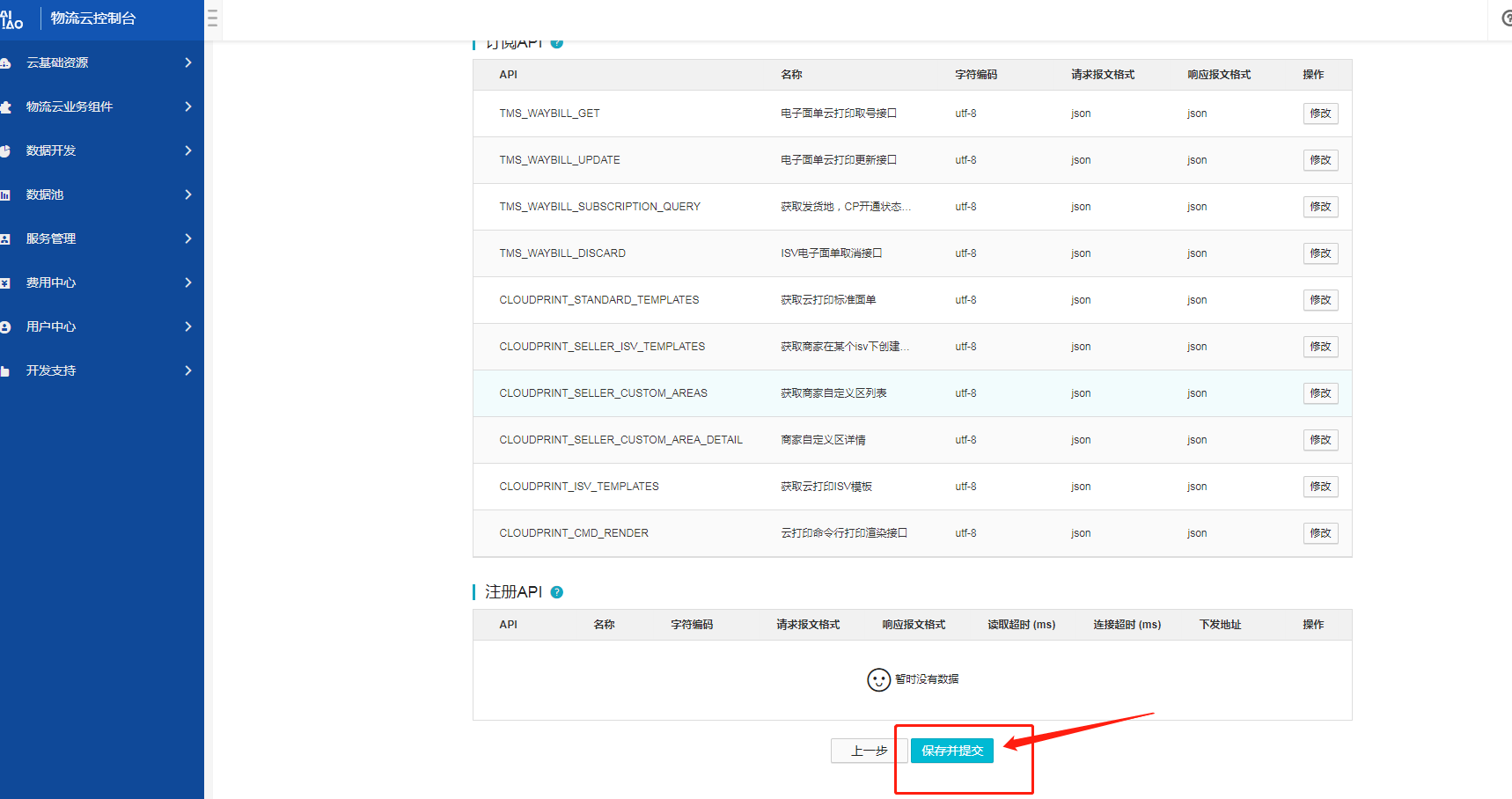
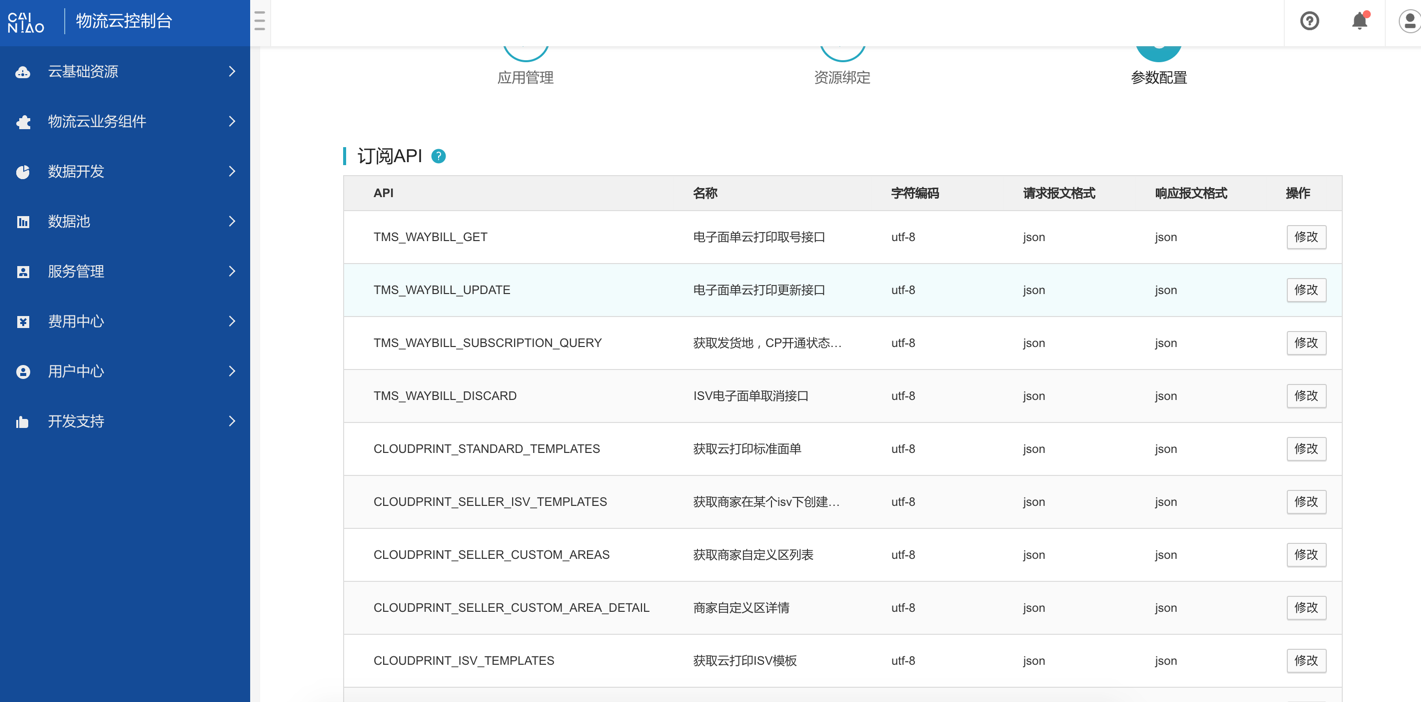
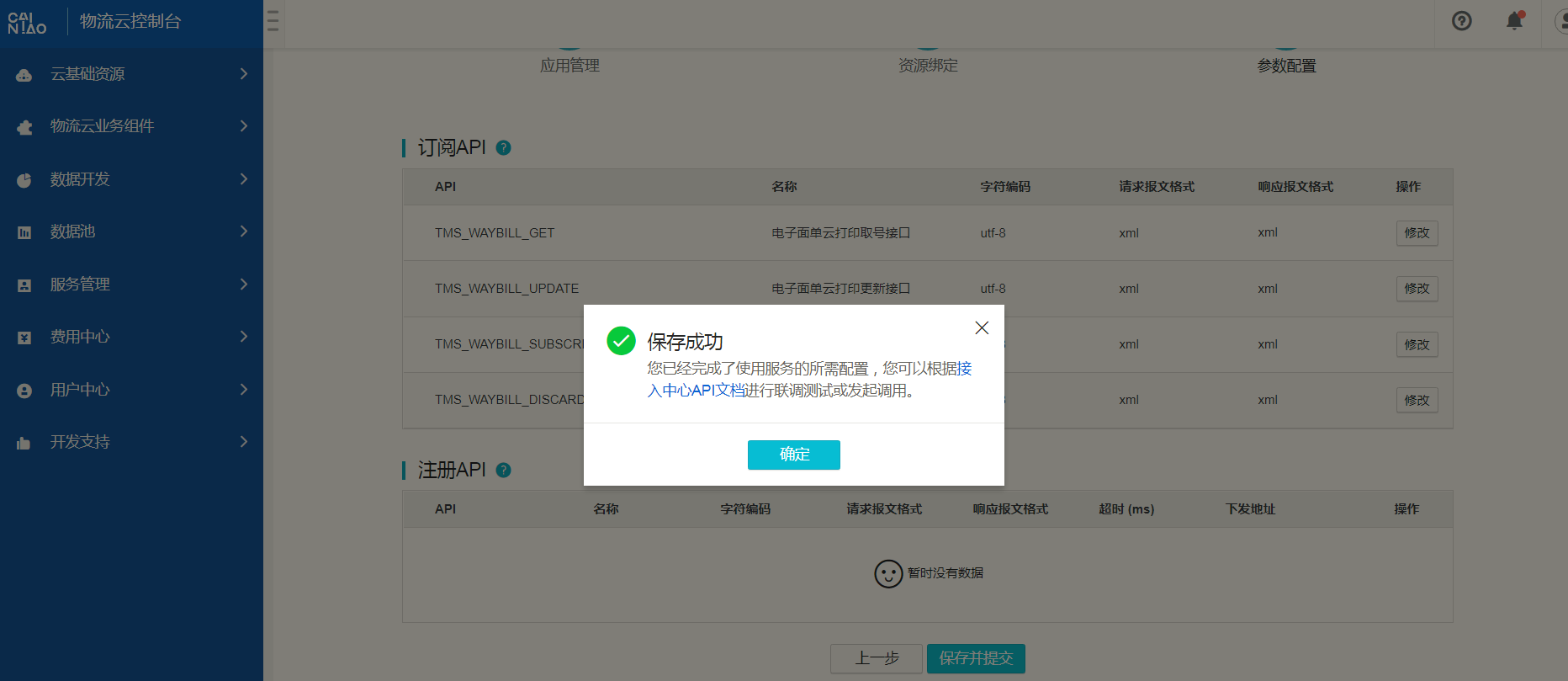
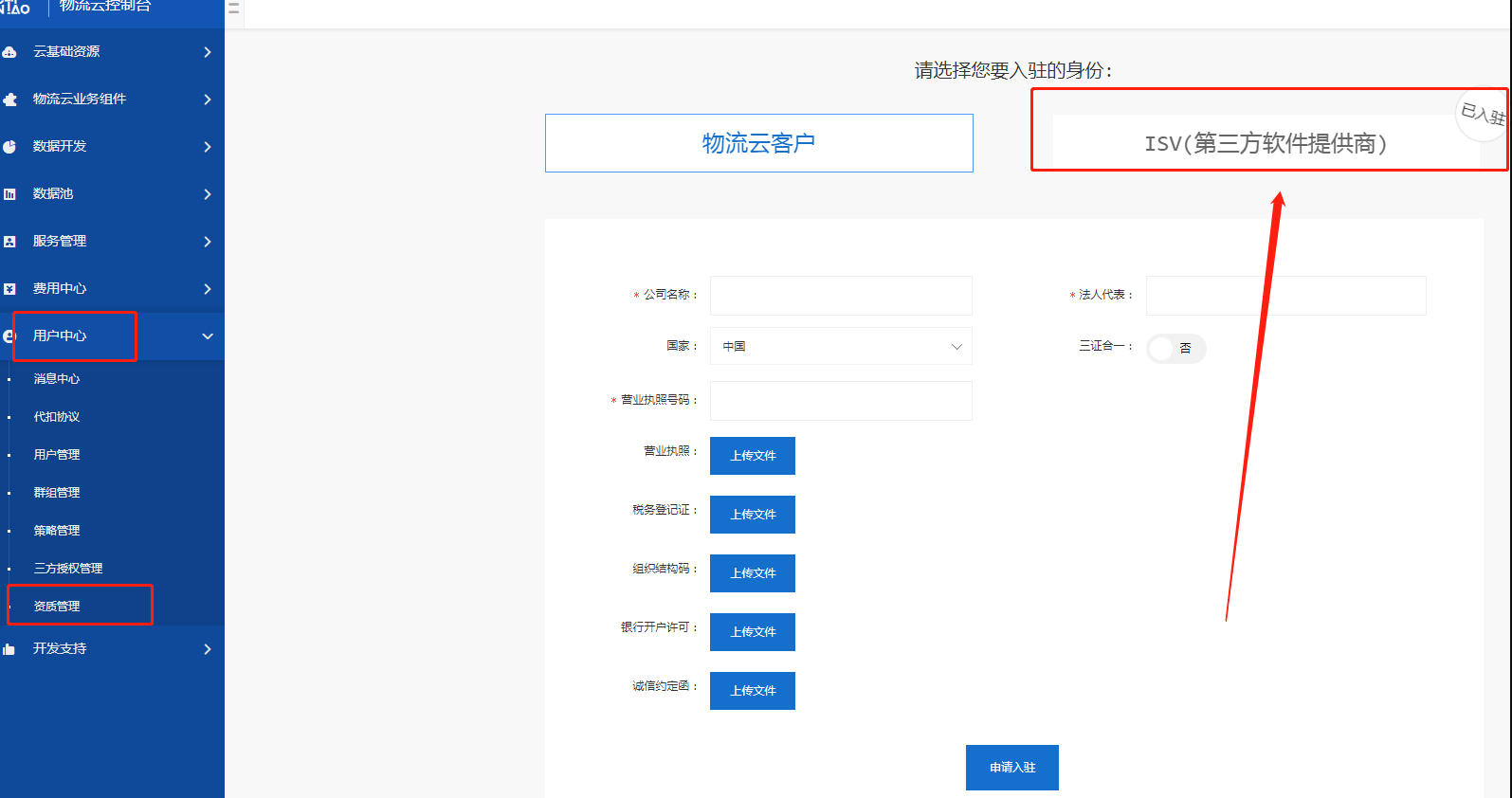
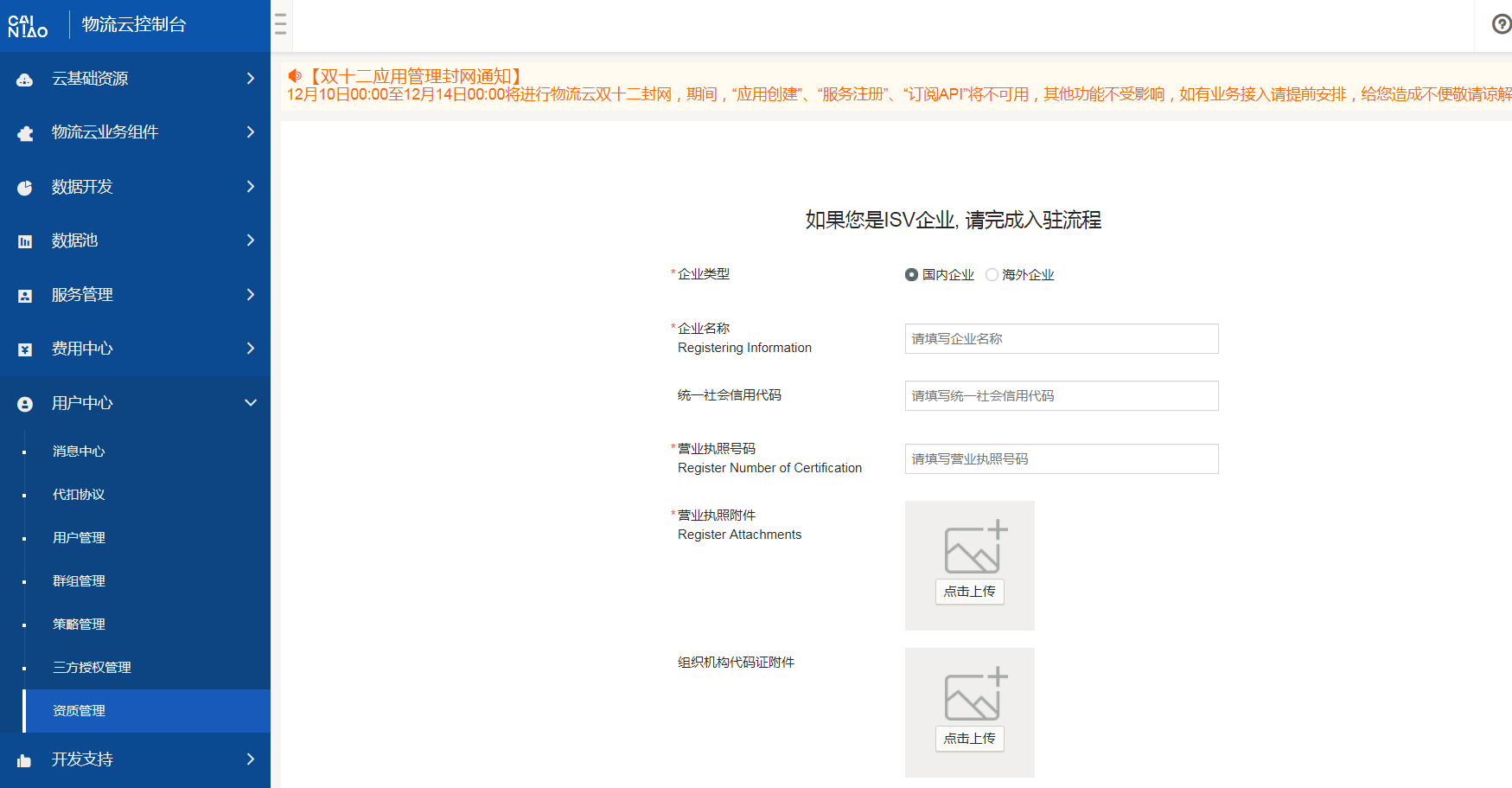
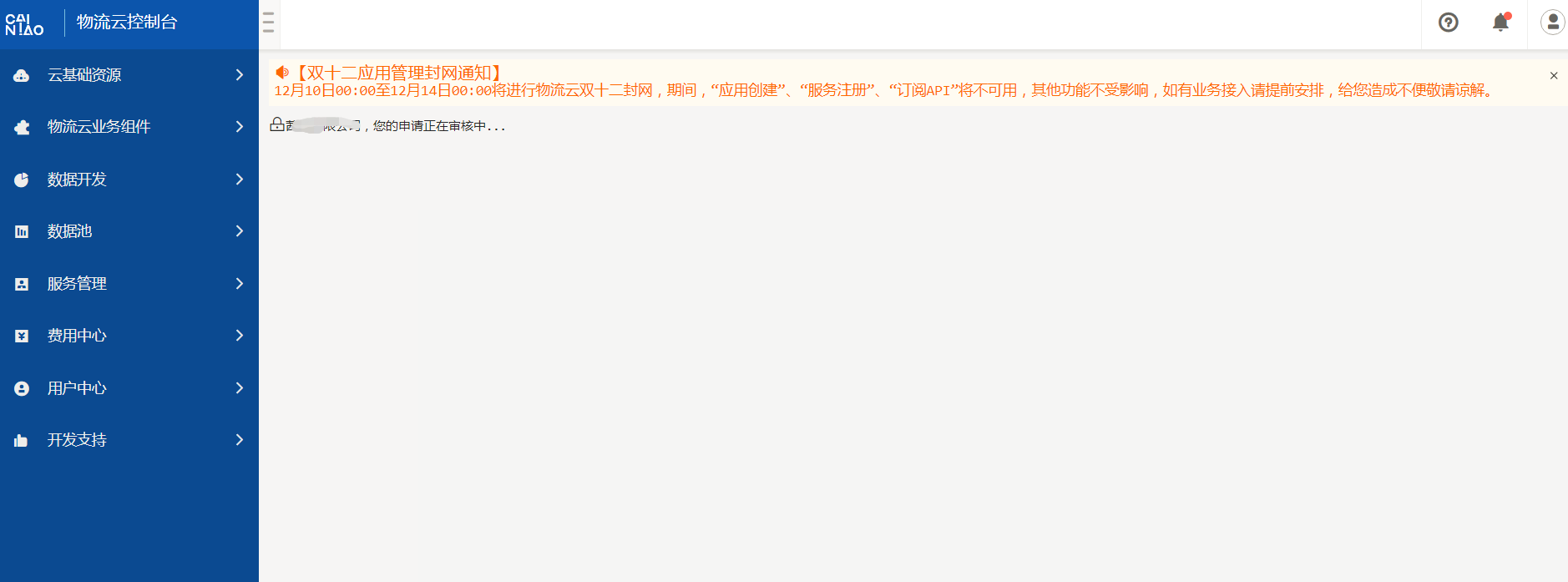
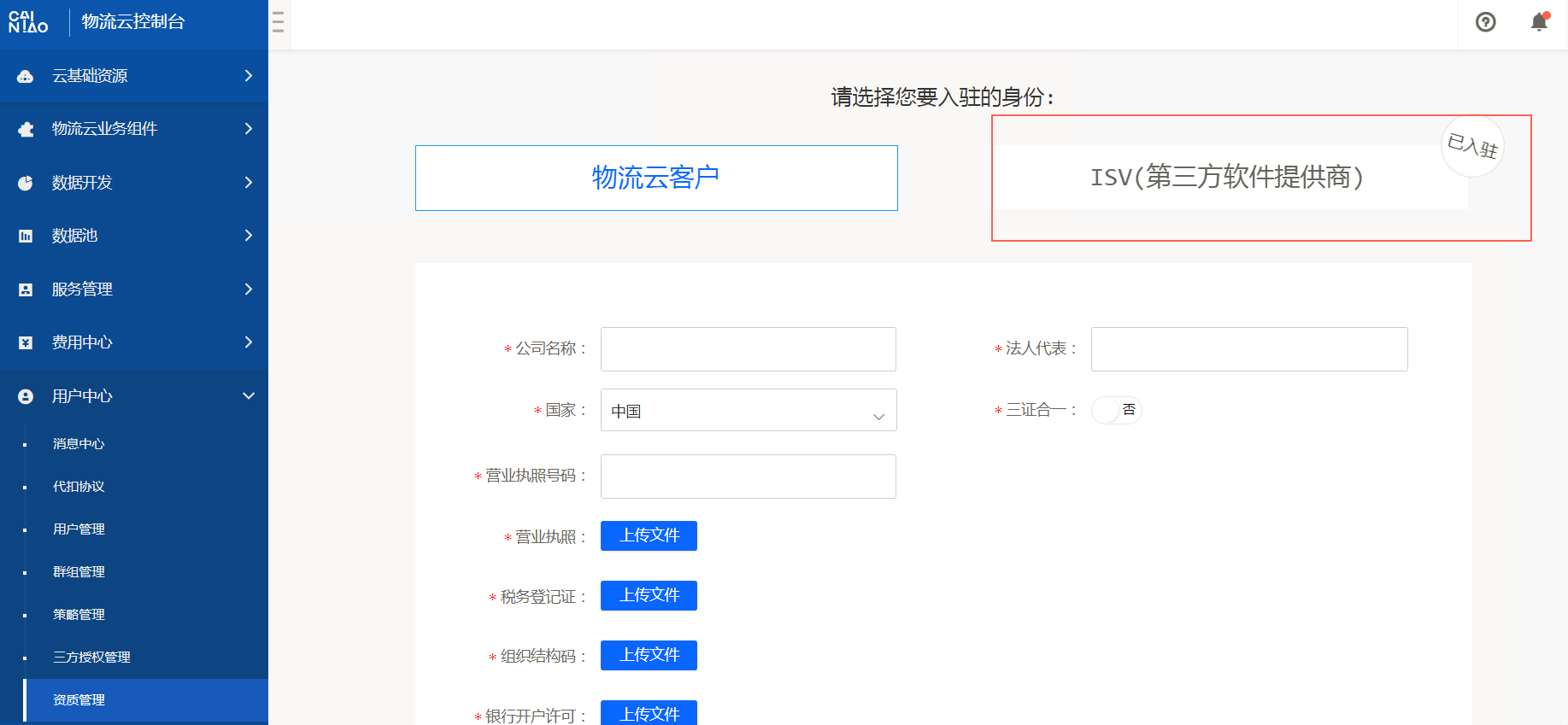
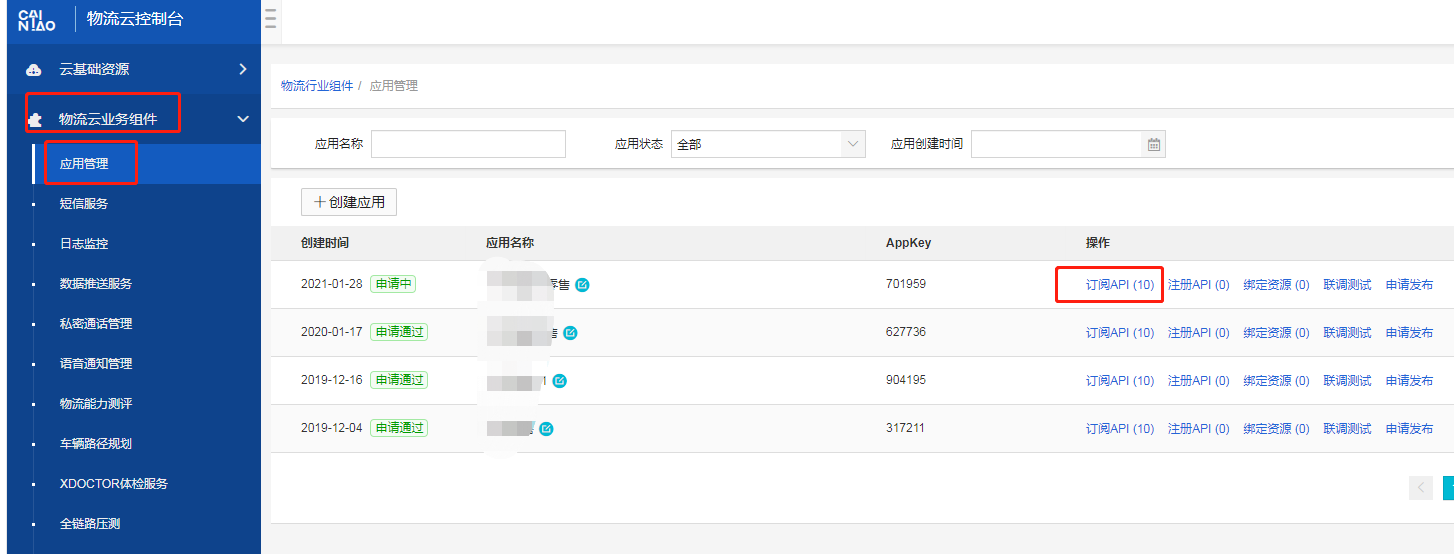
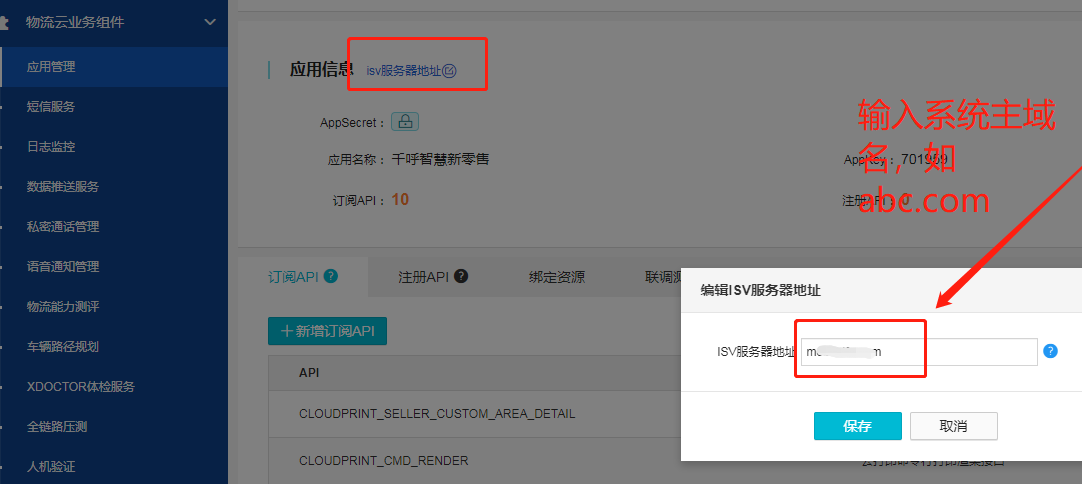
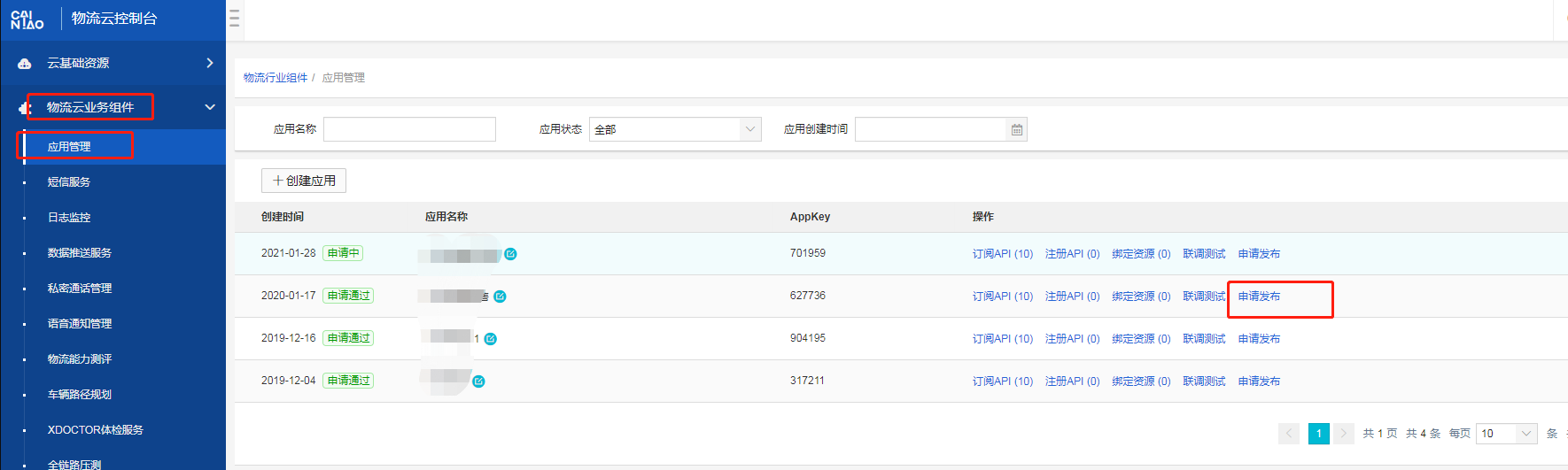
# 合伙人--菜鸟物流云服务商申请 **说明:合伙人需要先去注册菜鸟物流云的服务商,进行isv入驻,入驻成功后将对应的参数填写至合作伙伴后台,此步骤为合作伙伴需要操作** ## **1、流程** ![](https://img.kancloud.cn/55/a4/55a42147c2322e279348c48e3f5c2db1_1114x1026.png) ## **2、注册菜鸟账号** **只能用菜鸟账号登录,不支持淘宝账号**  (1)菜鸟注册地址:[https://cloud.cainiao.com/tmswaybillDes.htm?spm=a21da.8291740.0.0.o8D6fI&wh\_type=business](https://cloud.cainiao.com/tmswaybillDes.htm?spm=a21da.8291740.0.0.o8D6fI&wh_type=business) (2)点击右上“注册”按钮进行菜鸟账号注册。 ![](https://img.kancloud.cn/62/a6/62a639f974c692b0f6ded1cb124f0bf9_1473x774.png) 统一协议 ![](https://img.kancloud.cn/cc/4b/cc4b8c3cdca6da1850cdcac459dd9a17_885x742.png) 填写下相关信息 ![](https://img.kancloud.cn/0b/92/0b924f33119d8b3579374845504bb8c4_645x756.png) ![](https://img.kancloud.cn/18/e6/18e6d71d6ad512f35b64f9b47ba7c343_567x229.png) ## **3、申请开通服务** (1)登录菜鸟物流云 地址:[https://cloud.cainiao.com/tmswaybillDes.htm?spm=a21da.8291740.0.0.o8D6fI&wh\_type=business](https://cloud.cainiao.com/tmswaybillDes.htm?spm=a21da.8291740.0.0.o8D6fI&wh_type=business) ![](https://img.kancloud.cn/50/74/50744931e994de01fc2791b3c588cd44_1428x471.png) ![](https://img.kancloud.cn/d0/c9/d0c9e42e3902503dc4f46806ac83736b_714x491.png) 点击物流云 ![](https://img.kancloud.cn/51/9d/519d3c1d1a47f3ba2f168a1523274660_1430x300.png) 点击控制台 ![](https://img.kancloud.cn/46/bc/46bc7fb76eefc1e286cfe0e53fcdc24c_1529x239.png) (2)申请开通服务 网址:[https://www.taobao.com/markets/cnwww/description-detail?wh\_id=tmswaybill&wh\_type=business?wh\_id=tmswaybill&wh\_type=business](https://www.taobao.com/markets/cnwww/description-detail?wh_id=tmswaybill&wh_type=business?wh_id=tmswaybill&wh_type=business) ![](https://img.kancloud.cn/11/c3/11c342b44f548a718576d4259af0ba17_1359x451.png) (3)确认信息 **备注:菜鸟电子面单永久免费,无需付款。** ![](https://img.kancloud.cn/38/4d/384d5fc15751a2f35ea07ed570c1a43a_1246x796.png) ## **4、api配置** (1)进入控制台,在“我的订购”菜单中进行API配置 ![](https://img.kancloud.cn/eb/d6/ebd68b714b6556b94b6811733c9f2513_1502x680.png) ![](https://img.kancloud.cn/1b/c3/1bc3daba9bed9e98e46580109f89d311_1828x545.png) (2)创建应用 ![](https://img.kancloud.cn/b4/15/b41515998367b81c6aa2898b0d546048_1548x538.png) ![](https://img.kancloud.cn/90/7a/907aacc0421a5c8f649f4ee3d1c1572c_927x531.png) ![](https://img.kancloud.cn/bd/cd/bdcd37448f5f77957a57b3b38b5473f3_1771x534.png) (3)选择对应的应用,生成APPKEY,下一步 ![](https://img.kancloud.cn/7d/e9/7de963aea51dcfac4640adaf77a57fd5_1880x695.png) (4)点击下一步(无需任何操作) ![](https://img.kancloud.cn/32/4e/324efb7c78d6a06ec6b47bd7f1c0ffc7_1649x706.png) (5)保存提交 ![](https://img.kancloud.cn/0f/e8/0fe89b7d5ca13391f45c2278f8142424_1718x908.png) 备注:若使用菜鸟提供的SDK,请按照如下规则配置: **字符编码:utf-8;  请求报文格式:JSON;响应报文格式:JSON** ![](https://img.kancloud.cn/e5/8d/e58d34659786e01cfbd12a587f5c3a28_1421x702.png) (6)保存 ![](https://img.kancloud.cn/d5/17/d517138bcb41052ac3733fe232e0227c_1864x809.png) ## **5、isv资质认证** 资质认证的原因:ISV进行资质认证以后,才能将对应的应用暴露给用户进行订购。 (1)选择【用户中心--资质管理--ISV】填写对应的信息 ![](https://img.kancloud.cn/74/e7/74e72991ef065cf3a4920c6542b37282_1595x842.png) (2)填写企业资质信息 ![](https://img.kancloud.cn/bf/24/bf2424794154375281f57bc848945fc5_1749x911.png) **若三证合一,上传同一个证件即可。大小限制在1M以内。** (3)等待菜鸟审核 ![](https://img.kancloud.cn/14/bf/14bf7e7421a5241e6726aa8599f843e9_1878x697.png) **每天审核两次,上午11点、下午4点** (4)重新登录即可查看是否审核通过 ![](https://img.kancloud.cn/2d/6d/2d6d109c48367c30ca809383ffa43616_1835x849.png) ## **6、服务器域名配置** 备注:该域名用于三方授权交互,若不配置,不能使用自动授权集成方式。(填写示例:[taobao.com](http://taobao.com/)) ![](https://img.kancloud.cn/d7/bc/d7bc592cef6403247ee6acbaf7cd3b69_1454x554.png) 输入系统的主域名 ![](https://img.kancloud.cn/81/34/813490a49da59cc21354df5f883b6219_1082x484.png) ## **7、申请发布** 点击“申请发布”按钮,发布对应的应用 ![](https://img.kancloud.cn/73/1b/731b5c82b5c1d586119482129a4b9161_1770x531.png) (2)申请发布,等待审核 **如果一直没有通过审核,请加钉钉群咨询,群号11715242。让官方人员给审核 如没有钉钉,请下载安装。** (3)审核通过后即完成API发布。