企业🤖AI智能体构建引擎,智能编排和调试,一键部署,支持知识库和私有化部署方案 广告
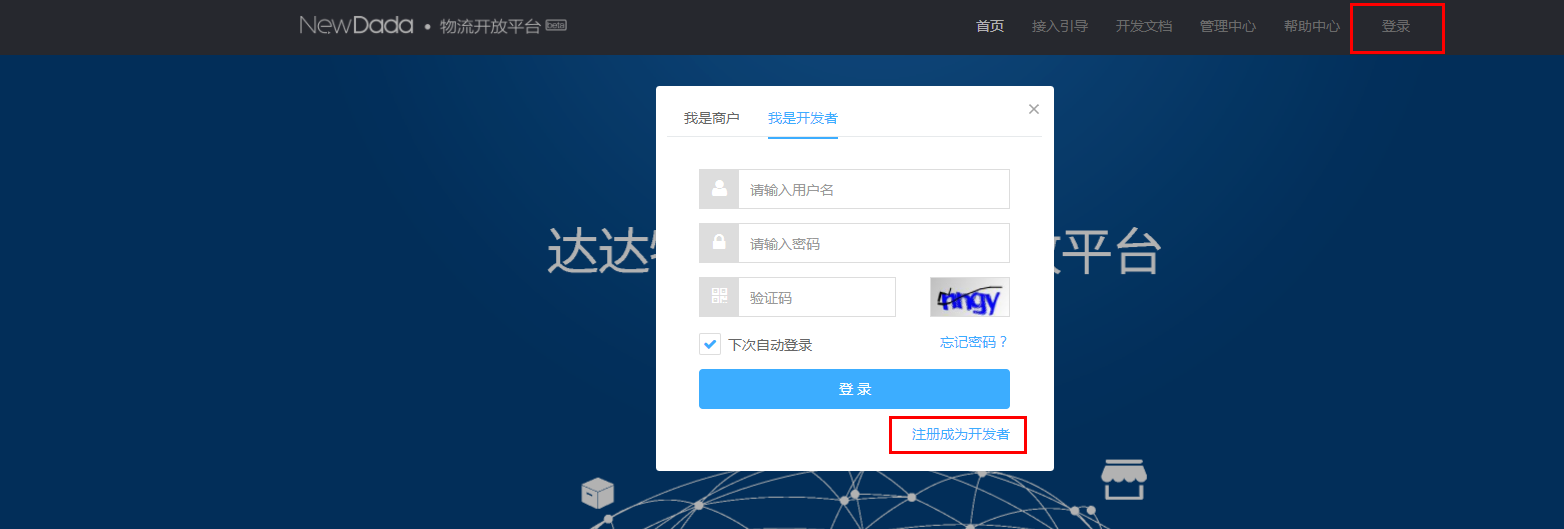
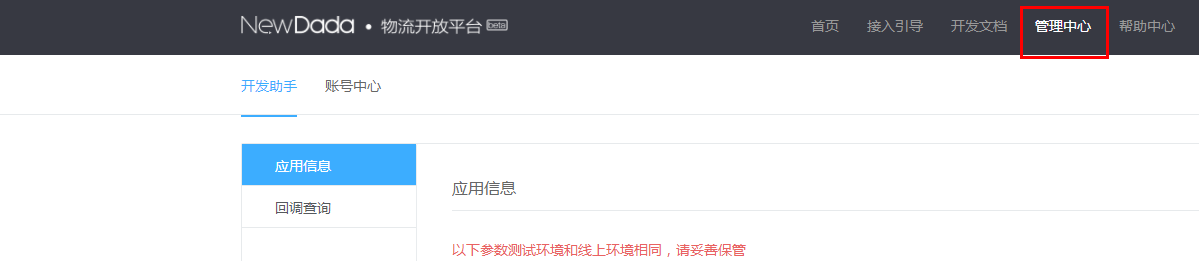
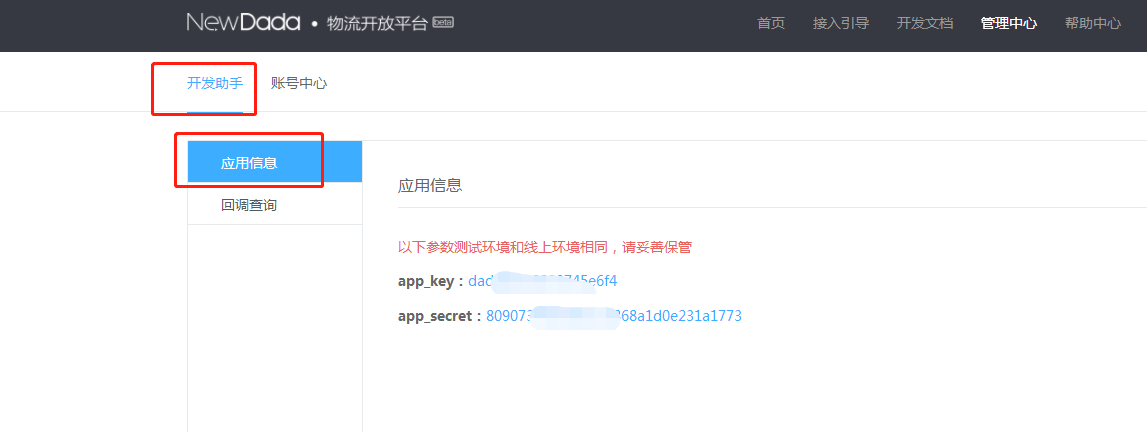
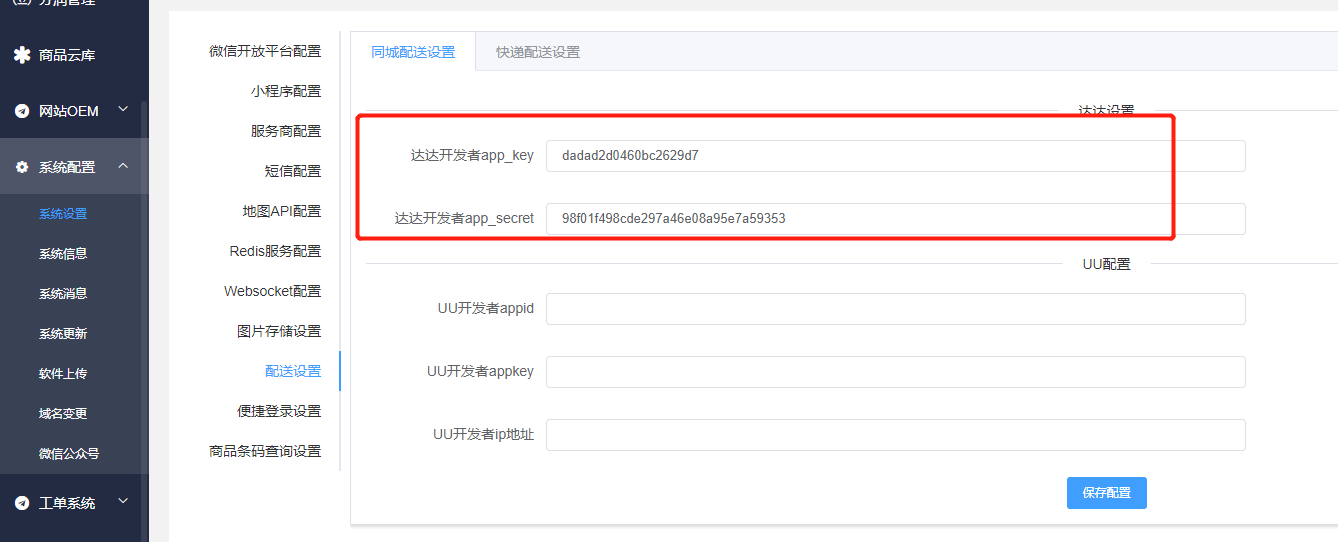
# 达达配送 # 10.10.1达达配送 **一、达达官方后台配置** 1、[登录达达开发者平台newopen.imdada.cn](http://xn--newopen-hk3l5i347gjlbe3ac51t551a6j3ca.imdada.cn/),注册开发者账号 ![](https://img.kancloud.cn/db/aa/dbaaa22ada16bd586ab66dd0827fc0d3_1564x529.png) 2、登录开发者账号点击管理中心 ![](https://img.kancloud.cn/31/52/3152e47a19e7b1ff5d59e50ed6b6f78b_1199x261.png) 3、点击开发助手,点击应用中心,记录app\_key和app\_secret ![](https://img.kancloud.cn/9f/a2/9fa2ee121fcff098850e92d6a781ea1f_1147x432.png) ![](https://img.kancloud.cn/95/5f/955f70a2461112c2c882e62568fefdeb_1338x542.png)