💎一站式轻松地调用各大LLM模型接口,支持GPT4、智谱、豆包、星火、月之暗面及文生图、文生视频 广告
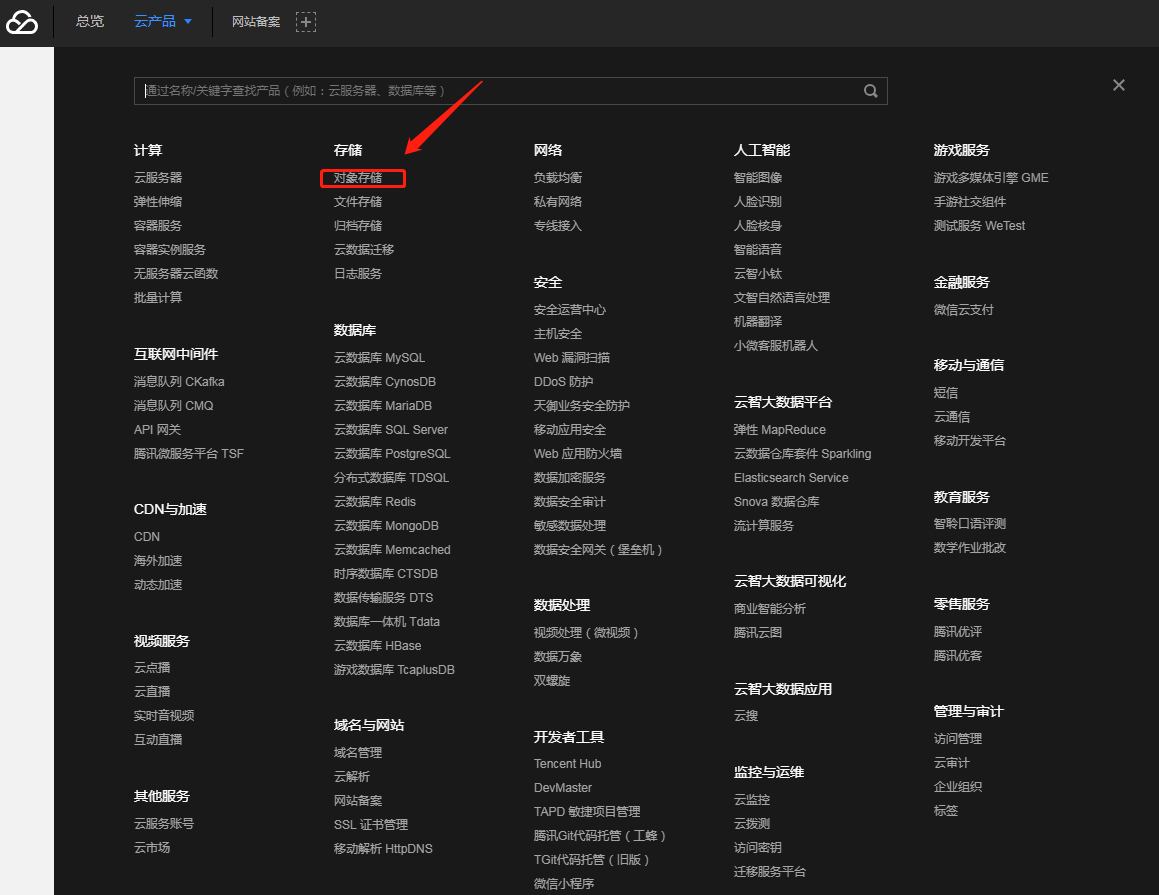
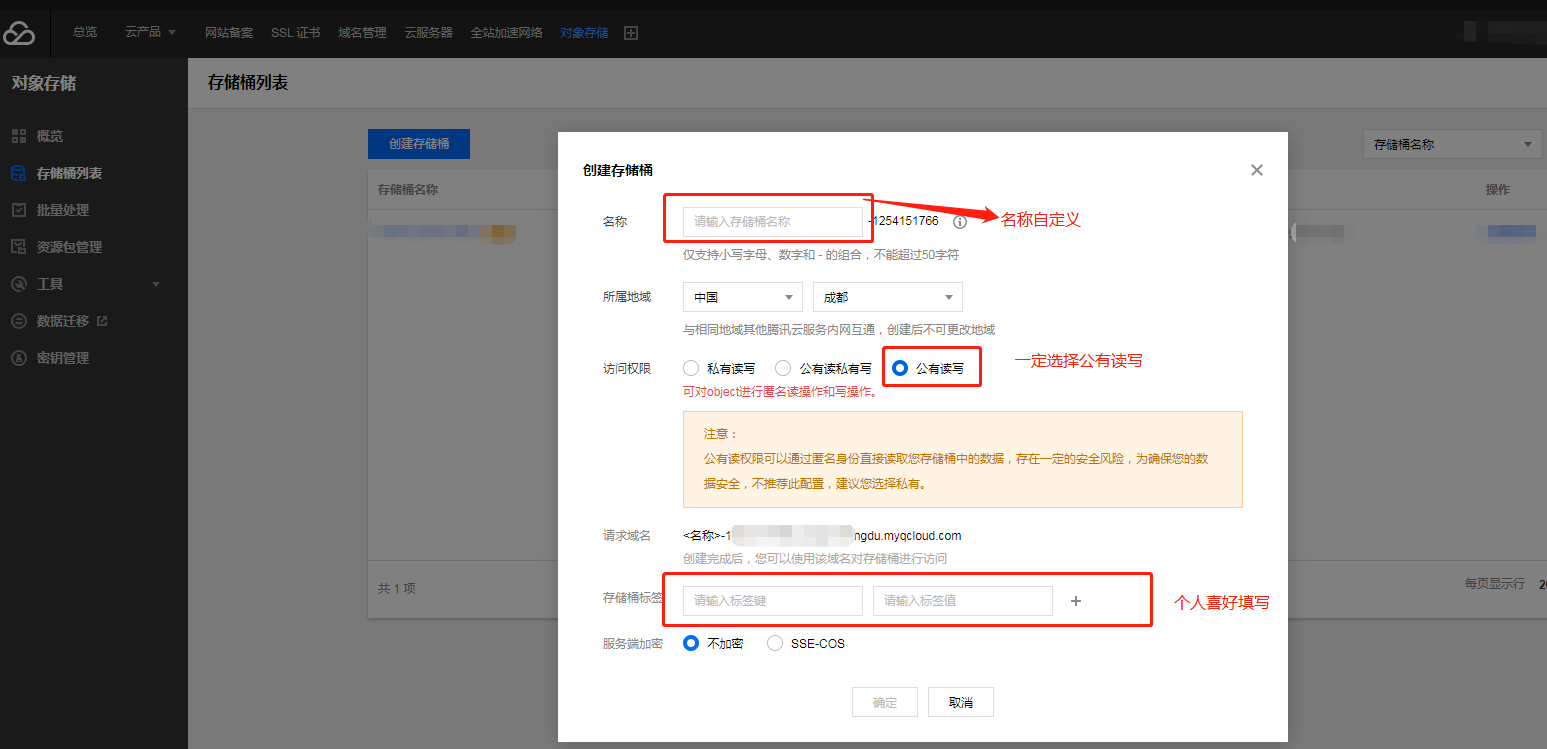
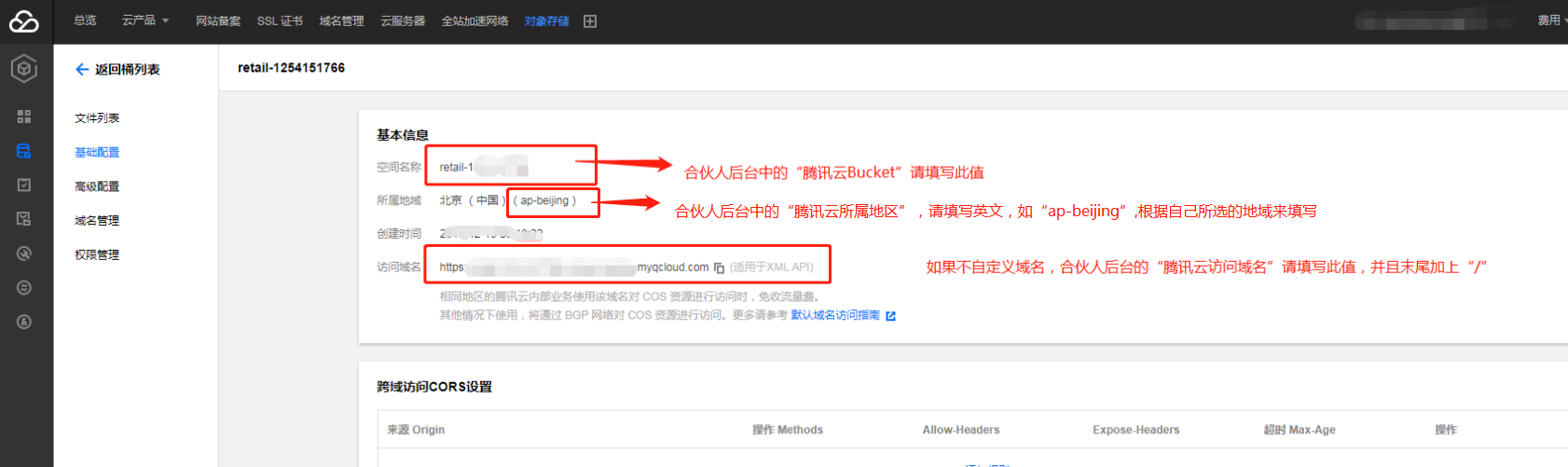
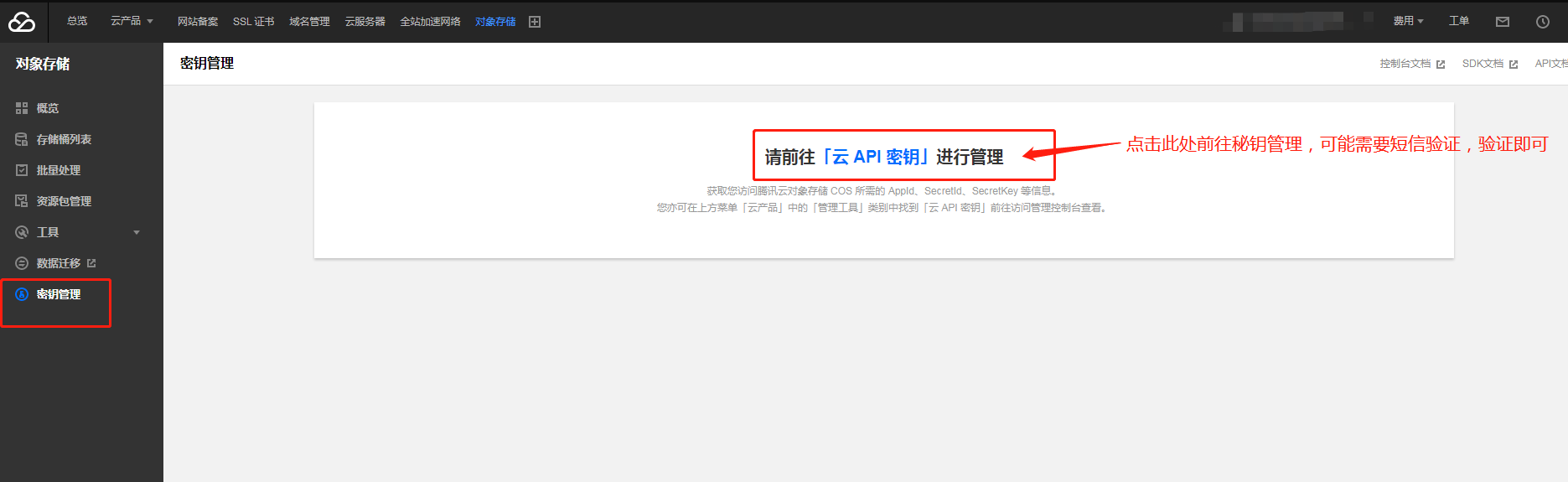
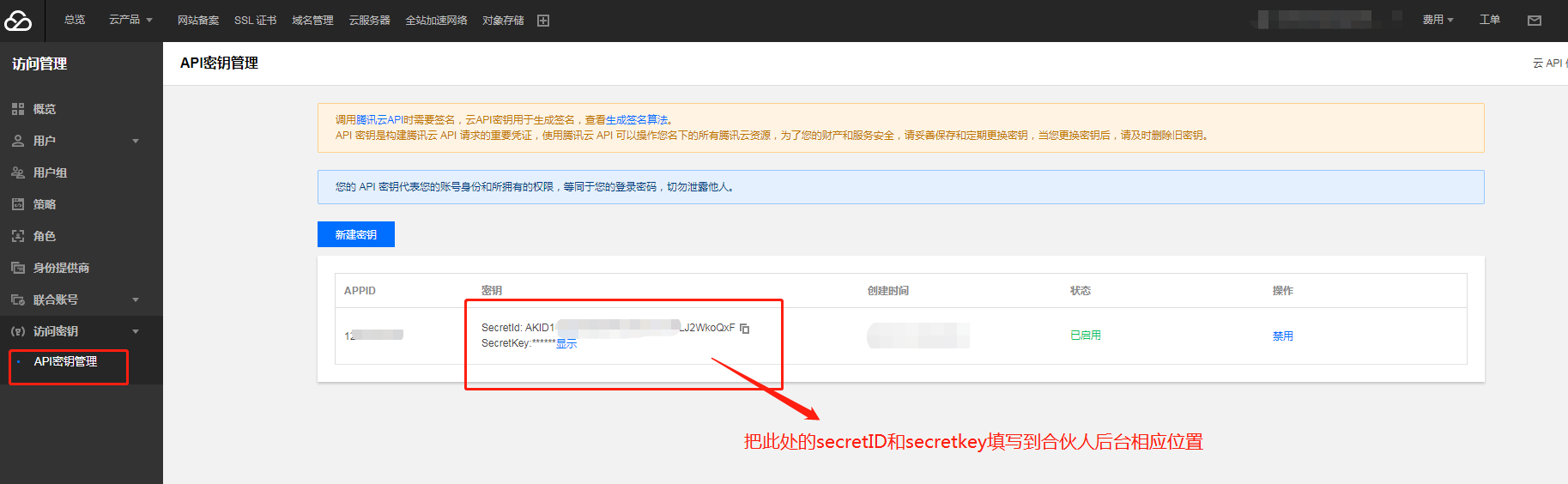
# 腾讯云图片存储 ### **2)腾讯云图片存储模式** 1、注册登录腾讯云 2、对象存储 ![](https://img.kancloud.cn/85/4f/854f9eb247ef9efd1275bcb2b49a776f_1159x895.png) 3、创建存储桶 ![](https://img.kancloud.cn/8f/b9/8fb9a6844e375cbdbdaa764016976667_1547x749.png) 4、点击列表中的配置管理按钮进行配置 ![](https://img.kancloud.cn/27/1d/271d6939230843030b57fb917f9d8fea_1682x501.png) 5、获取secretId和secretKey ![](https://img.kancloud.cn/66/f6/66f6de62b5d4d9bf085df36e93123c73_1871x575.png) ![](https://img.kancloud.cn/8a/0f/8a0f7eac3d17e44b36ccbcec9deaf2d3_1827x564.png) ### **防盗链不建议开启,如果非要开启,那么请把域名白名单填写好,小程序防盗链域名为“[servicewechat.com](http://servicewechat.com/)”**