
# 一、路径
## POME-营销中心-商机管理
# 二、配置
## 1.平台配置
**配置类型:公用**
**配置名称:use_platform
数据类型:Json
配置参数:
[{
"label":"A6",
"value":"A6"
},{
"label":"A6+",
"value":"A6+"
},{
"label":"A8",
"value":"A8"
},{
"label":"A8+",
"value":"A8+"
},{
"label":"G6",
"value":"G6"
},{
"label":"智慧党建",
"value":"智慧党建"
},{
"label":"A6+cloud",
"value":"A6+cloud"
}]
描述:所用平台配置
选择分类:政企
是否启用:启用**
## 2.角色管理配置角色,配置人员和角色关系
## 3.字典配置来源平台
### 名称: 平台来源
### 描述: oppSourcePlatform
## 4.字典配置跟进状态
### 名称: 跟进状态
### 描述:oppFollowStatus
# 三、商机维护
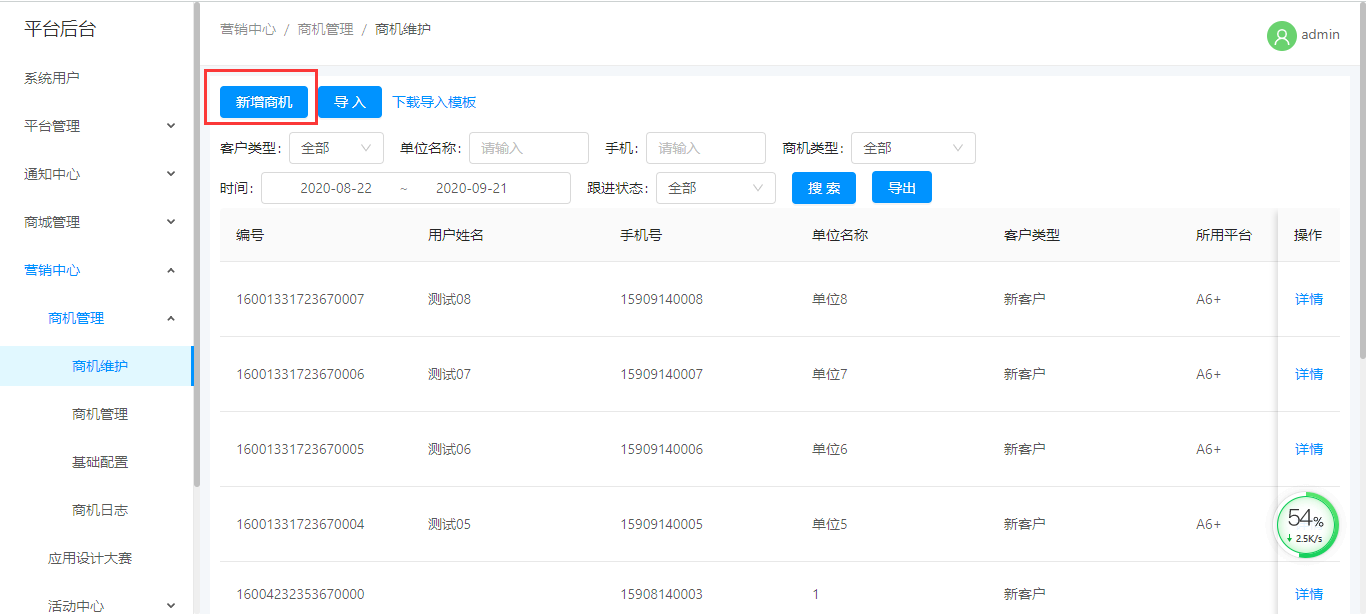
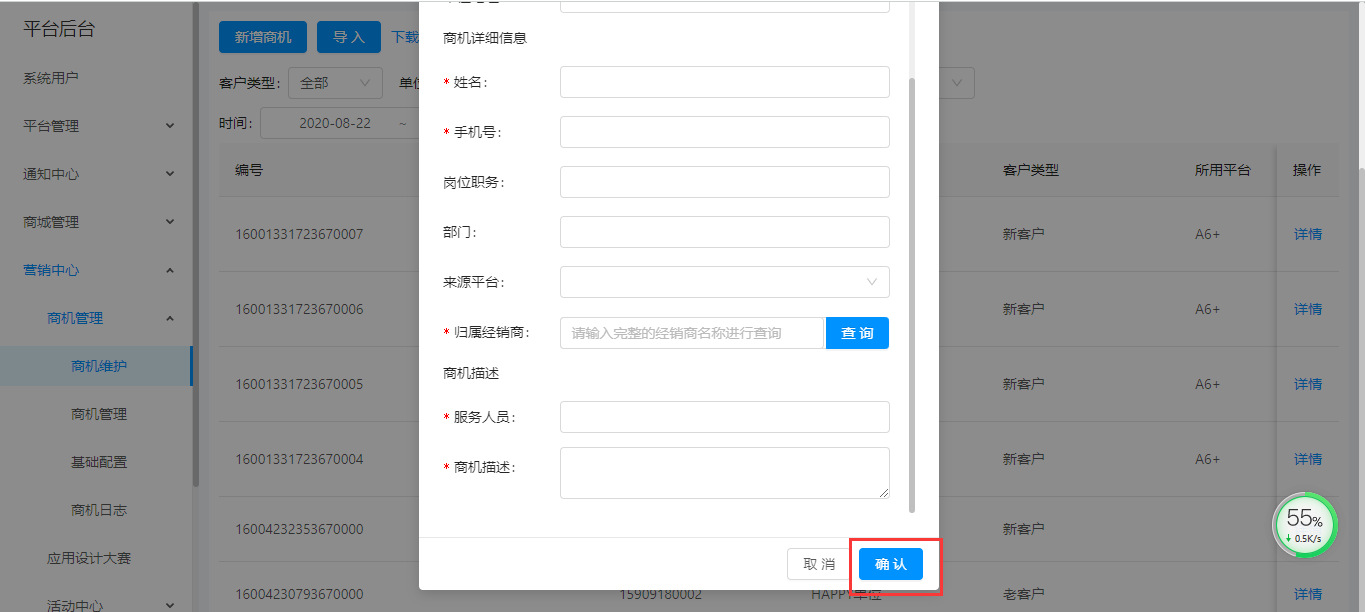
## 1.新增商机
### a.点击新增按键
### b.填写数据,进行保存。手机号相同的商机,数据将合并展示
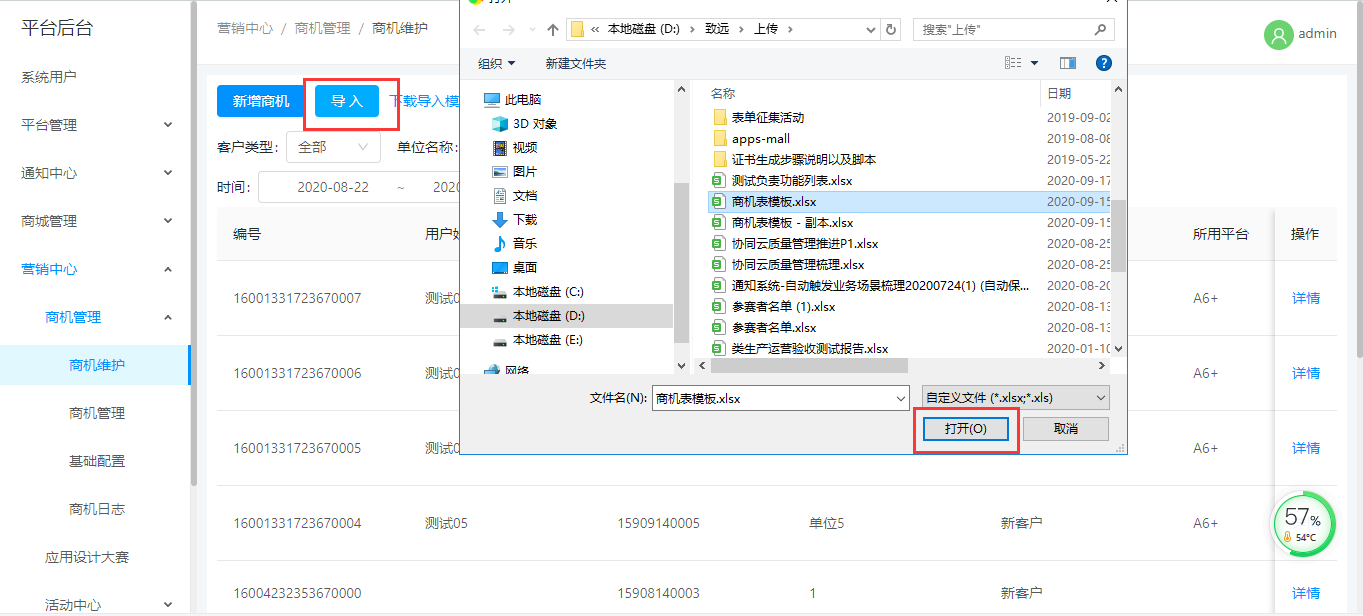
## 2.导入商机
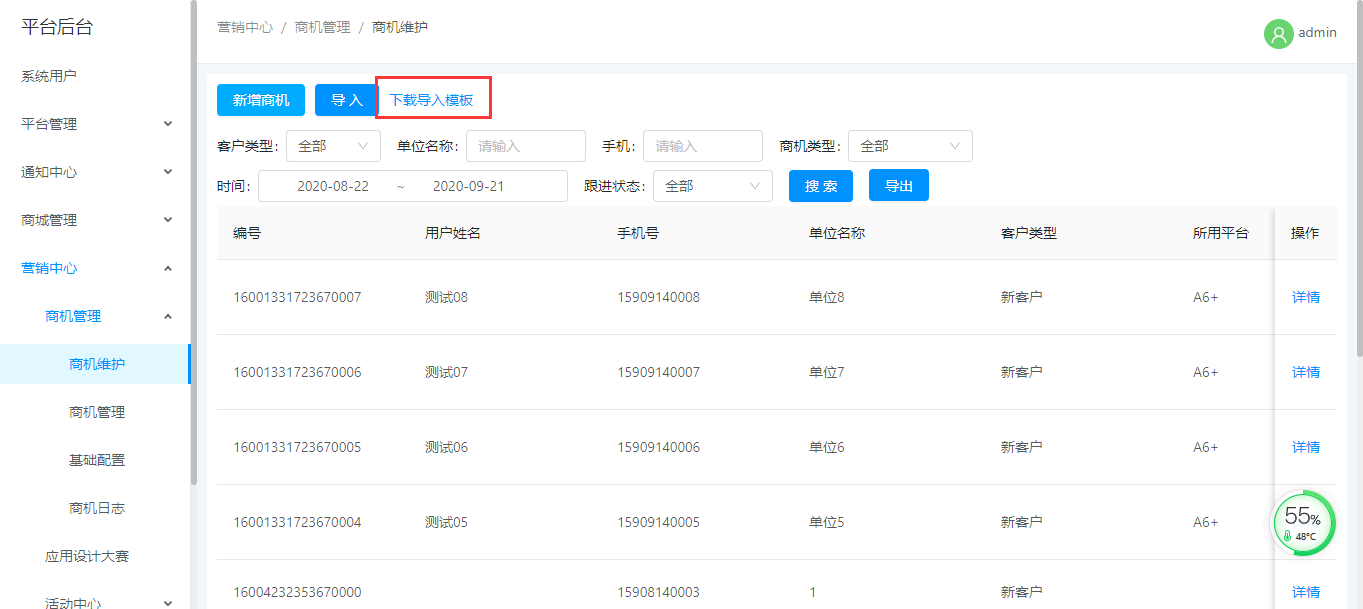
### a.点击下载导入模板
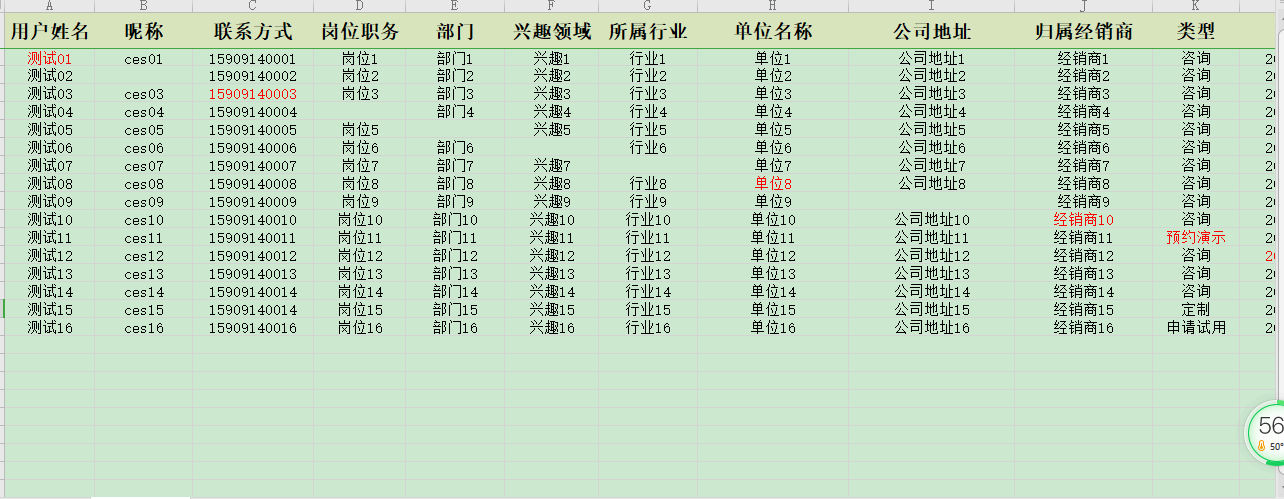
### b.在模板中填写数据并保存
### c.点击导入,选择导入文件,确定
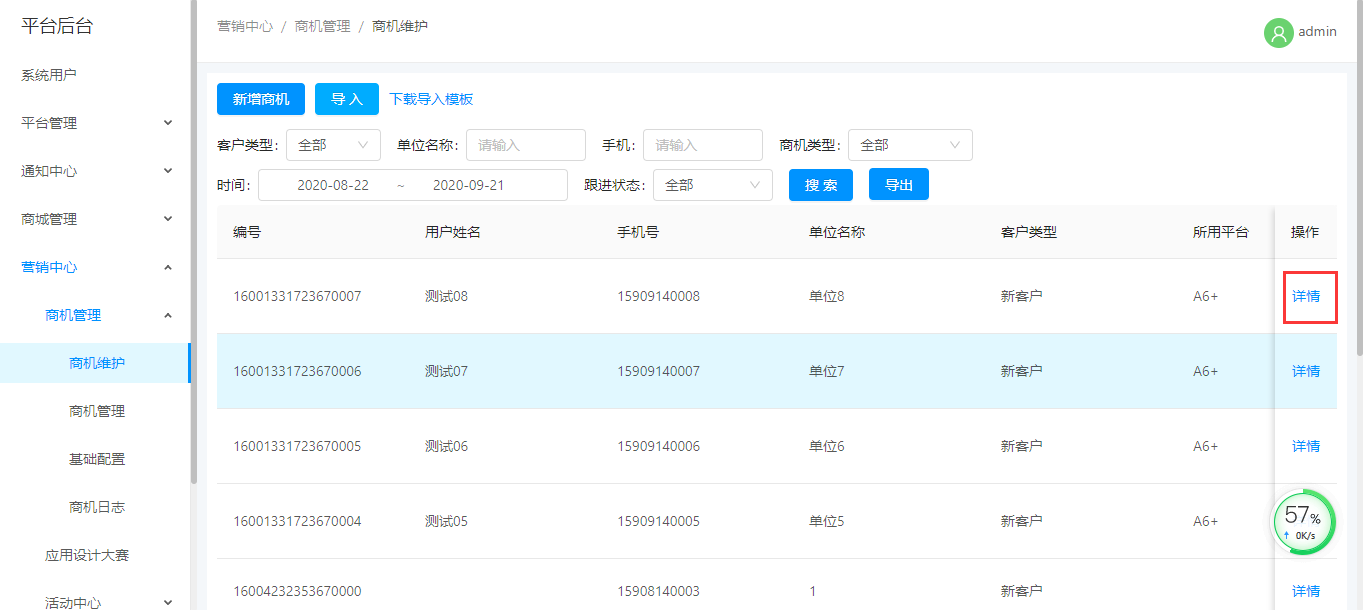
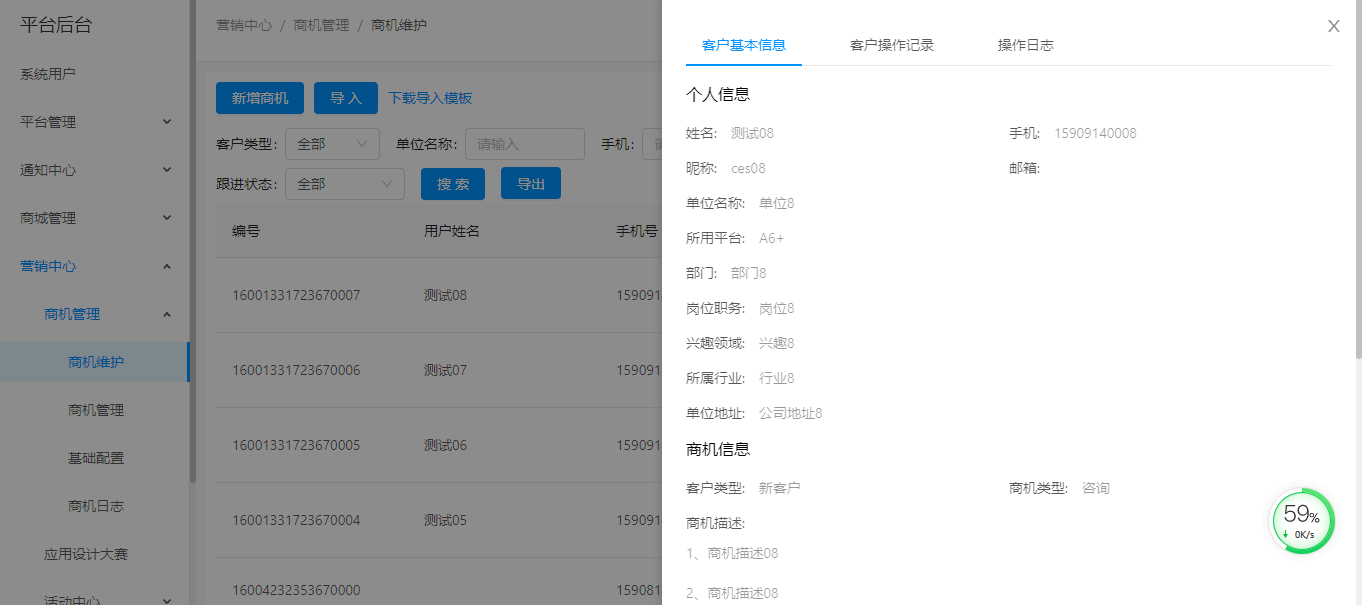
## 3.查看详情
### a.选择数据,点击查看详情按键
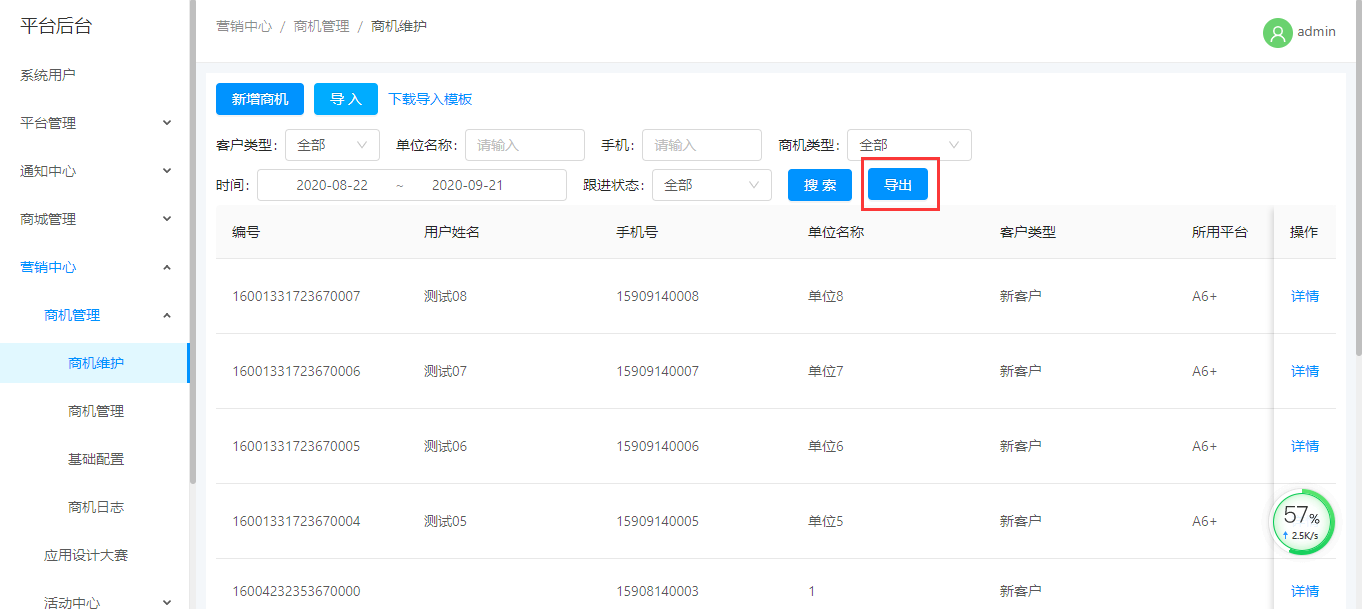
## 4.导出商机
### a.输入查询条件,点击搜索
### b.点击导出,若未填写任何查询条件,默认导出当前展示内容
# 四、商机管理
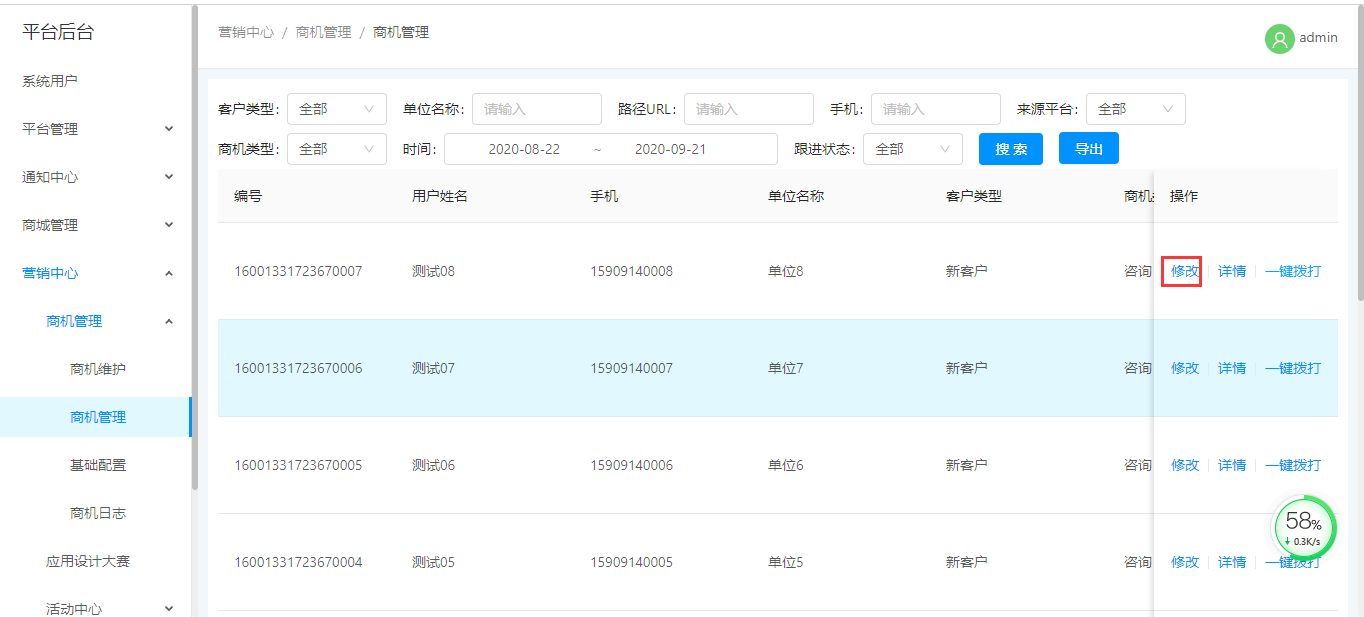
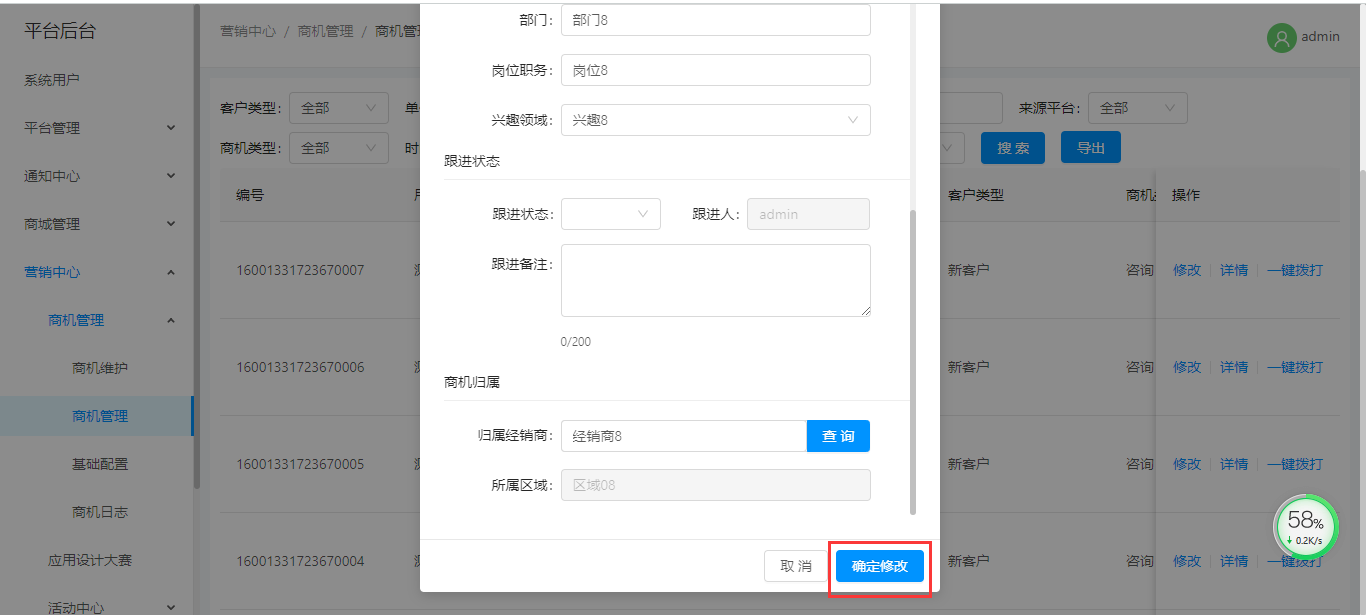
## 1.修改商机
### a..选择数据,点击修改
### b.修改数据,保存数据
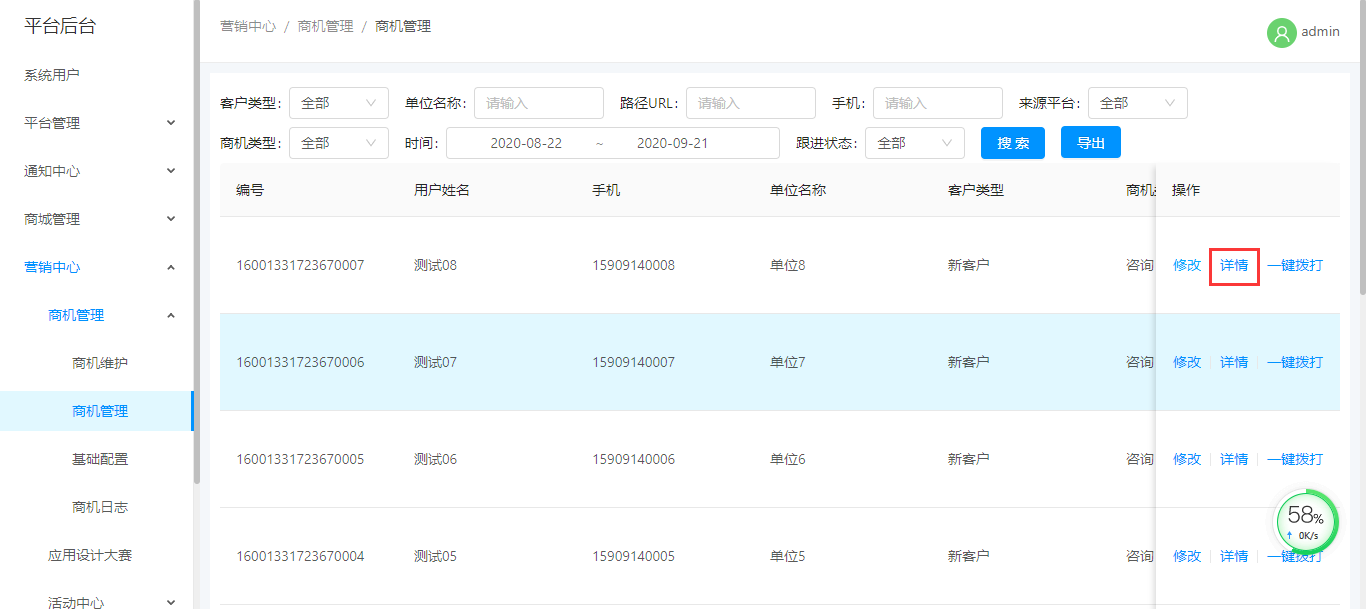
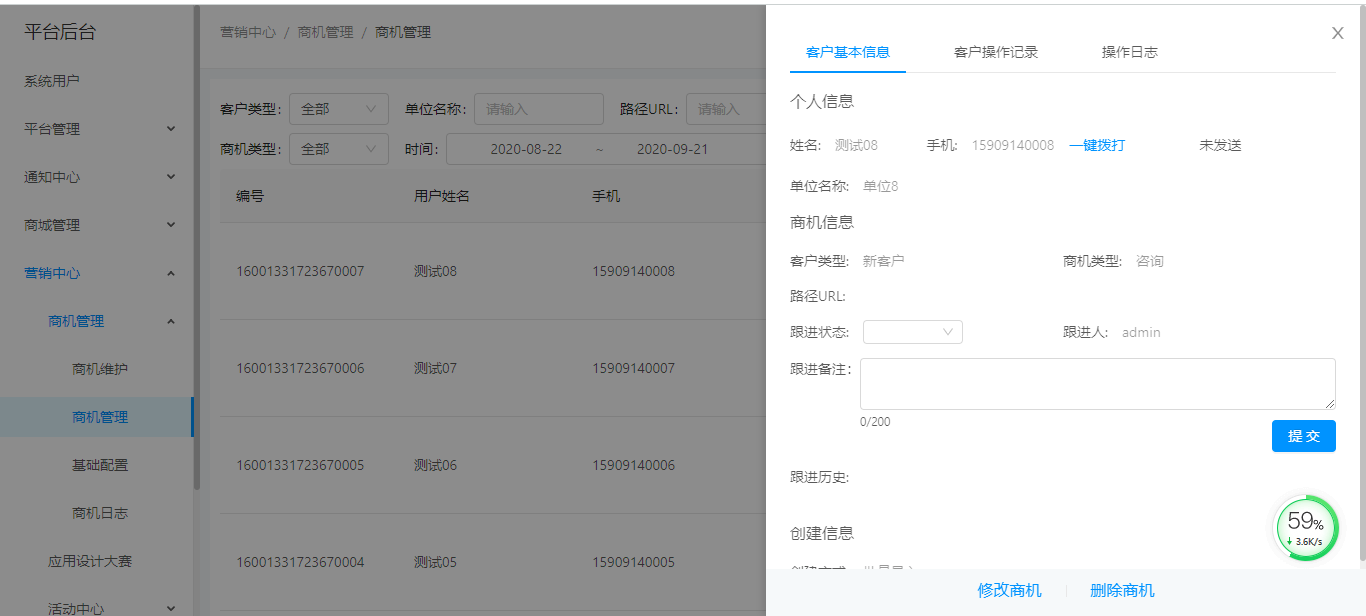
## 2.查看详情
### a.选择数据,点击详情
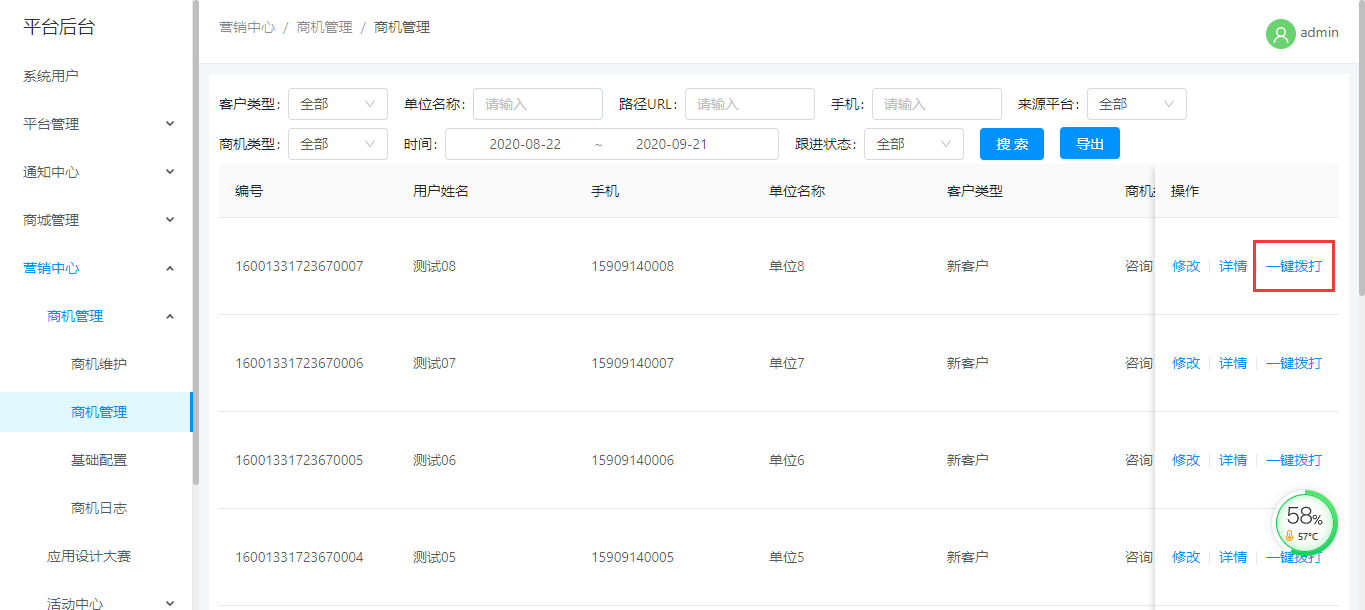
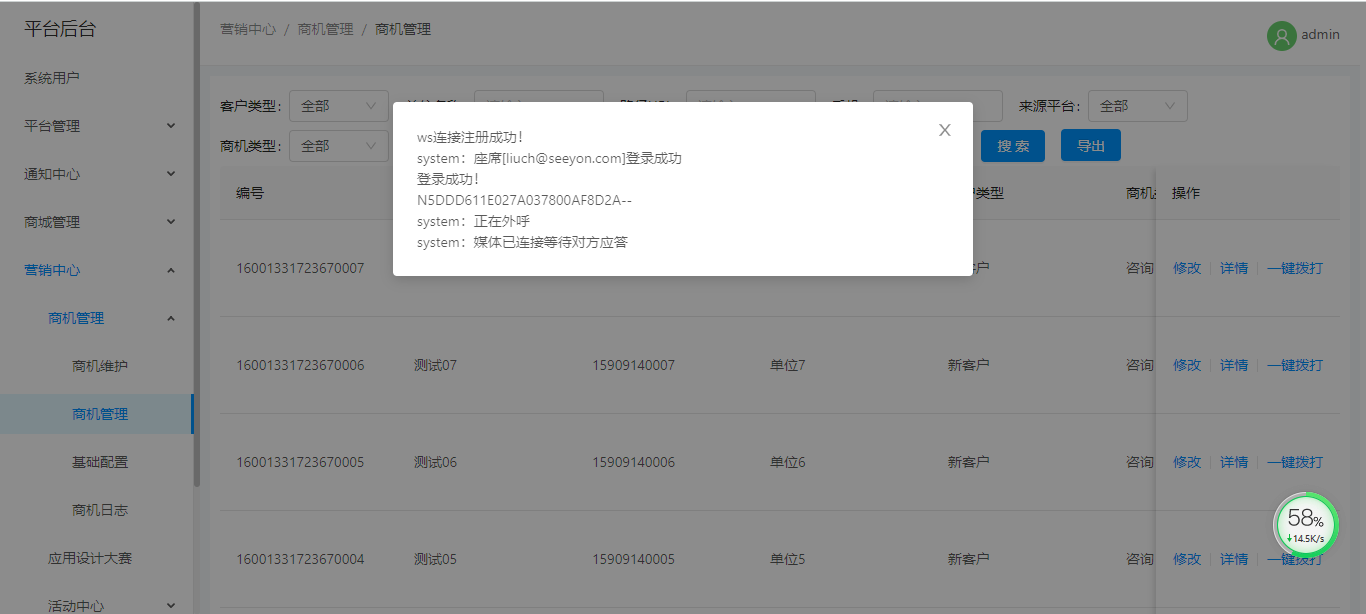
## 3.一键拨打
### a.选择数据,点击一键拨打
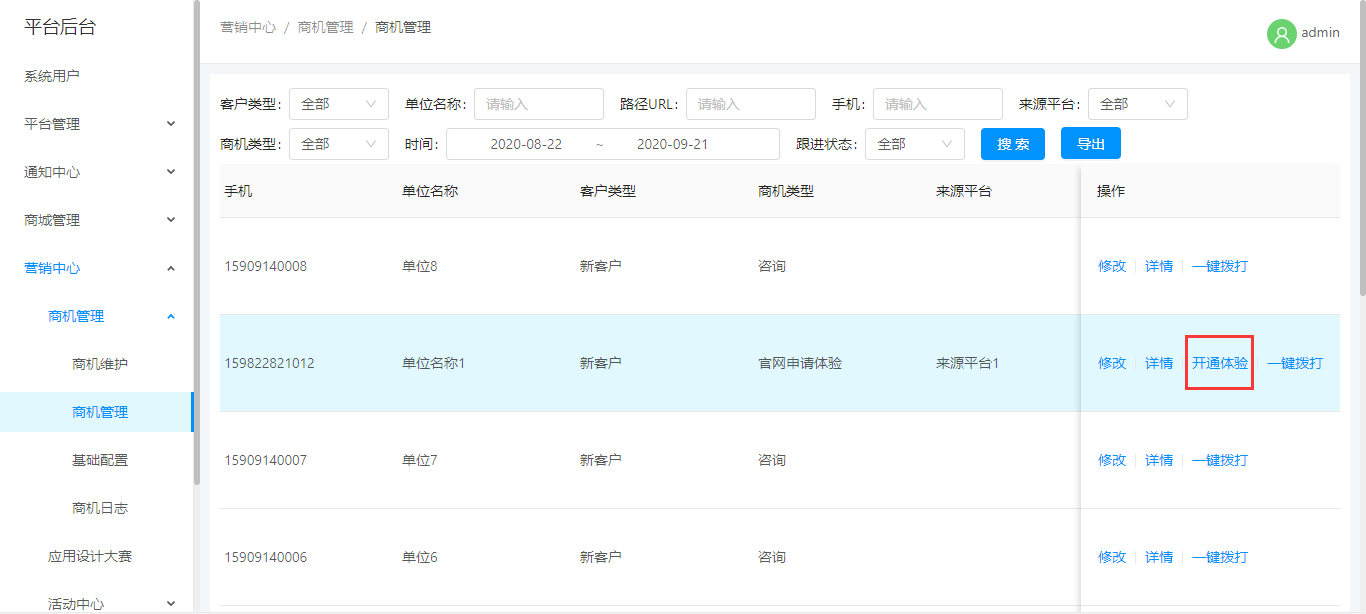
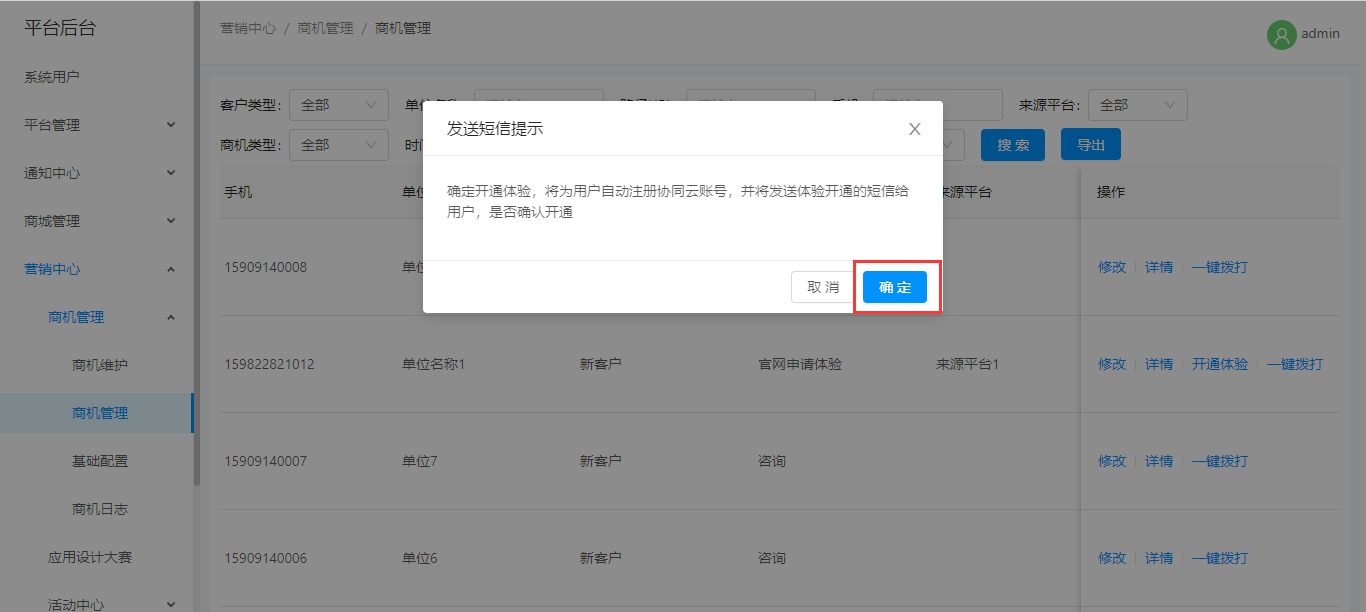
## 4.开通体验,仅针对来源为官方体验,且未开通体验的数据
### a.选择数据,点击开通体验
### b.若商机手机号未注册,自动注册
### c.发送短信给商机手机号
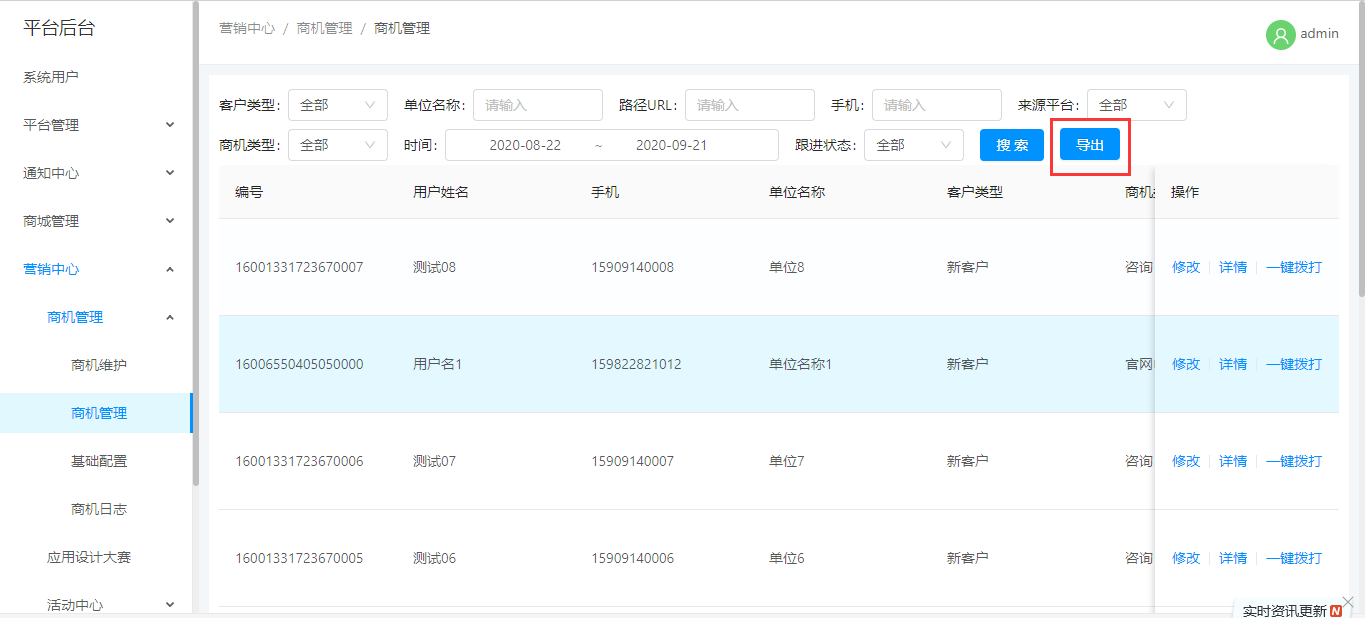
## 5.导出数据
### a.输入查询条件,点击搜索
### b.点击导出,若未填写任何查询条件,默认导出当前展示内容
# 五、基础配置
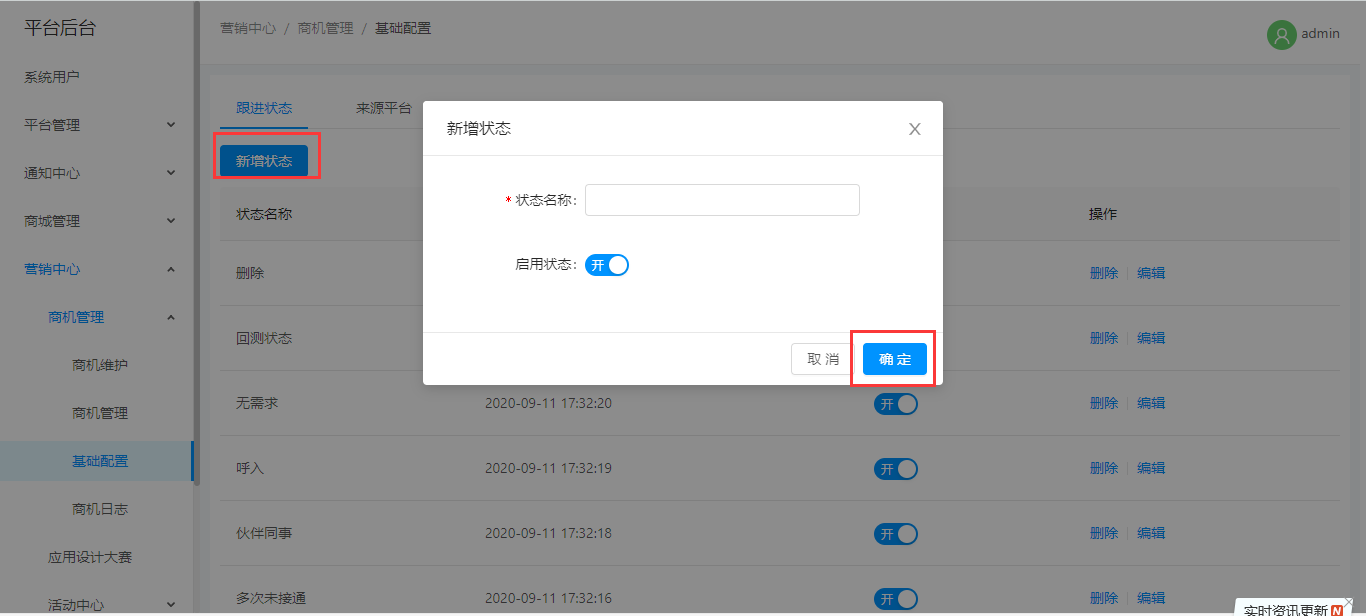
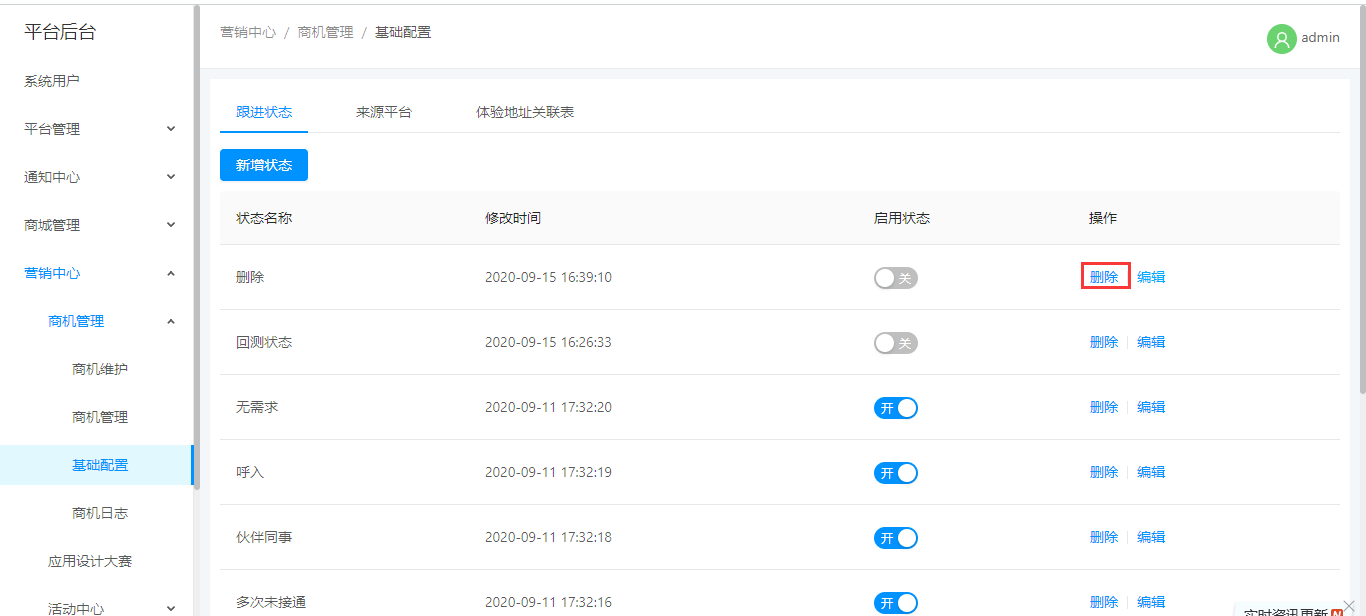
## 1.根据状态
### a.新增数据
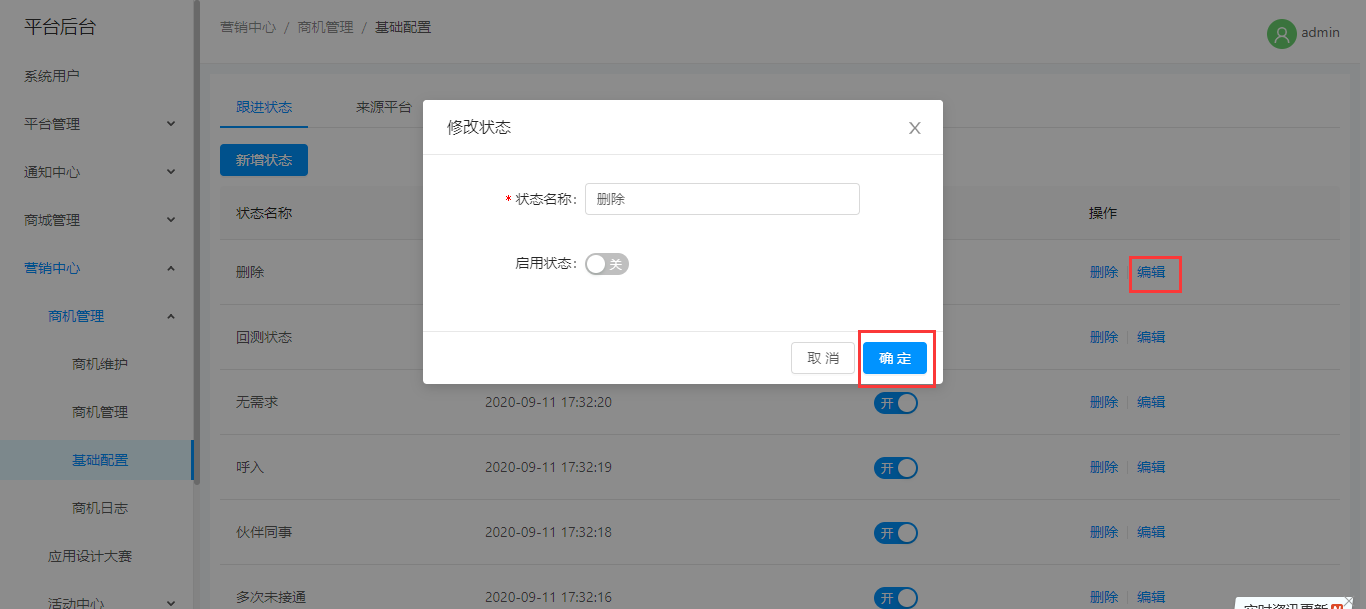
### b.修改数据
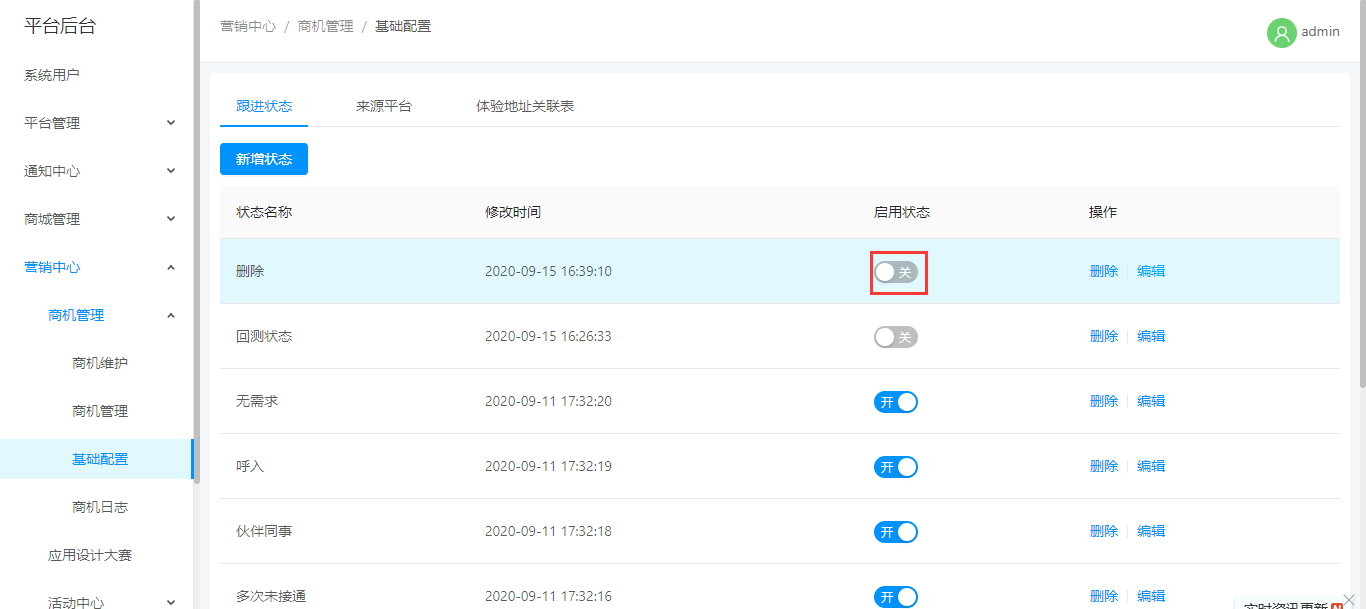
### c.修改状态
### d.删除数据
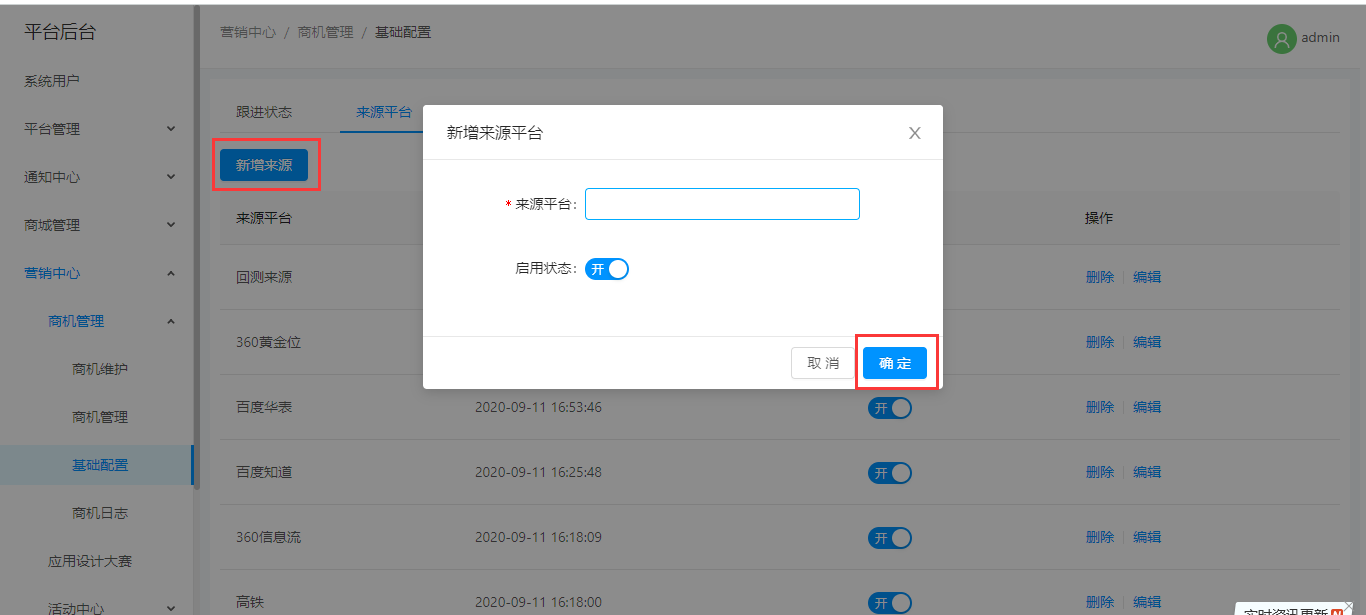
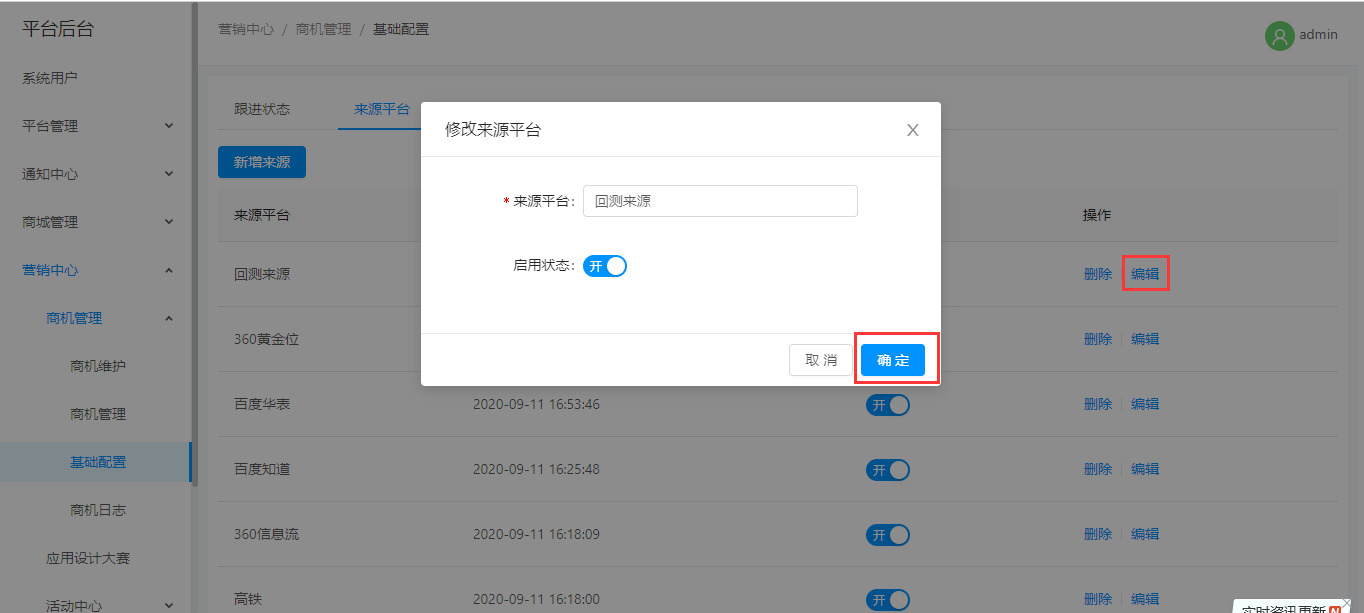
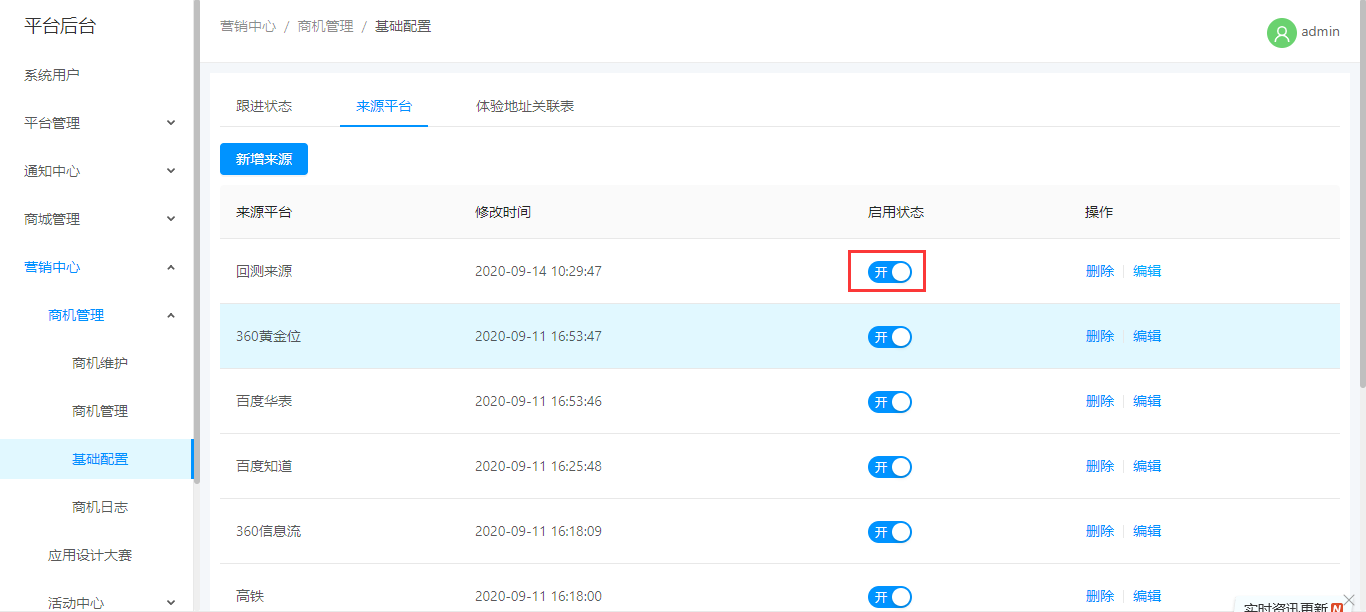
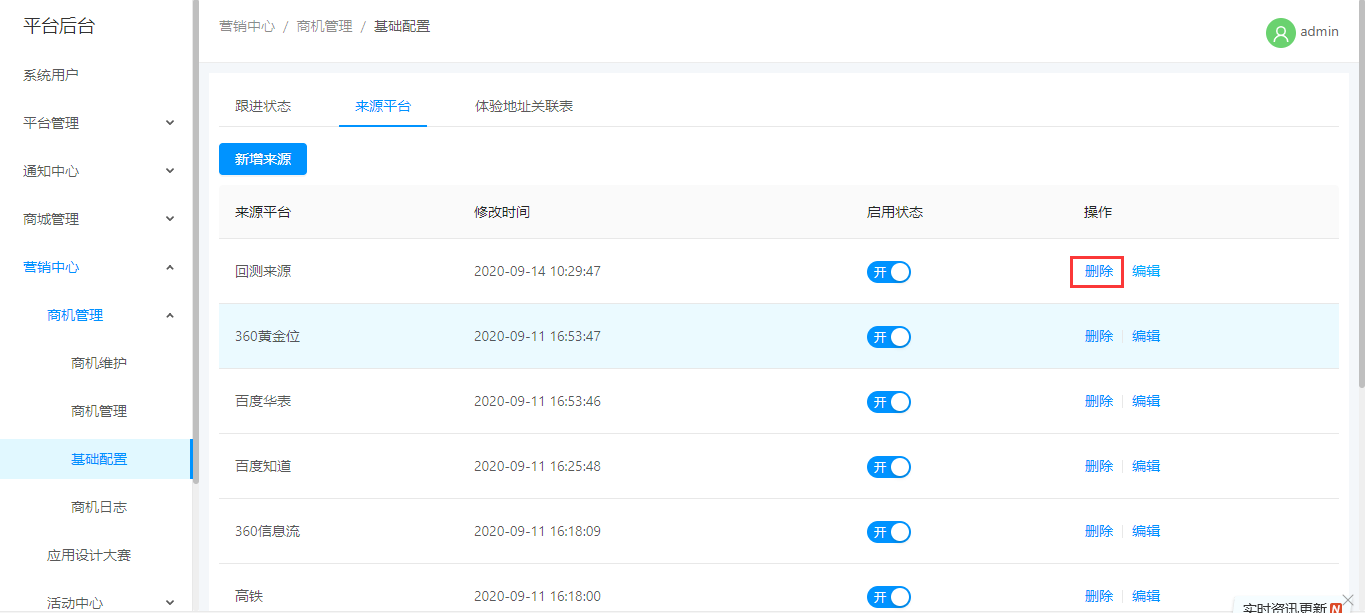
## 2.来源平台
### a.新增数据
### b.修改数据
### c.修改状态
### d.删除数据
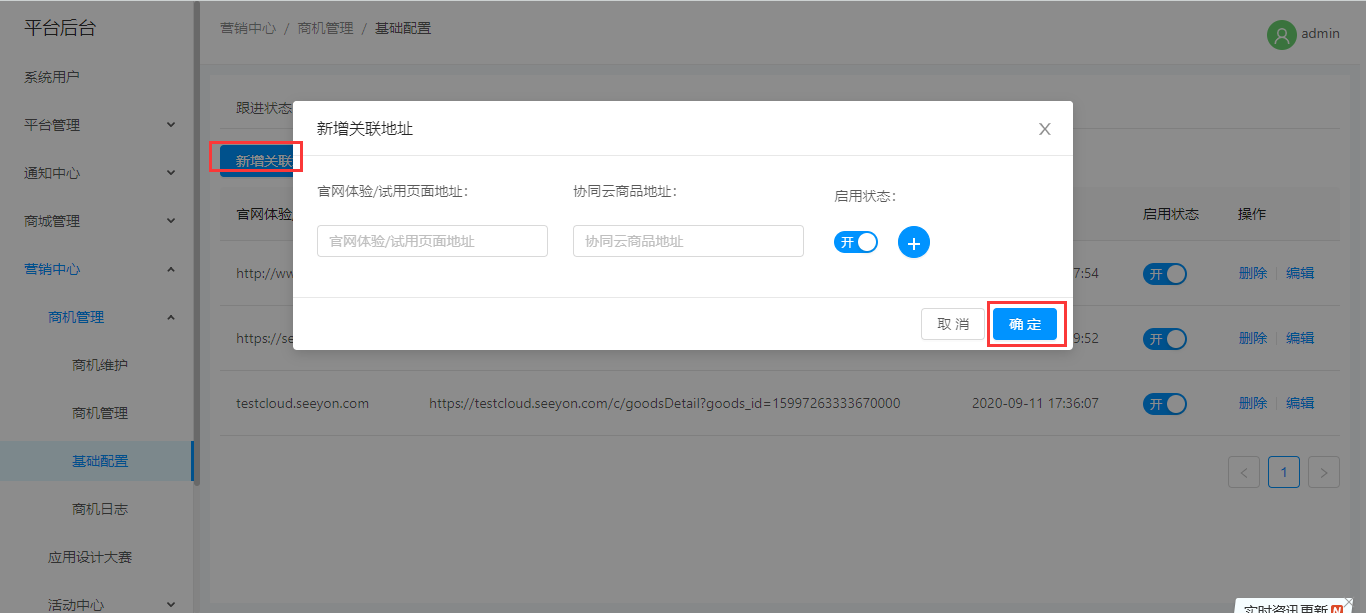
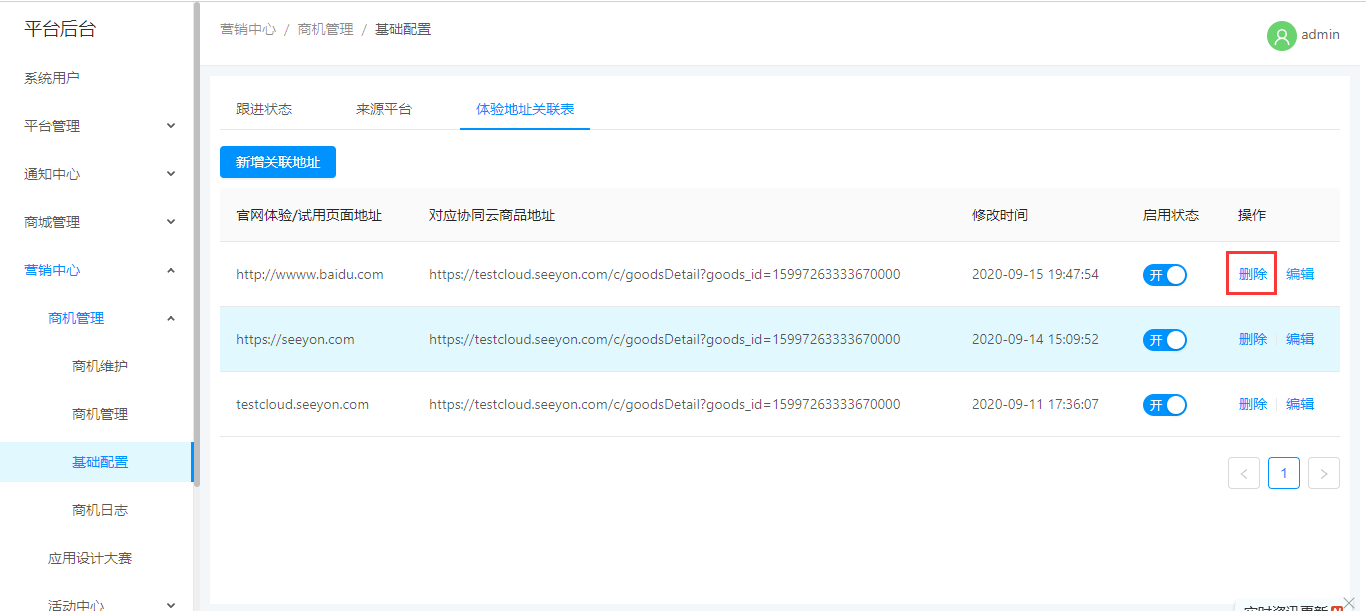
## 3.体验地址关联表
### a.新增数据
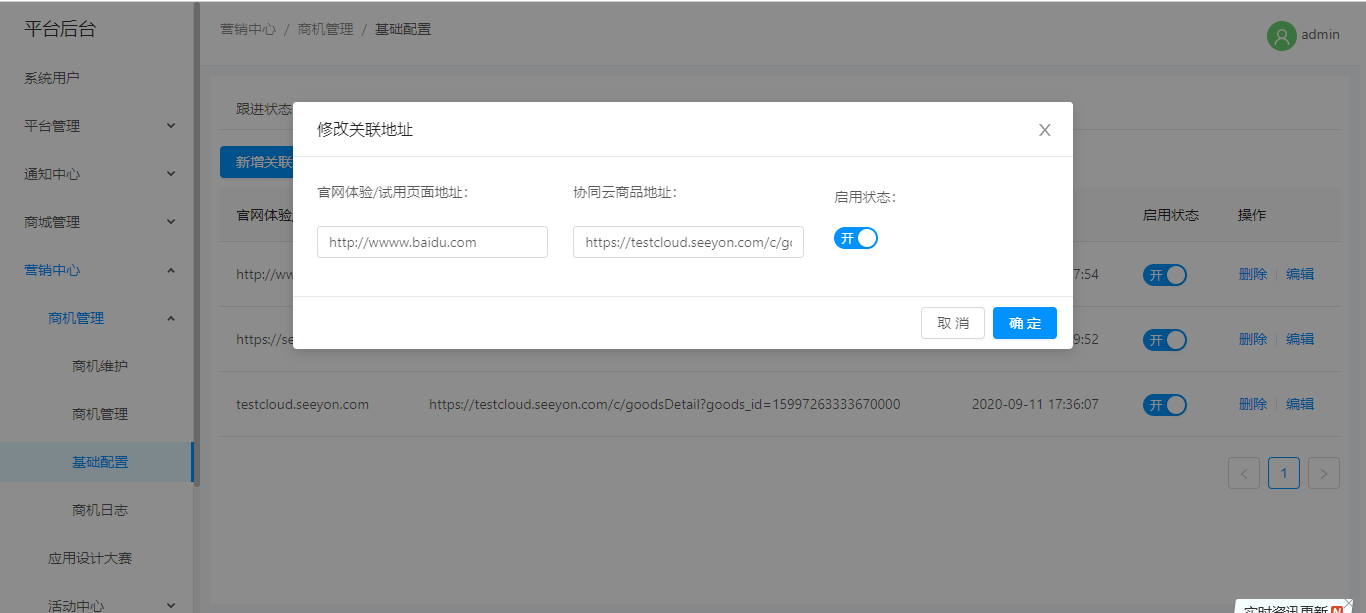
### b.修改数据
### c.修改状态
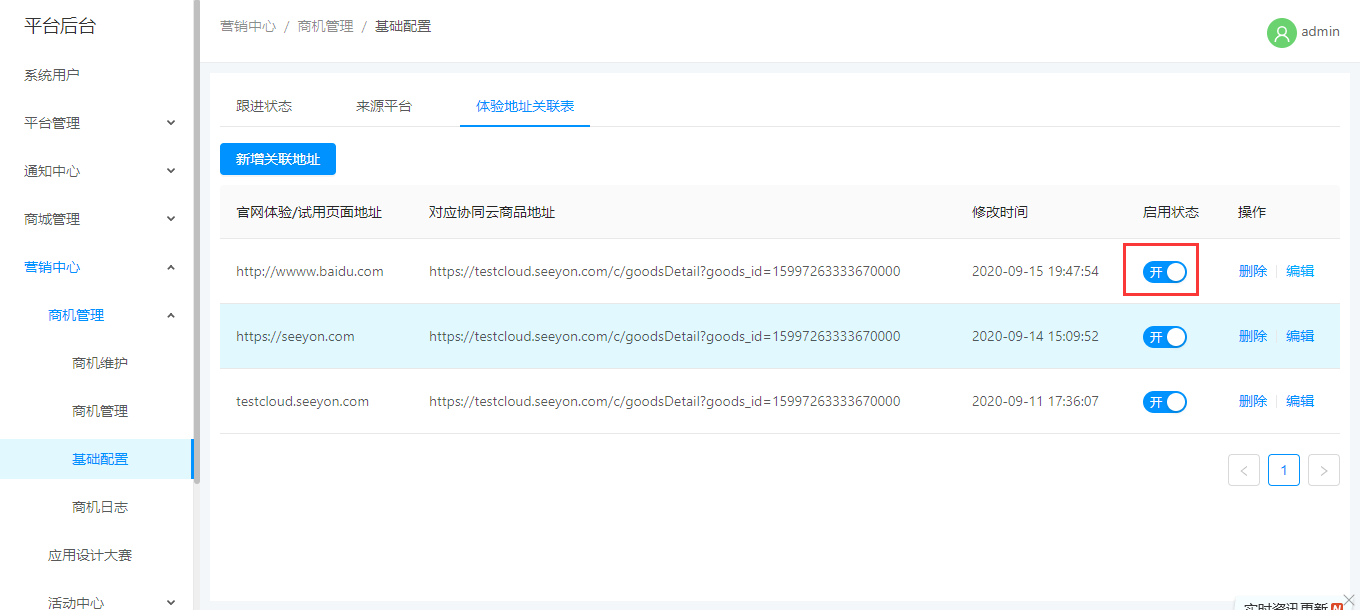
### d.删除数据
# 六、操作日志
- V1.3.3.1
- POC
- POC配置
- POC申请
- 伙伴服务权益
- 伙伴服务卡配置
- 服务接入配置
- 前端调用
- 单位服务查询
- 伙伴订阅记录
- 统一资源中心
- 资源类型管理
- 统一资源库商品类型
- 统一资源库体验类型
- 统一资源库案例类型
- 统一资源库设计资源类型
- 统一资源库产品与解决方案类型
- 统一资源库市场资讯类型
- 资源库管理
- 产品与解决方案
- 设计资源管理
- 统一资源库商品管理
- 统一资源库体验管理
- 市场资讯
- 统一资源库案例
- V1.3.2.2
- 双向沟通机制
- 使用指南
- 更新日志
- 赋能手册优化
- 商品上新
- 电子名片列表-编辑备注
- 体验权限
- cms
- 体验权限申请
- 体验权限管理
- 商机管理1
- 体验中心-前台
- 体验中心-小程序
- 体验配置
- 体验数据类型
- 体验类型
- 体验分类标签
- 新增体验
- 新品推荐配置
- V1.3.2.1
- 租户系统
- 维护租户
- 管理租户
- 系统管理
- 系统配置
- 系统用户
- 用户组权限1
- 角色授权
- 通知中心
- 营销中心
- 1.客户主题空间
- 2.电子名片
- 3.单位共享管理
- 4.单位共享总表
- 5.单位共享空间
- 小程序-客户主题空间
- -赋能手册
- V1.3.1.1
- 赋能平台
- 商品管理
- 店铺销售商品
- 单位供应商品
- 店铺销售订单
- 供应商订单
- 资源工具
- 我的共享文档
- 应用信息查看
- 全部应用信息查看
- 案例管理
- 工作台
- 客户主题空间
- 电子名片
- 收藏与足迹
- 我的收藏
- 我的足迹
- 个人中心
- 我的定制
- 我的试用
- 企业管理
- 员工管理
- 云联企业证书
- 账号设置
- 客户订单管理
- 客户订单
- 退换货管理
- 快速认证
- 快速认证记录
- 客户定制单
- 客户邀请统计
- 雷达
- 我的分享
- 线索管理
- 消息中心
- PHOME
- 订单管理
- 全部订单
- 退换货订单
- 反馈管理
- 帮助中心管理
- 分类目录
- 文档管理
- 商城
- 帮助中心
- 帮助手册
- 赋能手册
- 文档详情页
- 搜索
- 小程序1.3.1.1
- 小程序-赋能手册
- V1.3.1.0
- 小程序1.3.1.0
- 小程序-首页
- 小程序-工作台
- 小程序-应用中心
- 小程序-案例中心
- 小程序-体验中心
- 小程序-我的
- 登录绑定手机号
- V1.2.7.1
- 商品改造
- 商品类型配置
- 商家后台
- 前端展示
- V1.2.6.1
- 优化项-1.2.6.1
- 客户主题空间
- 电子名片优化
- 应用中心优化
- 通知系统-1.2.6.1
- 商机管理1.2.6.1
- 用户中心定制单新增定制来源
- 数据埋点
- V1.2.5.1
- 快速过户
- CMS权限控制
- 优化项
- 电子名片
- 电子名片-后台
- 小程序
- 主题空间标签
- V1.2.4.1
- PHOME-V1.2.4.1
- 商机管理-1.2.4.1
- 应用大赛后台
- 商家后台-V1.2.4.1
- 员工岗位
- 聚合应用
- 邀请足迹
- 商城前端-V1.2.4.1
- 应用大赛前台
- 工作台
- 营销门户
- V1.2.3.1
- 商城前端-V1.2.3.1
- 体验中心
- 客户案例
- 通知
- 公告
- 站内信
- PHOME-V1.2.3.1
- 权限系统
- 用户权限
- 用户组权限
- 角色管理
- 通知后台
- 通知列表
- 通知模板
- 用户组
- 案例管理
- 商家后台-V1.2.3.1
- 案例
- 协同云操作手册
- 商城前端
- 个人中心
- 邀请好友
- 账户设置
- 绑定单位
- 单位认证
- 解绑单位
- 单位管理
- 订单管理
- 购买
- 试用
- 应用中心
- 最新活动
- 邀请参会
- 活动管理
- 主搜索
- 商家后台
- 客户统计
- 客户需求管理
- 商品与商品集
- 商品
- 商品集
- 应用信息查看
- 普通应用信息查看
- 全部应用信息查看
- 用户中心
- 渠道订单
- 权限体系
- 商城平台后台
- 营销
- 商机管理
- cms
- cms页面管理
- cms设计页面
- cms组件
- 用户大会_注册(移动端)