
## Register
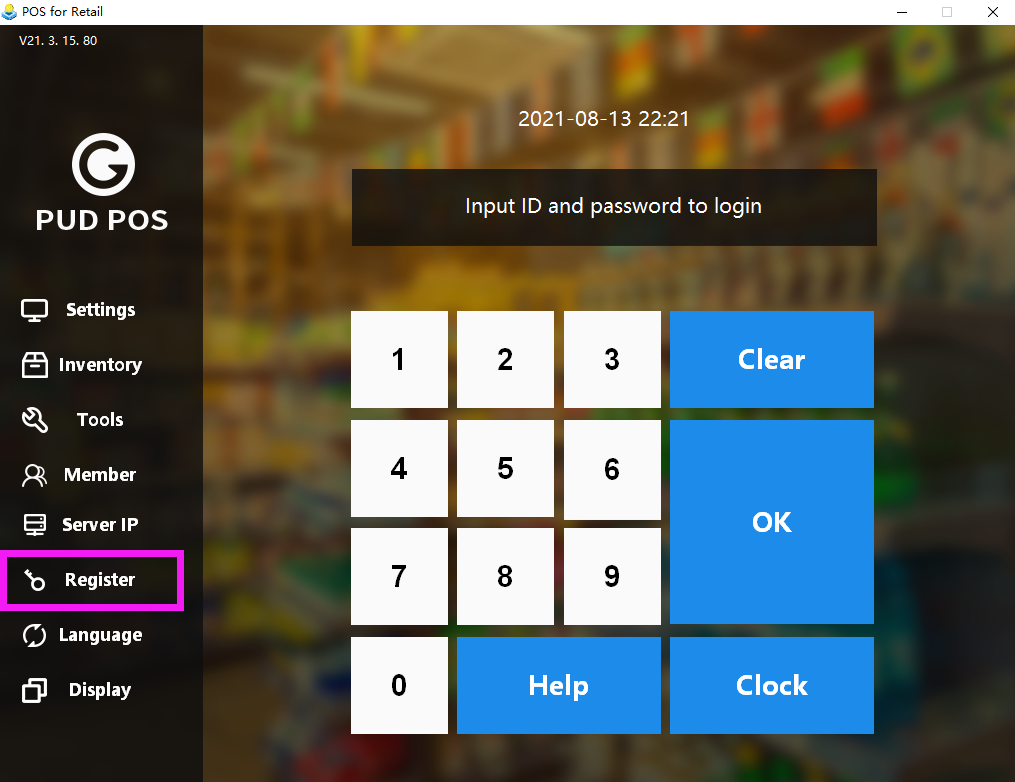
1. Click “Register” on the right side of login page.
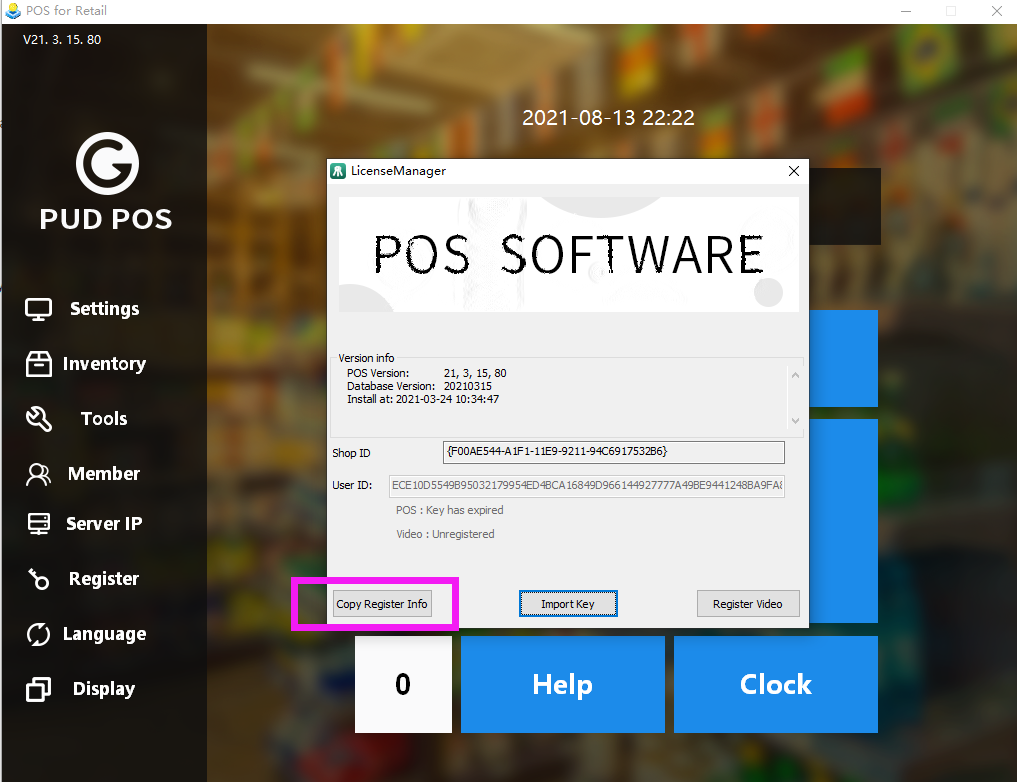
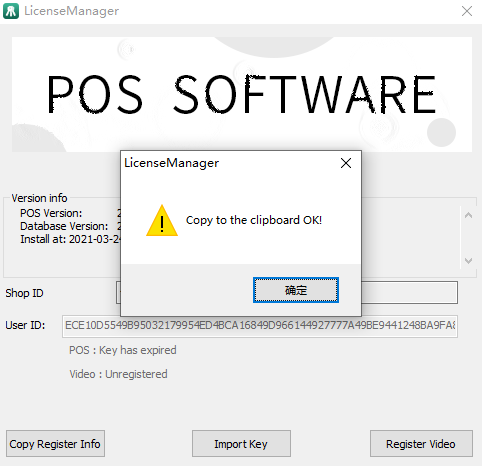
2. Click “Copy Register info” on the pop-up, and send it to our after sales customer service. We'll send you a registration file ended with ".key".
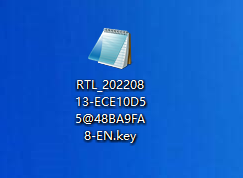
3. Download the file and click “Import Key” to finish registration.
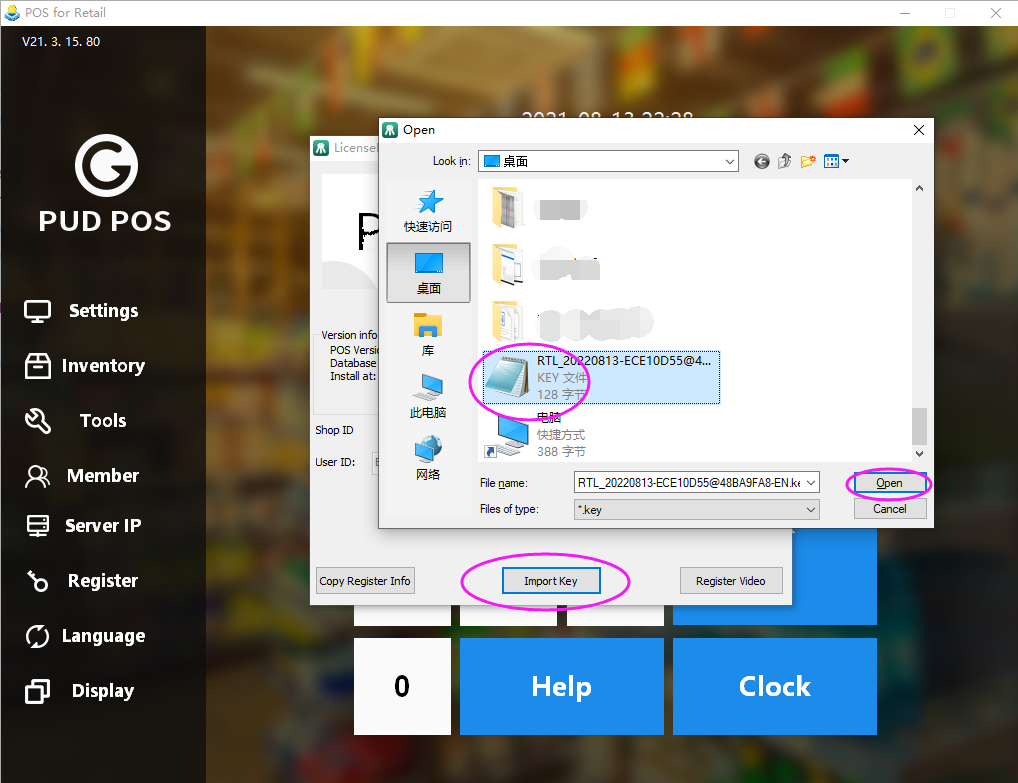
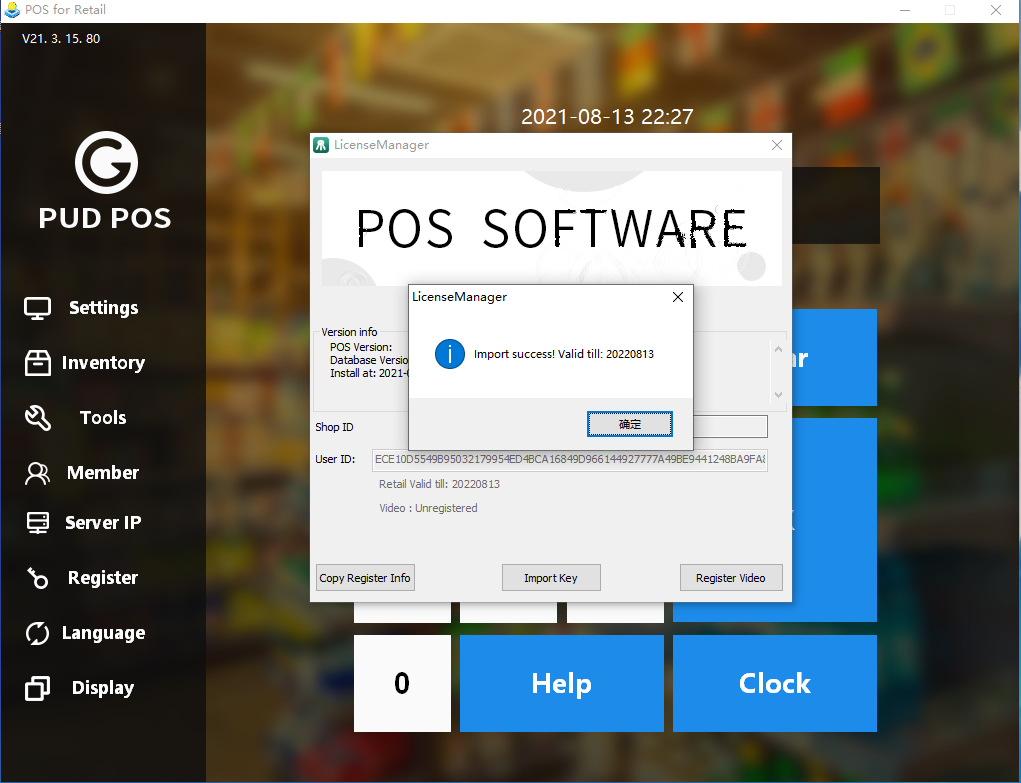
**Note**. Please keep the key well in case of future use. As long as you don't replace your PC or hard disk, the key can be used for 10 years.
- Pudding POS For Retail Software
- 1.Register
- 2.Configurator
- 2.1 Add the goods
- 2.2 Bulk import goods
- 2.3 Print Receipt
- 2.4 Sales promotion settings
- 2.5 Employee Management
- 2.6 Discount
- 2.7 Tax Settings
- 2.8 Service Charge
- 2.9 Backup and Restore
- 3.Stock in and out
- 3.1 Stock in
- 3.2 Stock out
- 4.Orders
- 4.1 Login
- 4.2 Order
- 4.3 Pay
- 4.4 Cashier Shift & End of Day