
## Add a 10% discount
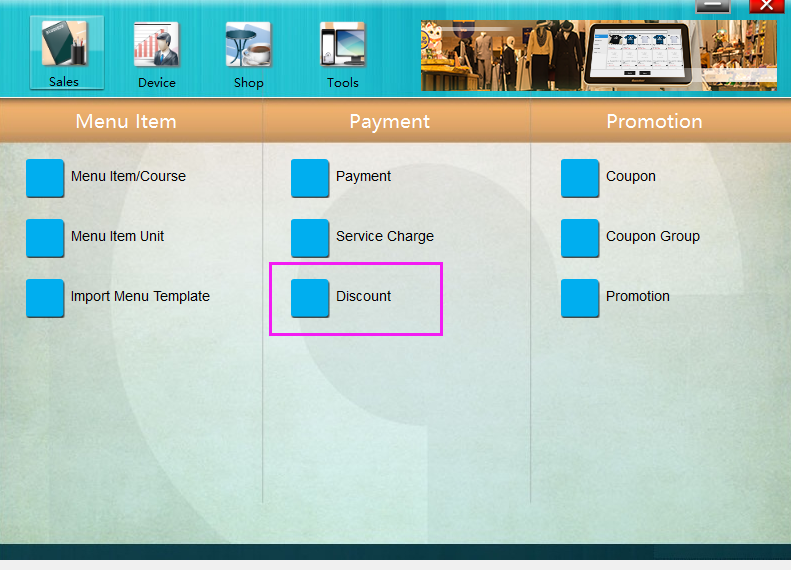
1. Run **POSManager** ———— **Sales** ———— **Discount**.
* * * * *
2. Click "Add" on the left bottom, and name it as "10% Off", tick "10403 Ratio Priority", and enter "10" in "10403 Discount Ratio", click "Save" to finish the setting.

* * * * *
3. Restart **Pudding Orders** to activate the discount.
* * * * *
## Add a 10 Dollars Off discount
1. Click "Add" on the left bottom, and name it as "10 Dollars Off", tick "10406 Customize Discount", and enter "10" in "10403 Discount Amount", and save it.

* * * * *
2. Restart **Pudding Orders** to activate the discount.
* * * * *
## Delete a discount
To delete a discount, just select it and click "Delete" on the left bottom, or right click a discount and select "Delete Discount".
- Pudding POS For Retail Software
- 1.Register
- 2.Configurator
- 2.1 Add the goods
- 2.2 Bulk import goods
- 2.3 Print Receipt
- 2.4 Sales promotion settings
- 2.5 Employee Management
- 2.6 Discount
- 2.7 Tax Settings
- 2.8 Service Charge
- 2.9 Backup and Restore
- 3.Stock in and out
- 3.1 Stock in
- 3.2 Stock out
- 4.Orders
- 4.1 Login
- 4.2 Order
- 4.3 Pay
- 4.4 Cashier Shift & End of Day