
## **Cashier Shift**
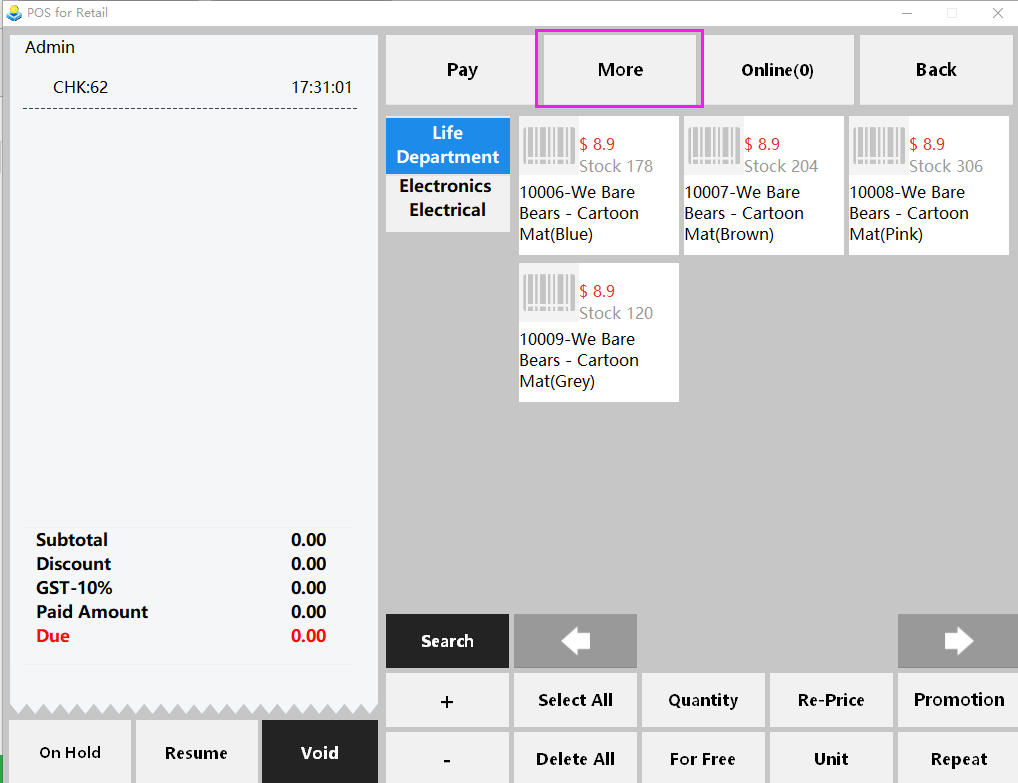
1. When it is time for cashier shift, click "More" on the top of the page.
* * * * *
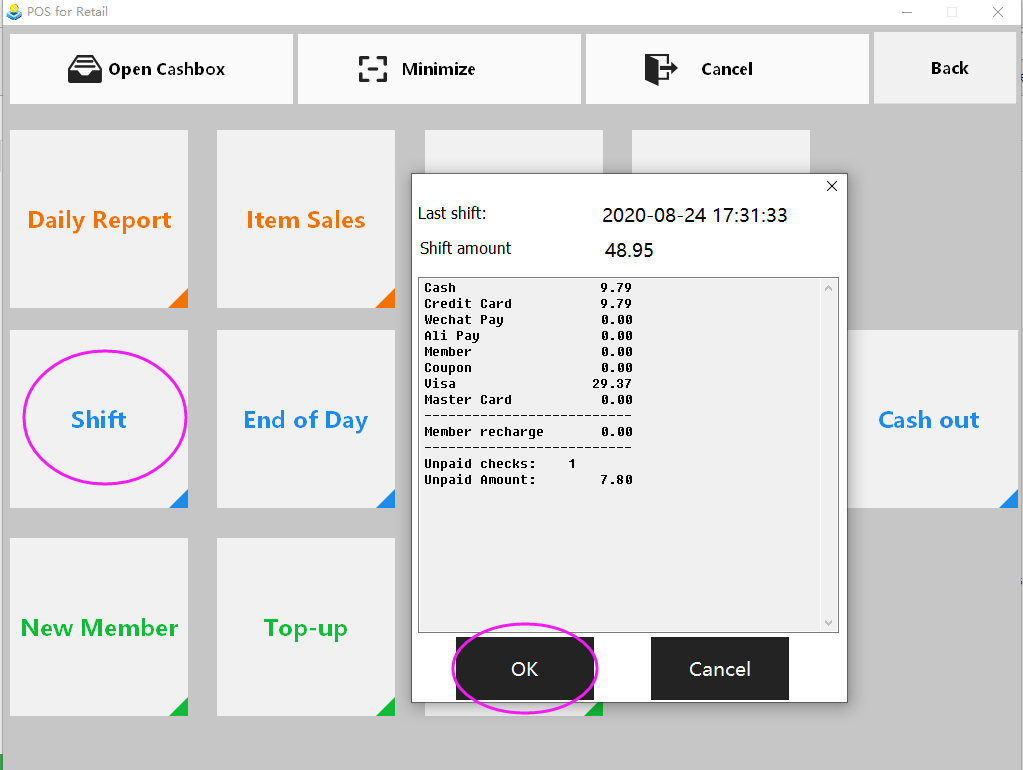
2. Click "Shift", a sales review will pop up, make sure all the checks are settled and click “OK” to set the shift.
* * * * *
## **End of Day**
We suggest you to do End of Day in order to help have a better view of daily sales.
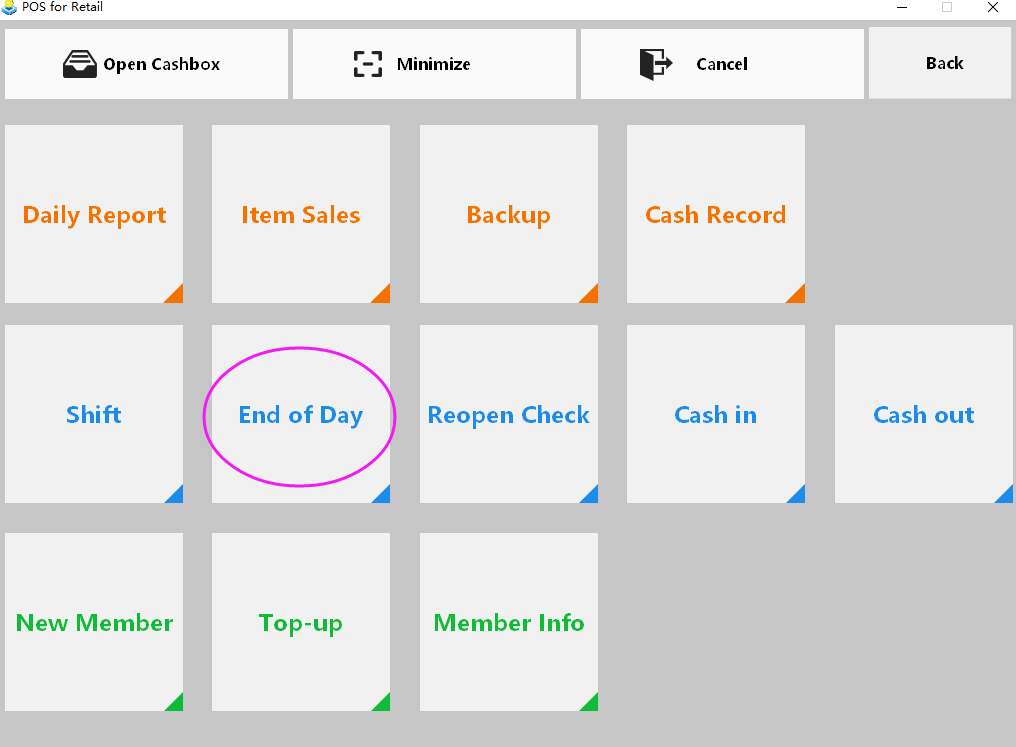
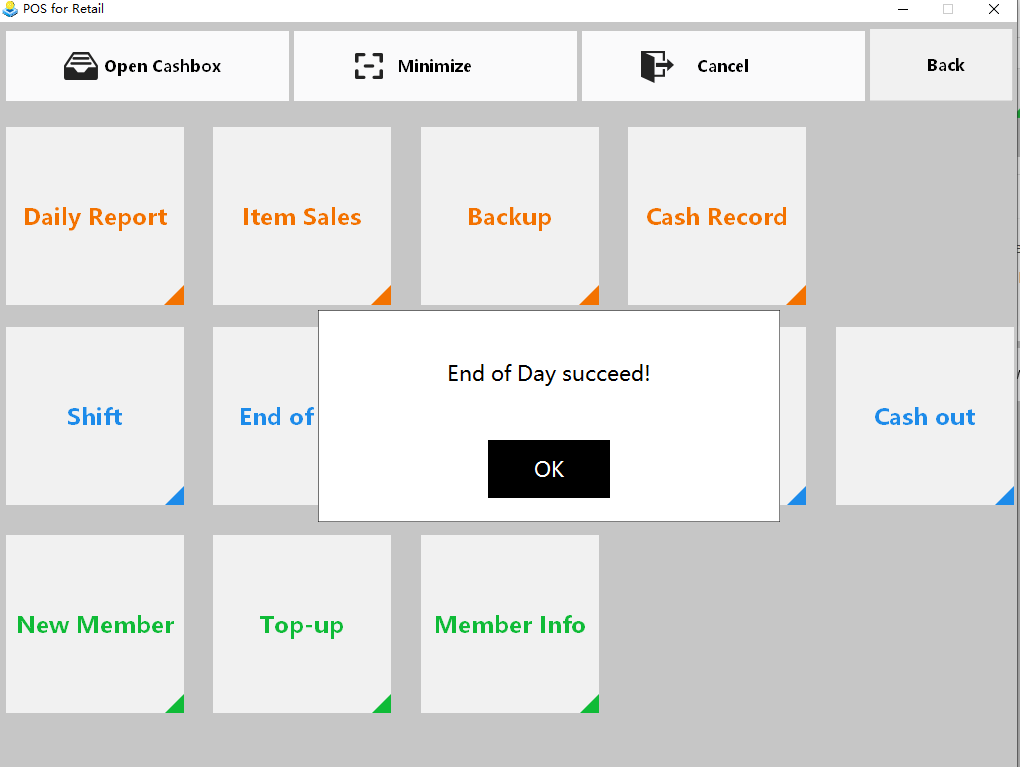
Click "More" in the first page, and click "End of Day". Make sure all the checks are paid and click “OK” to finish end of day.
- Pudding POS For Retail Software
- 1.Register
- 2.Configurator
- 2.1 Add the goods
- 2.2 Bulk import goods
- 2.3 Print Receipt
- 2.4 Sales promotion settings
- 2.5 Employee Management
- 2.6 Discount
- 2.7 Tax Settings
- 2.8 Service Charge
- 2.9 Backup and Restore
- 3.Stock in and out
- 3.1 Stock in
- 3.2 Stock out
- 4.Orders
- 4.1 Login
- 4.2 Order
- 4.3 Pay
- 4.4 Cashier Shift & End of Day