
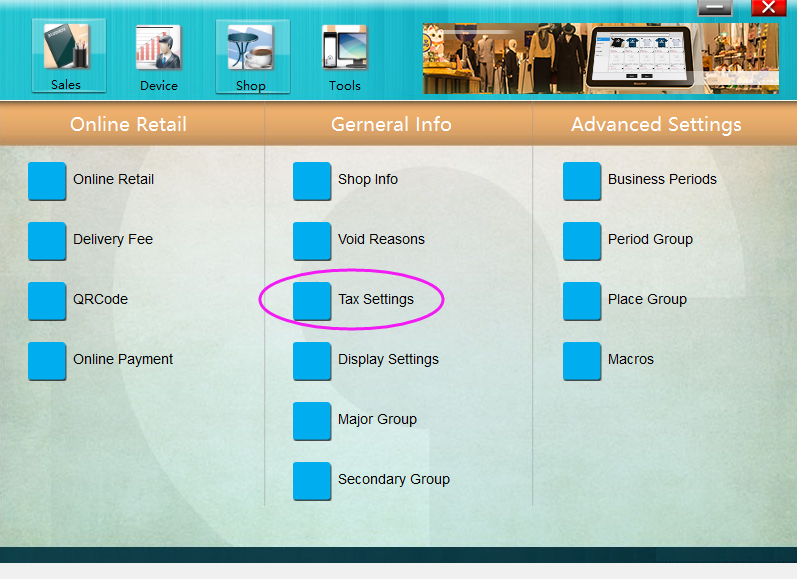
Run **POSManager** ———— **Shop** ———— **Tax Settings** to set tax.
## Primary Tax
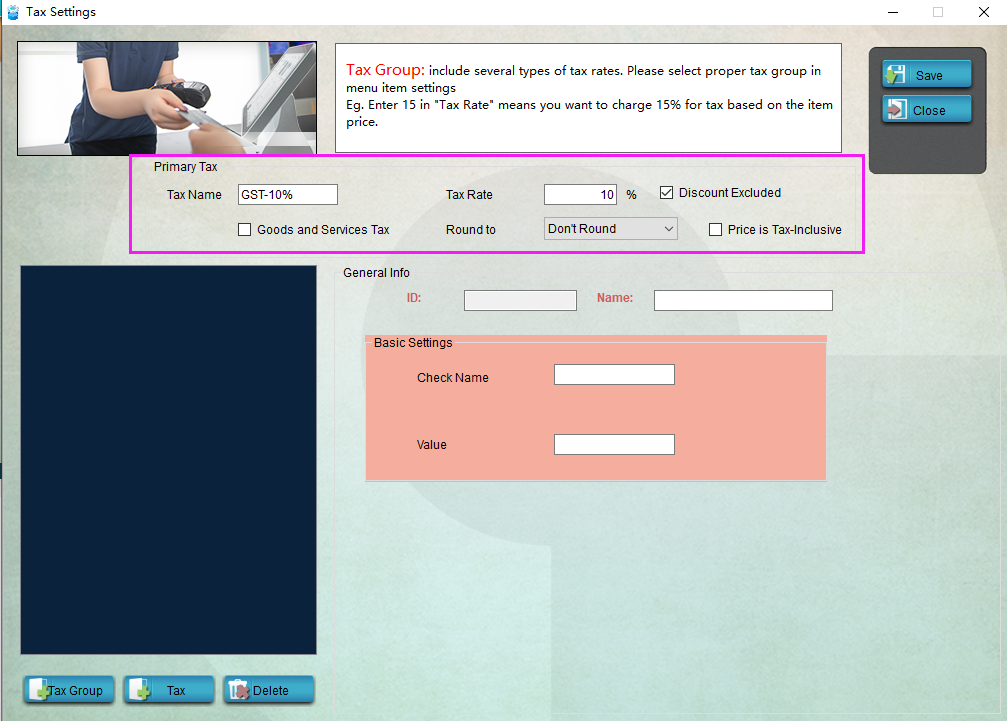
**Primary Tax** is charged automatically for all goods items. You can set the tax rate and round type for it.
* * * * *
**Ratio Tax**
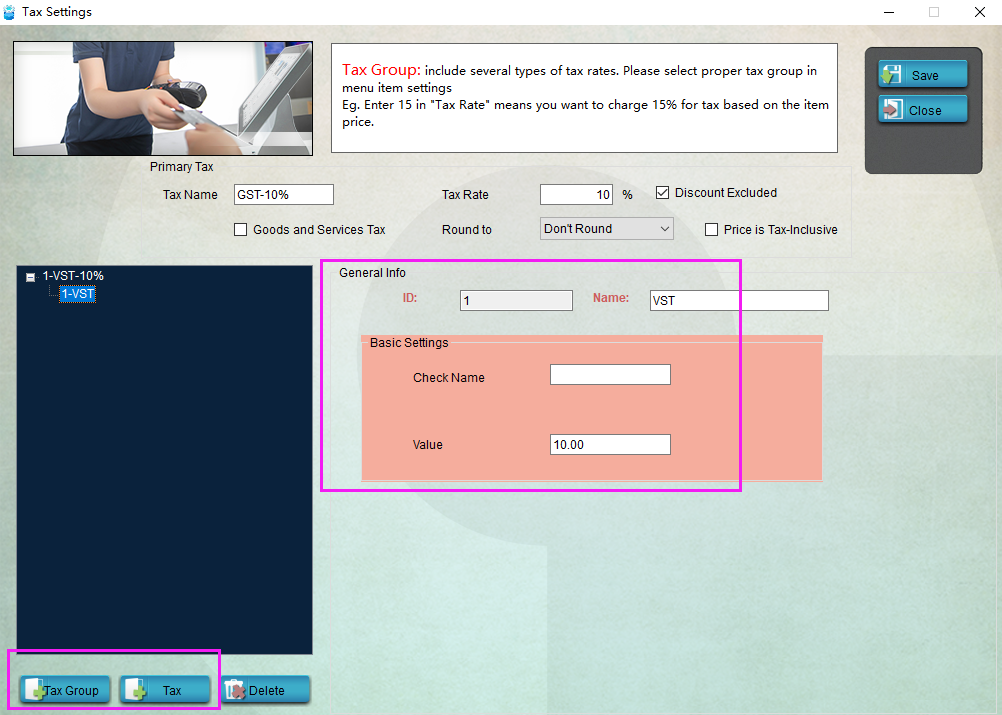
1. If you want to charge aother tax for certain goods items, run **POSManager** ———— **Shop** ———— **Tax Settings**.
2.

2. Click "+ Tax Group" on the left bottom to add a tax group, name it "Tax 1", for instance.
3. Click "+ Tax" to add a tax solution, name it "Women", for instance, and set the value for the ratio. If you want to charge 5% for this tax, just enter "0.05".
4. Save it and restart **Pudding Orders** to activate the modification.
- Pudding POS For Retail Software
- 1.Register
- 2.Configurator
- 2.1 Add the goods
- 2.2 Bulk import goods
- 2.3 Print Receipt
- 2.4 Sales promotion settings
- 2.5 Employee Management
- 2.6 Discount
- 2.7 Tax Settings
- 2.8 Service Charge
- 2.9 Backup and Restore
- 3.Stock in and out
- 3.1 Stock in
- 3.2 Stock out
- 4.Orders
- 4.1 Login
- 4.2 Order
- 4.3 Pay
- 4.4 Cashier Shift & End of Day