# 计划任务
> 1. 基于 IM即时通讯定时器 的计划任务,两者分别独立运行,有关联,又没太大关联,但运行前先保证 IM即时通讯 正常使用
> 2. 需要再服务器一直运行,服务器如果关闭 再次运行 或者 加入开机启动
## 主要用作于
1. 订单类:超时取消未支付订单、超时自动收货、超时自动默认评论
2. 退款类:超时自动同意退款、超时退货关闭订单、超时卖家自动收货完成退款
### 1. 配置商城计划时间
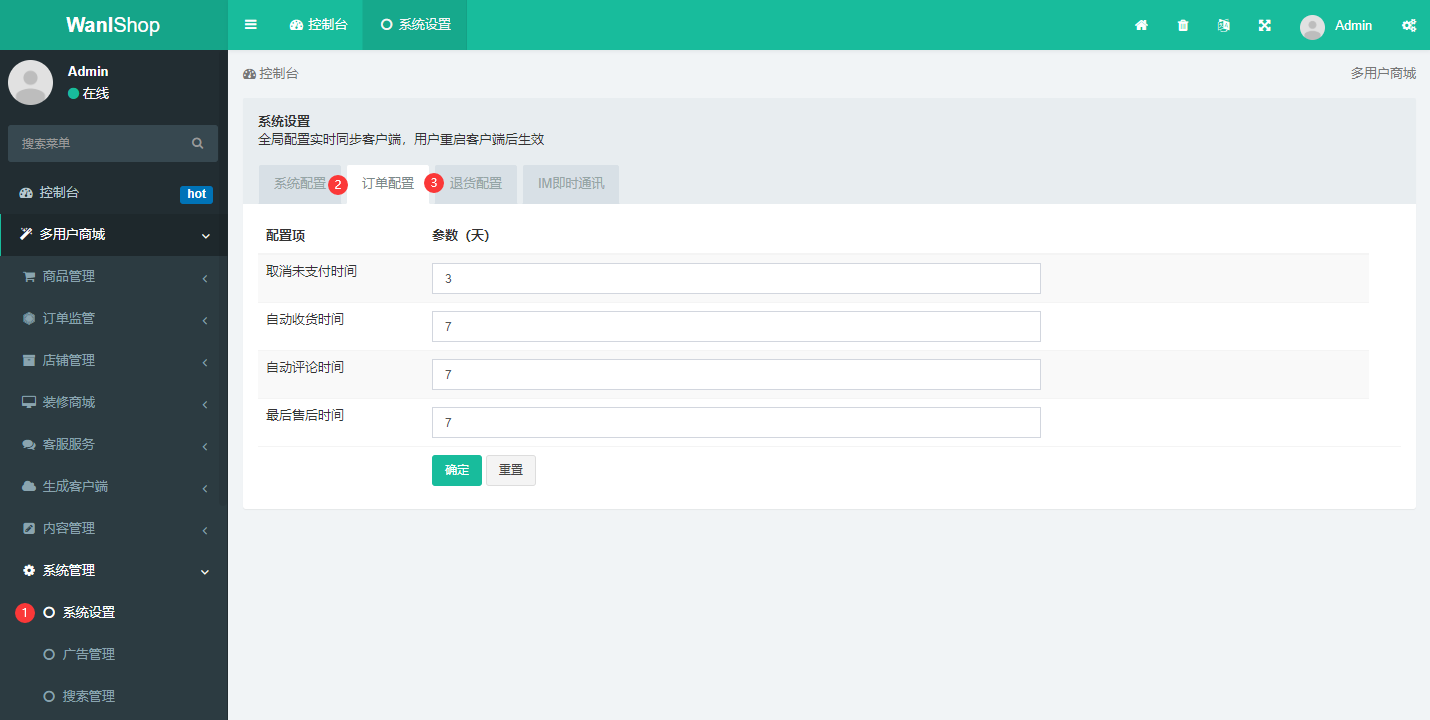
进入`后台 > 多用户商城 > 系统管理 > 系统设置`选择订单配置和退款配置,填写计划任务相应时长
### 2. 打开 CMD 或 SSH 终端运行
进入网站根目录,执行命令`php think wanlshop:order start`开启计划任务
#### Windows 服务器
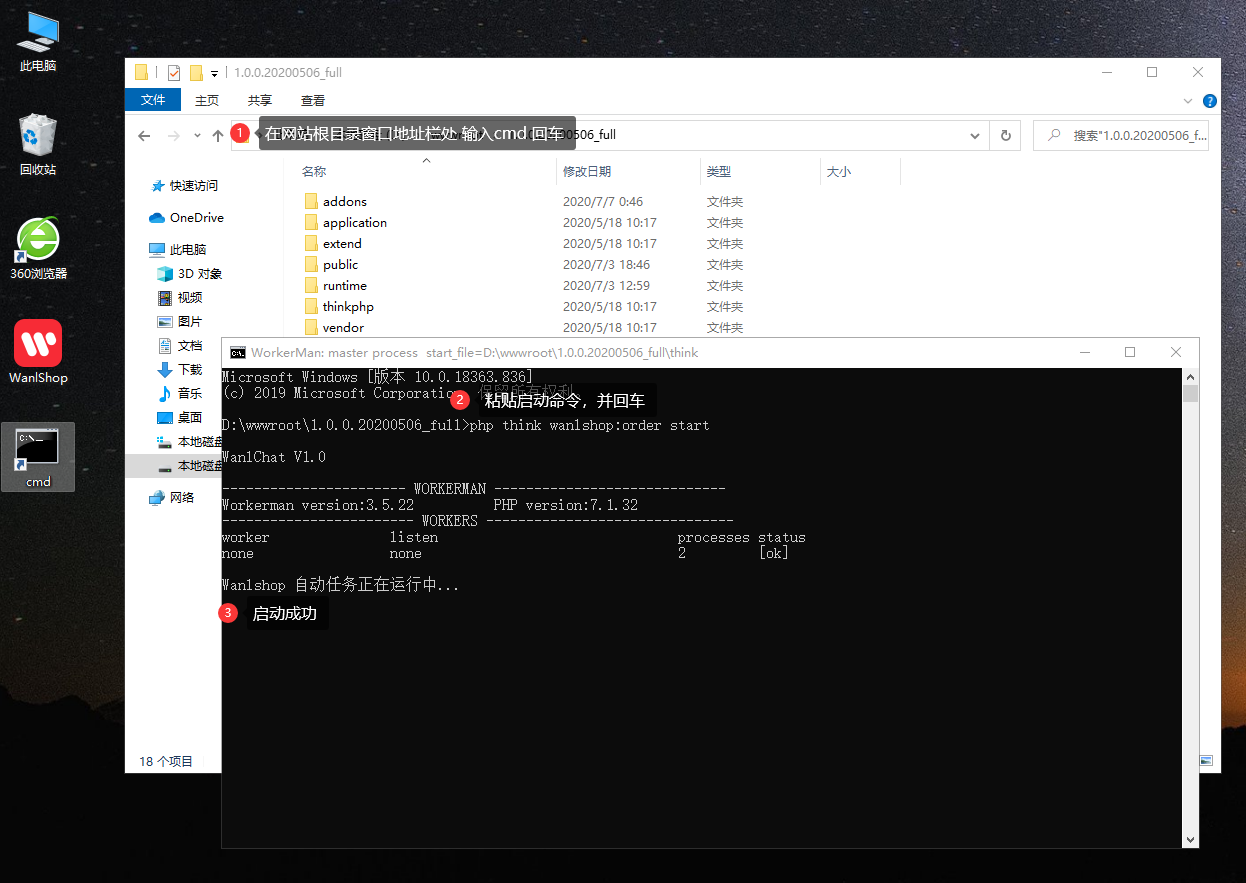
打开您网站根目录,在地址栏输入cmd回车,在打开的窗口输入`php think wanlshop:order start`开启服务
#### Linux 服务
登录远程桌面后,键入`cd`命令进入您网站根目录,输入`php think wanlshop:order start`开启服务
调试启动(终端关闭后会关闭进程)
```
<pre class="calibre23">```
php think wanlshop:order start
```
```
守护启动(终端关闭后会在后台持续运行)
```
<pre class="calibre23">```
php think wanlshop:order start --daemon
```
```
停止
```
<pre class="calibre23">```
php think wanlshop:order stop
```
```
重启
```
<pre class="calibre23">```
php think wanlshop:order restart
```
```
平滑重启
```
<pre class="calibre23">```
php think wanlshop:order reload
```
```
查看状态
```
<pre class="calibre23">```
php think wanlshop:order status
```
```
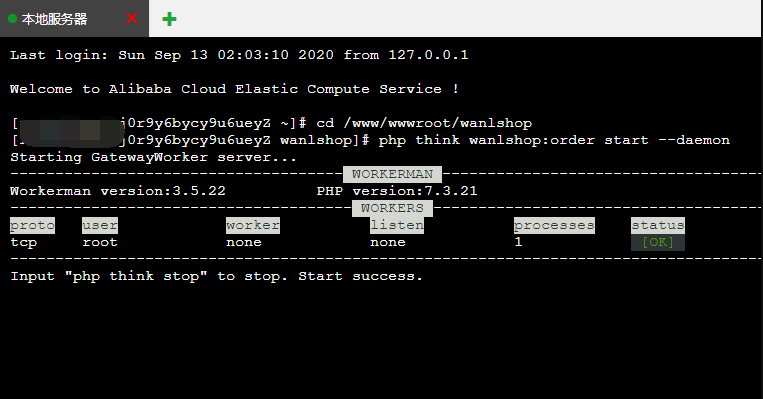
示例
#### 无法正常启动?
请 查看文档[坑点概述](https://doc.fastadmin.net/wanlshop/299.html)
