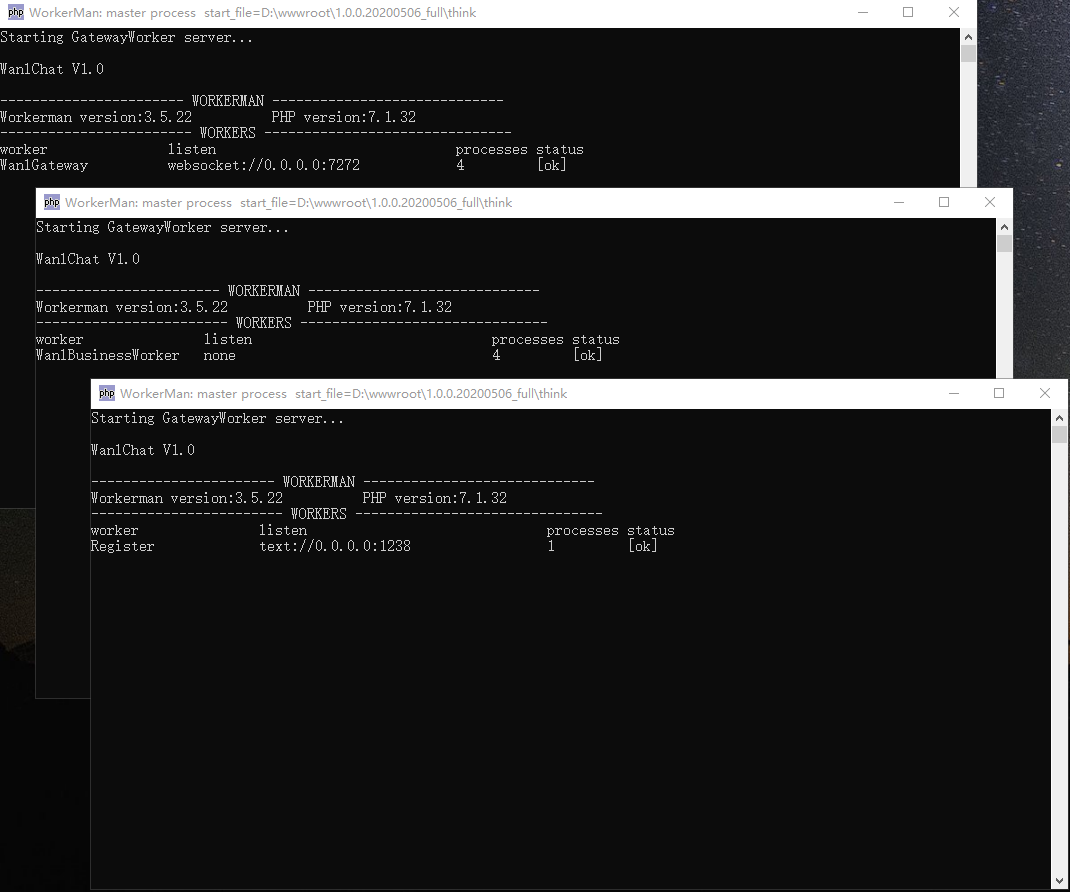
# Windows 启动
> 如启动失败请 查看[坑点概述](https://doc.fastadmin.net/wanlshop/299.html)
## 打开 Windows 命令窗口
微软件win+R,在弹出运行框输入cmd
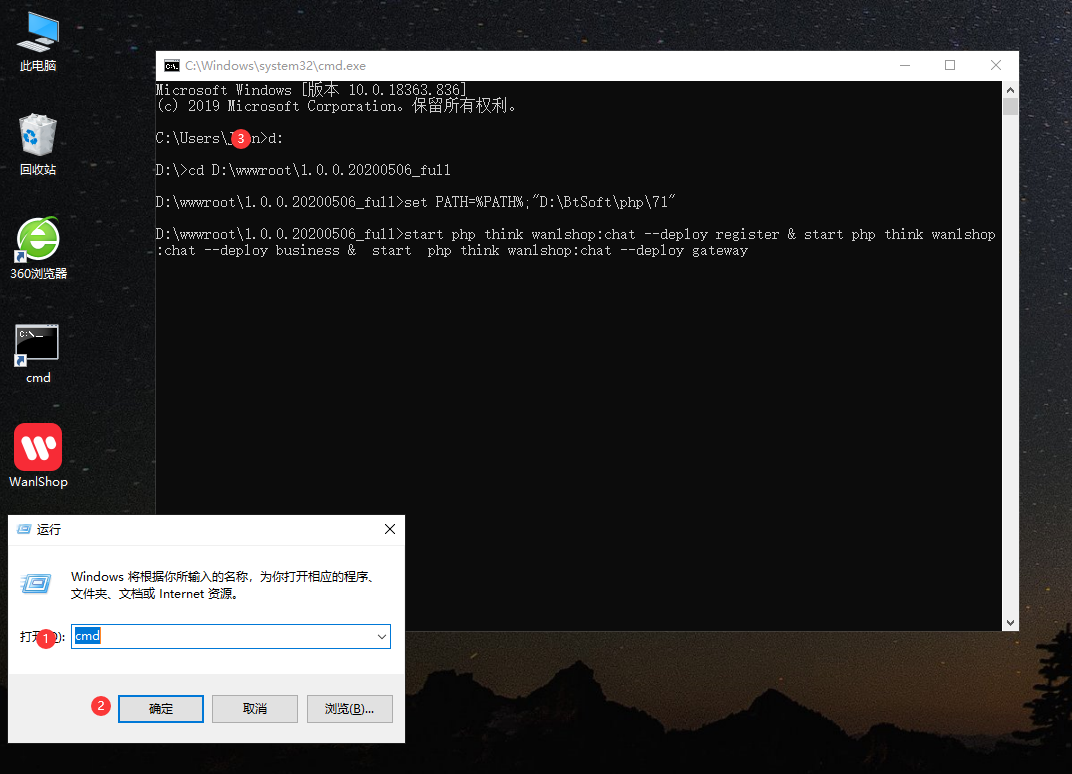
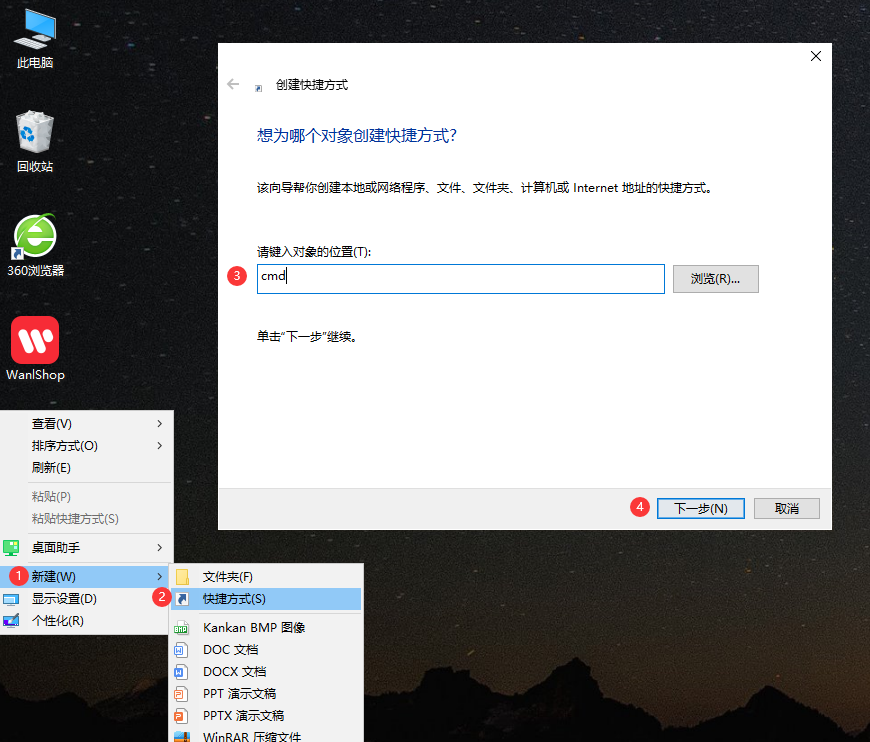
**或者**`桌面右键 > 新建 > 新建快捷方式`
### 启动即时通讯
在打开的cmd窗口输入以下命令,开启即时通讯
```
<pre class="calibre23">```
d:
cd D:\wwwroot\1.0.0.20200506_full
set PATH=%PATH%;"D:\BtSoft\php\71"
start php think wanlshop:chat --deploy register & start php think wanlshop:chat --deploy business & start php think wanlshop:chat --deploy gateway
```
```
第1行命令 打开网站所在磁盘
第2行命令 进入网站根目录
第3行命令 启动即时通讯
回车
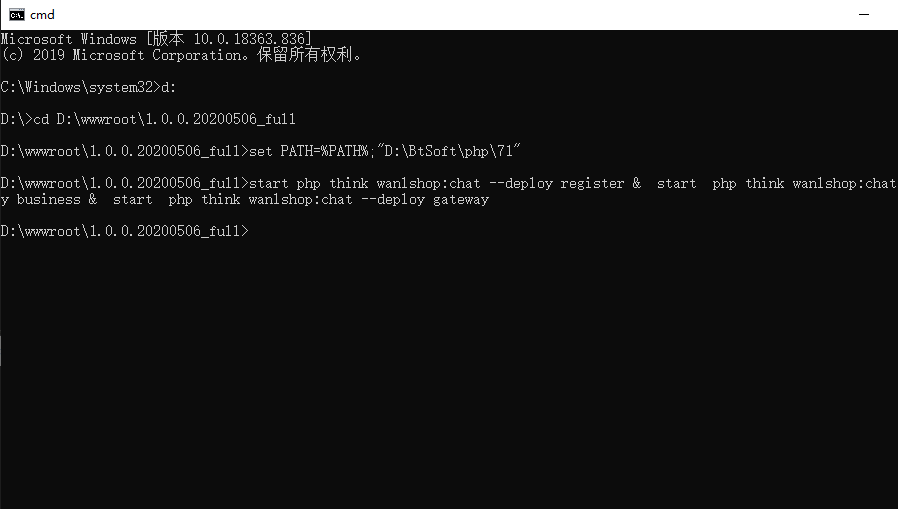
弹出三个窗口,且无报错、闪退,则开启成功