
# 店铺自主采购
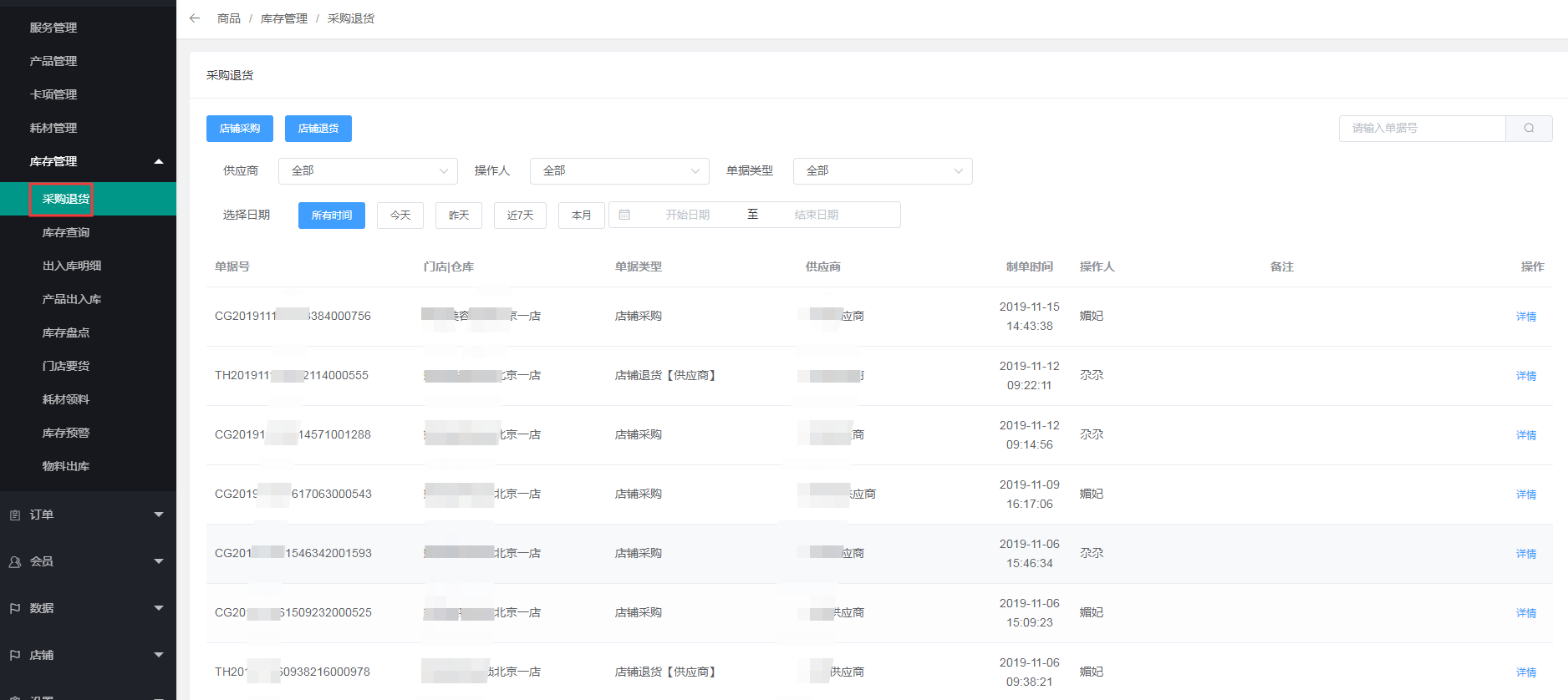
1、点击商品---库存管理---采购退货
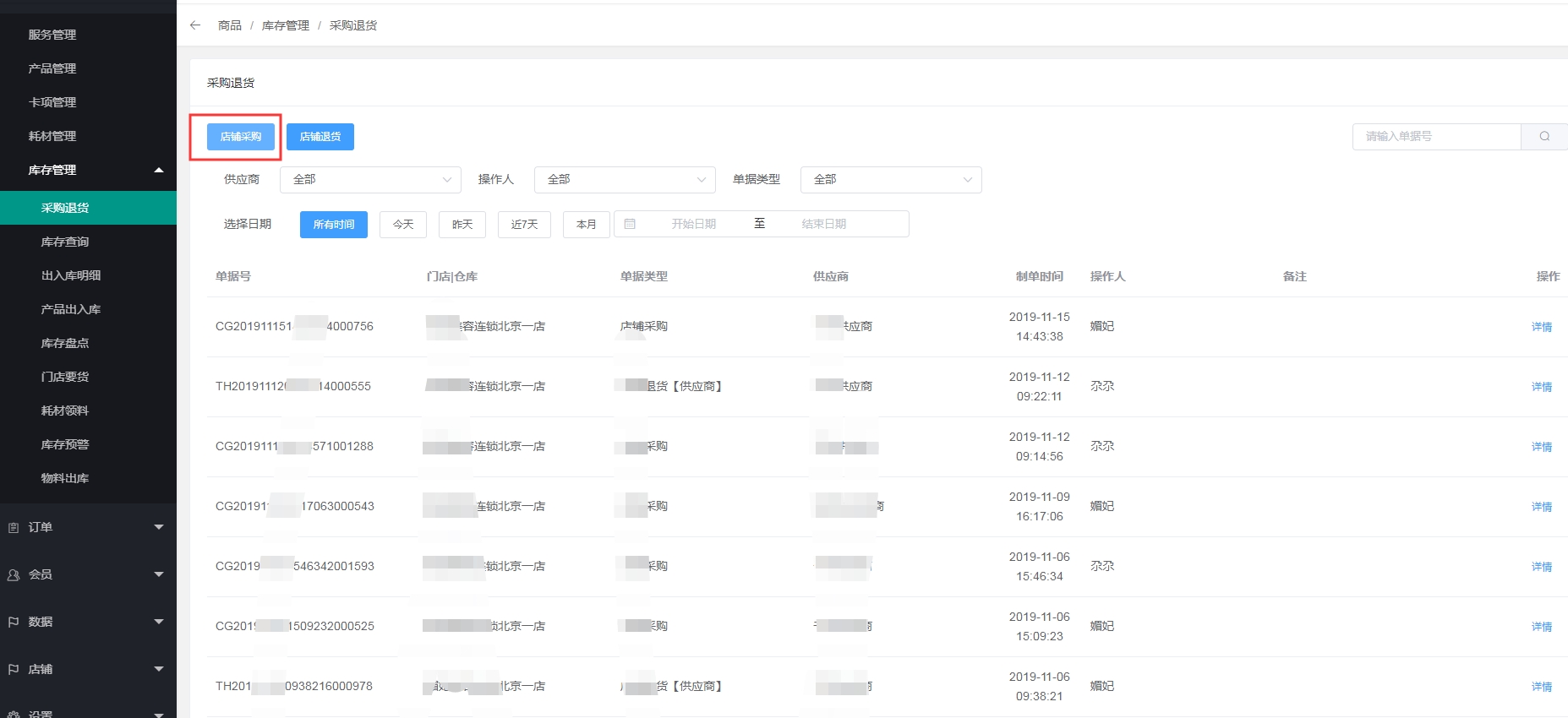
店铺采购
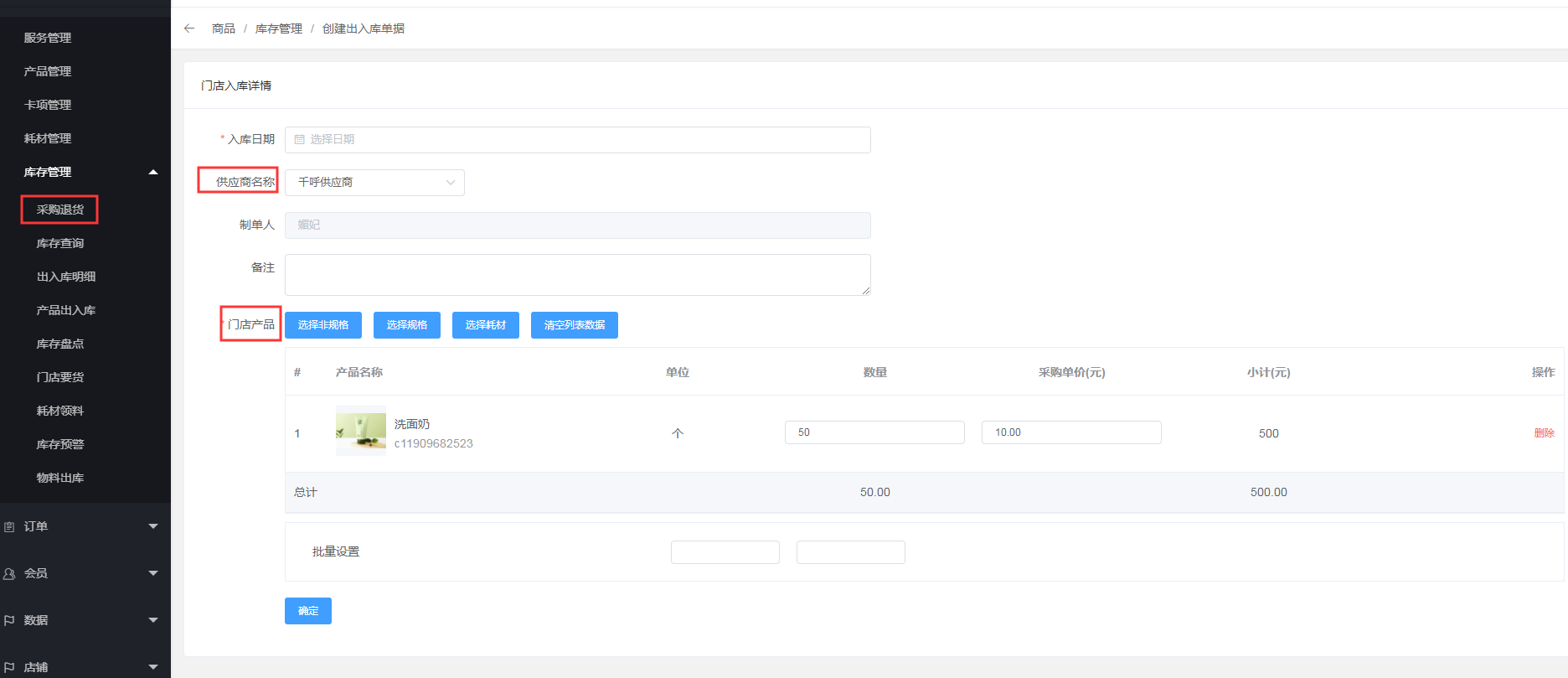
选择入库日期、供应商和采购的产品
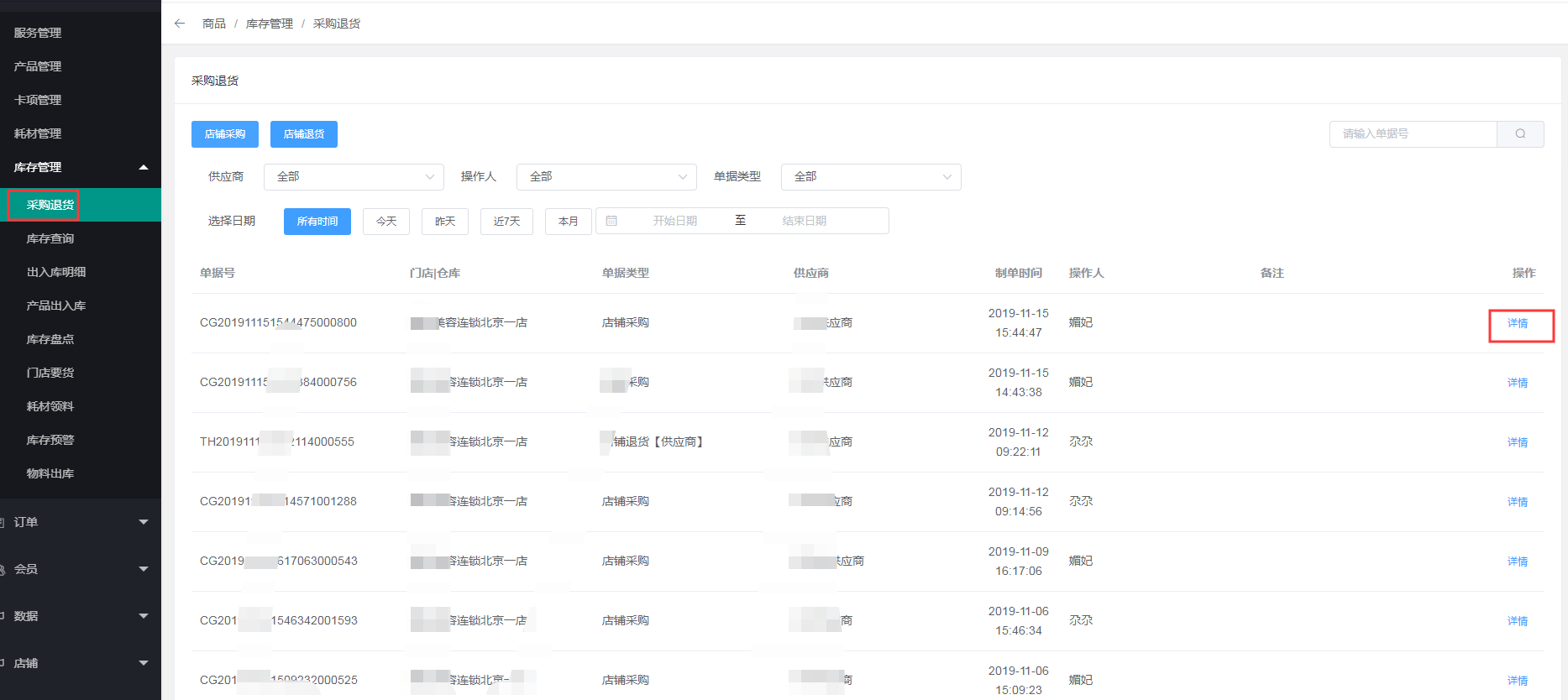
详情可查看采购单的明细
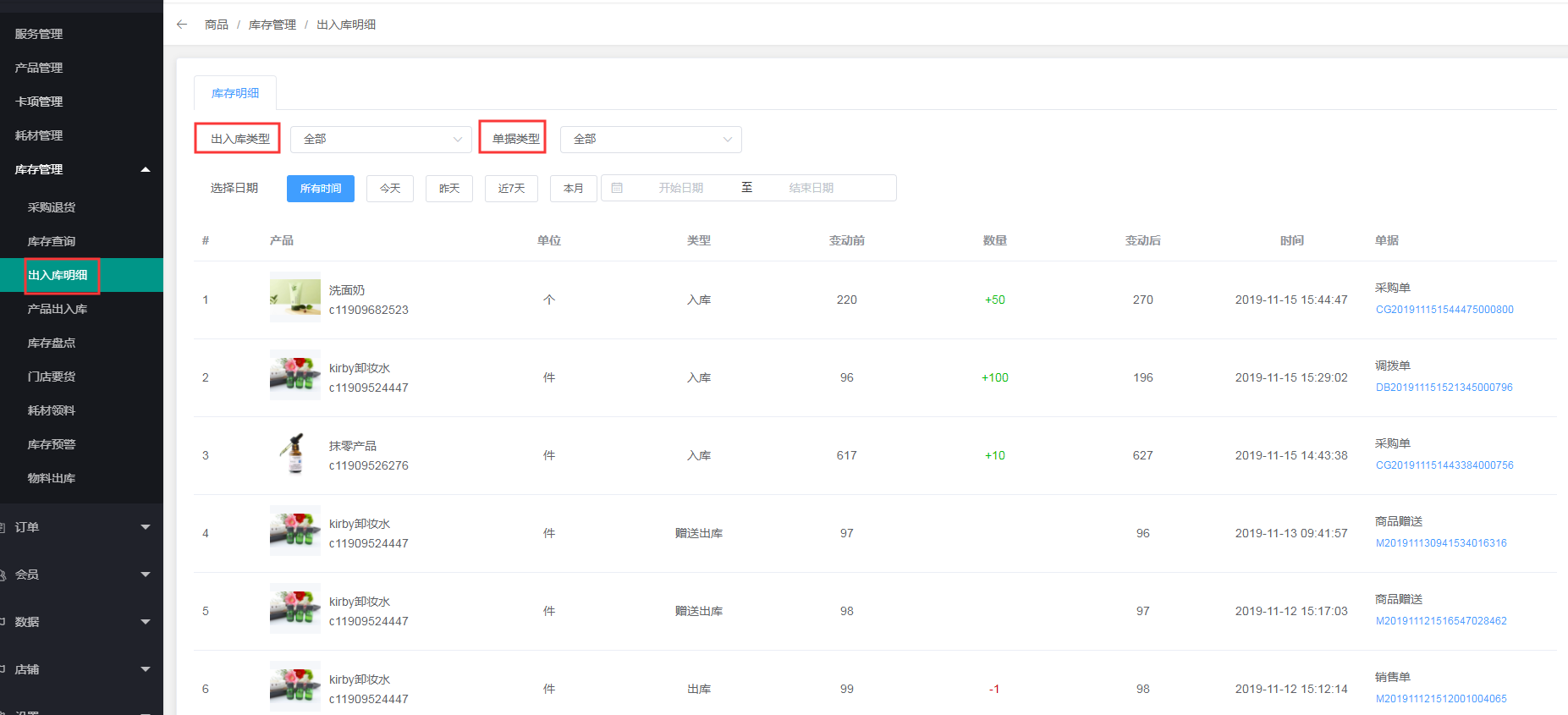
2、店铺采购的商品可以在出入库明细中查看
- 一.常见流程
- 1.总部添加门店以及员工
- 1.1添加门店
- 1.2添加员工
- 2.添加产品、服务及卡项
- 2.1添加服务
- 2.2添加产品
- 2.3添加卡项
- 2.4手艺人关联服务
- 2.5模板消息推送
- 3.进销存操作
- 3.1总部采购
- 3.2总部仓库给门店采购
- 3.3总部仓库主动调拨给门店
- 3.4店铺自主采购
- 3.5店铺向仓库要货
- 3.6店铺替门店操作要货
- 3.7仓库退货
- 3.8仓库主动给门店退货
- 3.9店铺退货
- 3.10门店退货给仓库
- 3.11仓库替门店退货
- 4.收银端操作详解
- 4.1收银台开单流程
- 4.2会员划卡操作步骤
- 4.3新建预约以及预约开单
- 4.4收银端办卡
- 4.5核销
- 4.6会员充值
- 5.耗材商品使用流程
- 5.1添加耗材
- 5.2耗材商品采购
- 5.3耗材退货
- 5.4服务设置耗材
- 5.5耗材自动领料
- 5.6耗材手动领料
- 6.会员功能使用
- 6.1收银端添加会员
- 6.2小程序商城端添加会员
- 6.3后台添加会员
- 6.4会员导入
- 6.5线上会员
- 6.6实体卡会员绑定
- 6.7会员等级设置
- 6.8会员权益导入
- 7.推广员的功能
- 7.1推广员中心
- 7.2推广数据
- 7.3推广范围
- 7.4文案编辑
- 7.5提现管理
- 7.6推广设置
- 8.提成设置
- 8.1.业绩提成设置
- 8.2服务类提成设置
- 8.3卡项类提成
- 8.4产品类提成
- 8.5充值提成
- 8.6开单关联技师和销售
- 9.欠款功能
- 9.1欠款功能设置
- 9.2收银台欠款结账
- 9.3查询欠款并还款
- 二.商家小程序商城的制作
- 2.1小程序申请
- 2.2小程序授权、提审、发布
- 2.3小程序页面内容设置
- 2.4DIY商城
- 2.5小程序直播
- 三.预约设置及使用
- 3.1预约设置
- 3.2小程序预约
- 3.3收银端预约
- 3.4后台预约
- 3.5预约开单
- 四.USB打印机设置
- 五.支付类文档
- 5.1.支付宝
- 5.2微信支付