企业🤖AI智能体构建引擎,智能编排和调试,一键部署,支持知识库和私有化部署方案 广告
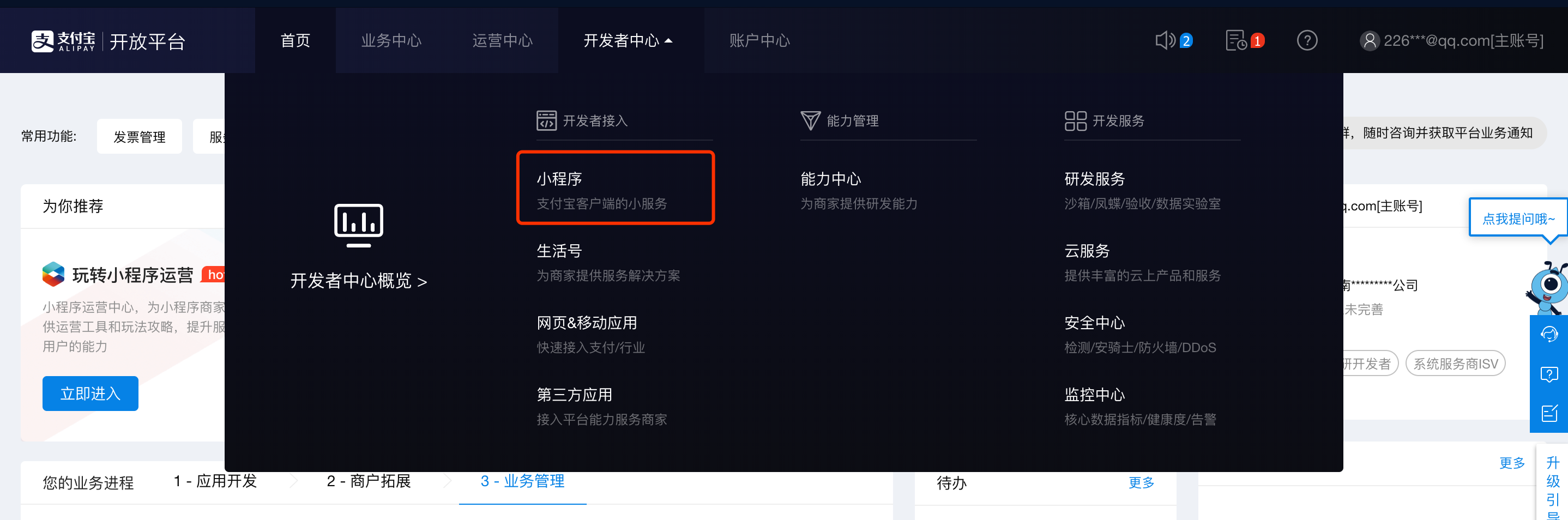
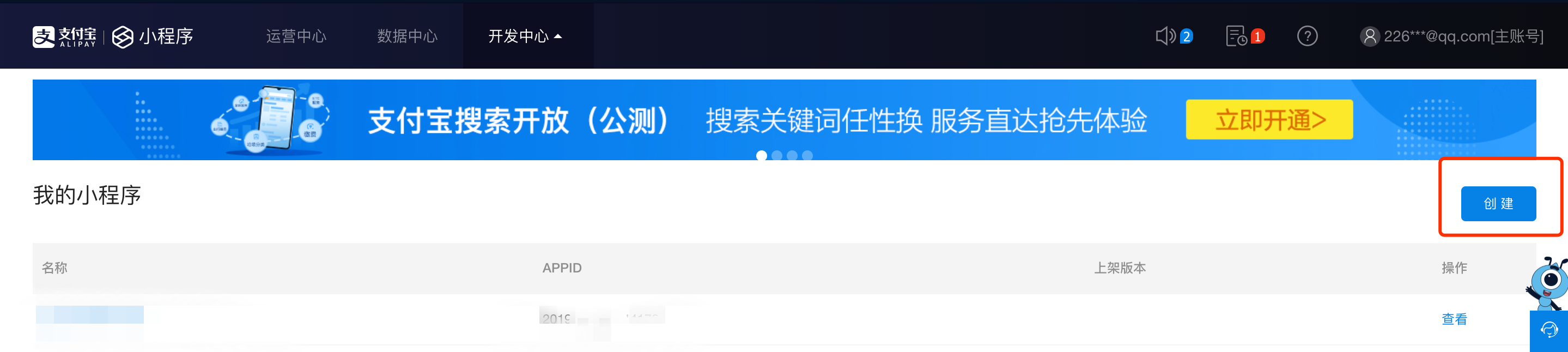
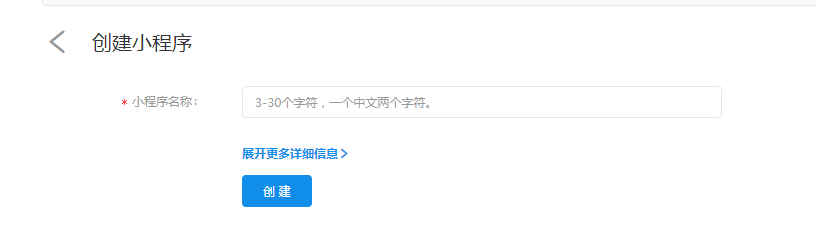
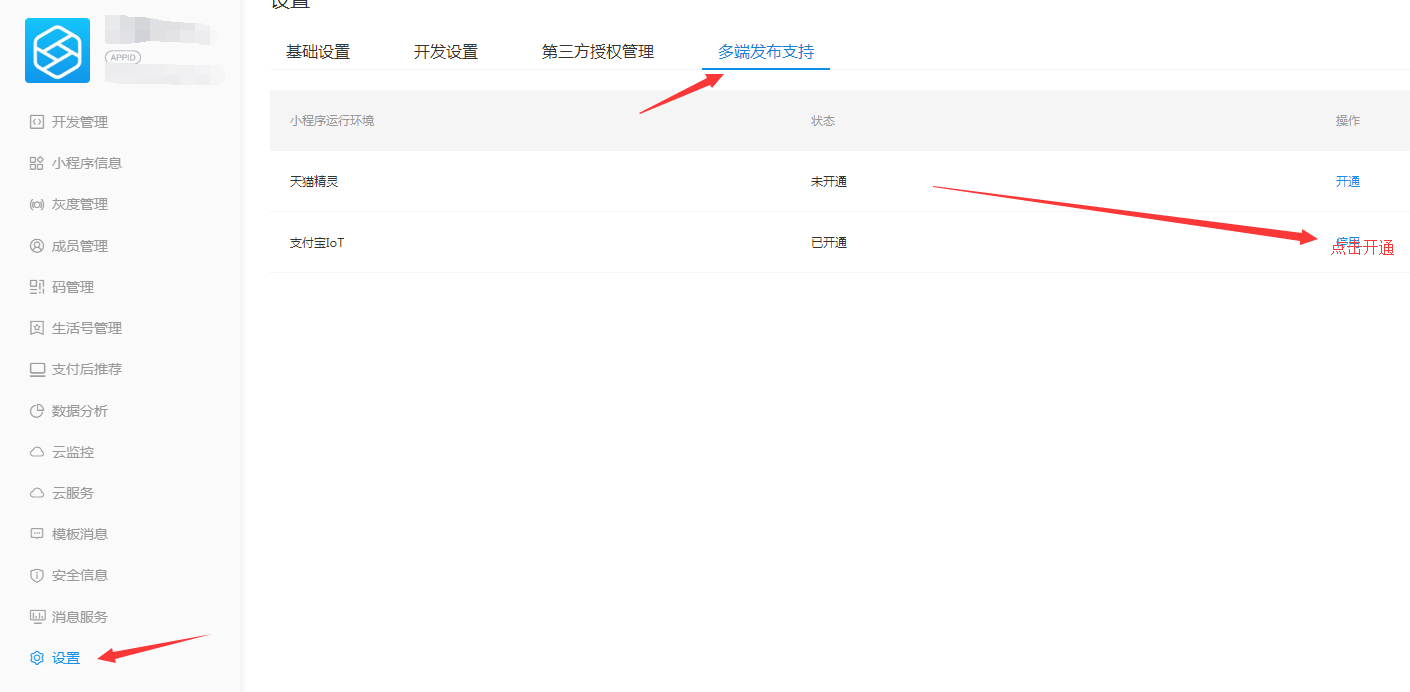
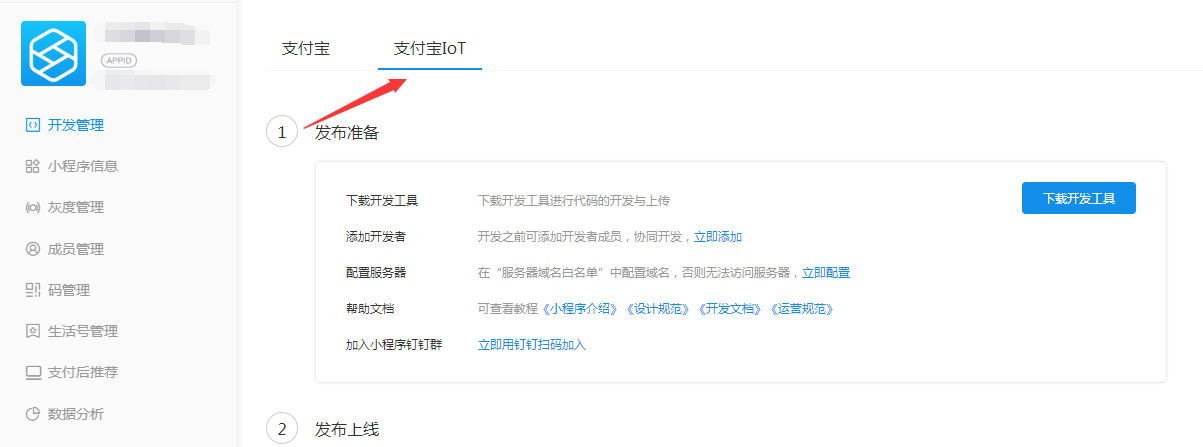
# 2.8支付宝iot小程序注册 ### 创建小程序并开通iot小程序类目 1. 登录蚂蚁金服后台,创建小程序 ![](https://img.kancloud.cn/1e/48/1e4849537477aecd61b9f98eae1b4a00_2876x954.png) ![](https://img.kancloud.cn/d5/0b/d50b1b58ee2a9398a1c9f849be4bc750_2878x646.png) ![](https://img.kancloud.cn/fe/83/fe835c4c58b77f48c61ba4c94d9128cd_816x228.png) 2. 创建好小程序之后,开通iot类目 ![](https://img.kancloud.cn/aa/55/aa551e741c063e3a273efdaeac2bab61_1861x120.png) * * * ![](https://img.kancloud.cn/d8/86/d8864c78b918741cb871cbdc46e95af5_1410x692.png) ### 上传流程 1.开通iot类目之后,下载支付宝小程序开发工具 ![](https://img.kancloud.cn/b1/88/b188e20a92fae759deab9b5f4a3fd20d_1203x447.png)