
# Serial to TCP Tool for Windows
DeviceBit
---
## Software introduction
If you don't have a DTU device to connect your device to DeviceBit, you can try TCP to serial tool software. By using this software, you can quickly connect your device to DeviceBit for testing.
The running operation system is Windows.
## 1. Add your device on DeviceBit
Sign up on DeviceBit if you don't have an account. Then Add you device to DeviceBit. Refer to previous chapter [Add a device](https://devicebit.gitbook.io/devicebit/user-manual/1)
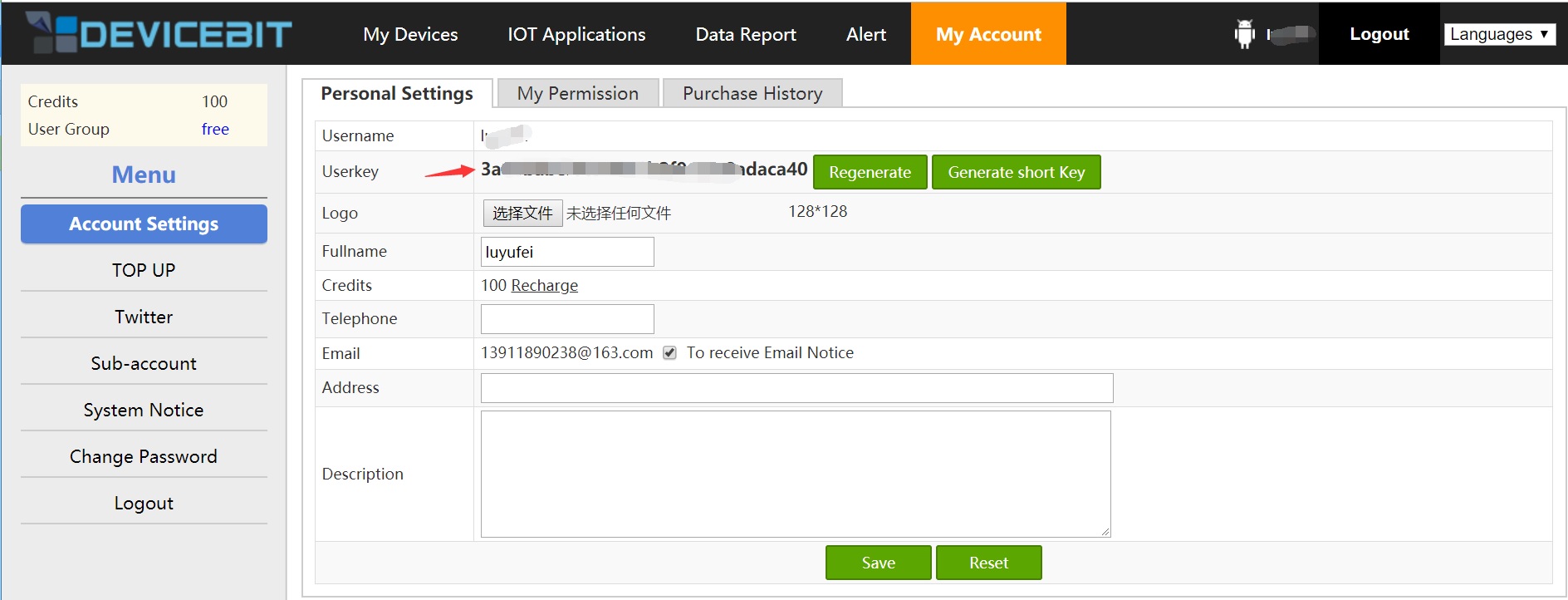
Log into DeviceBit, go to "My account"-"Account settings", copy your userkey down for the following step.
## 2. Connect your device to your PC
Connect your device or sensor to your PC accoring to their communication port. And check which serial port of you PC is connected.
>>Note: You may need a serial to USB driver software if you connect your device to USB port of your PC.
## 3. Download the software and configure
Download [Serial to TCP tool](https://cdn.lewei50.com/downloads/LeweiTcp.zip). You can select the language on the letf bottom.
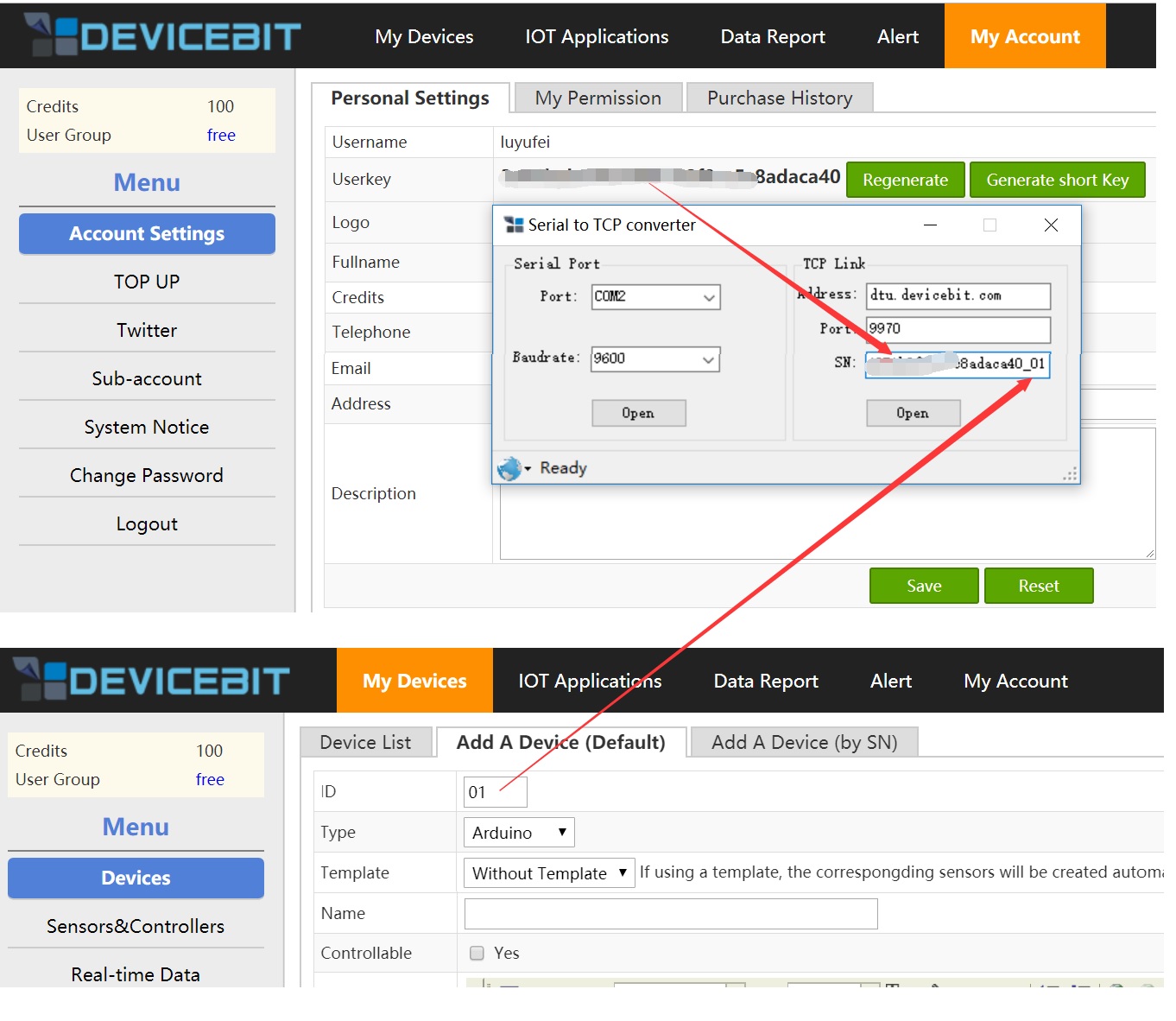
You need to configure the below settings
a.Set the serial port, buadrate as shown in the picture according to actual condition.
b.Set the SOCKET information, including address, port as shown in the picture
c.Set the Userkey_DeviceID (or SN_DeviceID).
## 4. View the data uploaded to DeviceBit
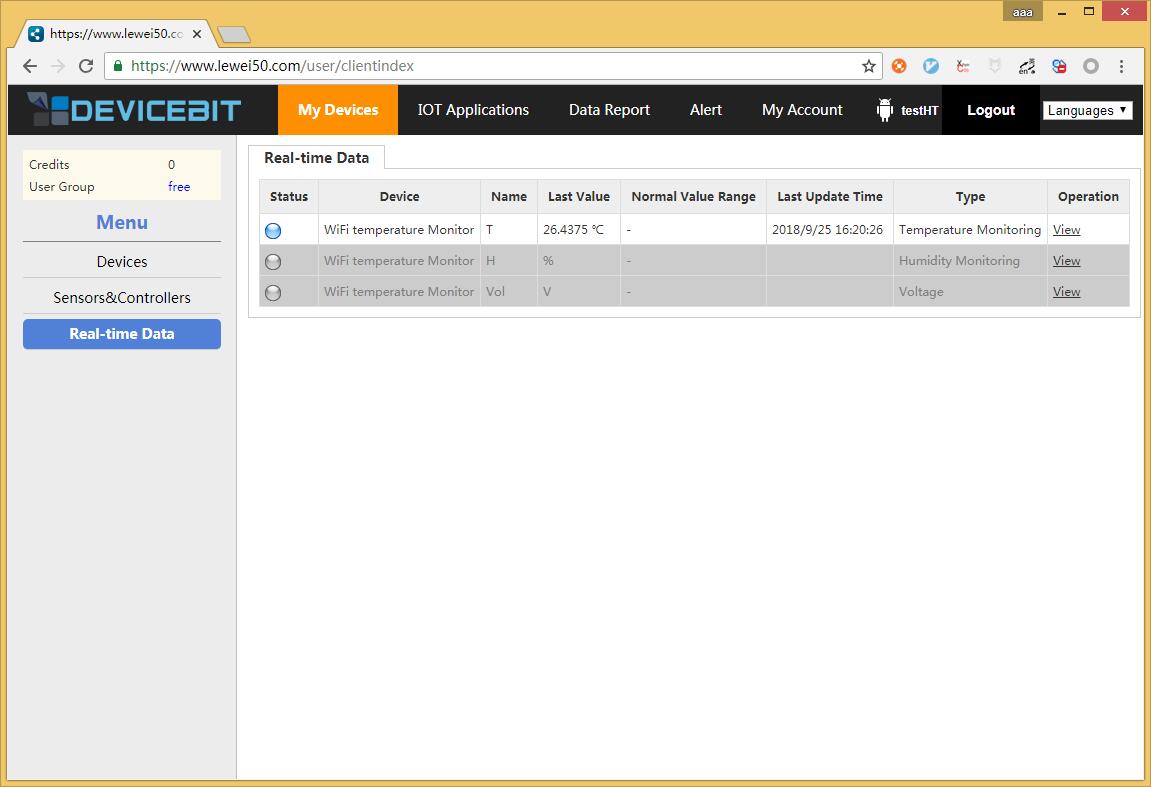
Log into DeviceBit, go to "My Devices"-"Real-time Data", you can view your device's data.
[h1]: https://devicebit.gitbook.io/devicebit/user-manual/1
[h2]: https://cdn.lewei50.com/downloads/LeweiTcp.zip
[1]:https://leweidoc.oss-cn-hangzhou.aliyuncs.com/lewei50/img/devicebitmanual-DTUtool-20180930-1.jpg
[2]:http://leweidoc.oss-cn-hangzhou.aliyuncs.com/lewei50/img/devicebitmanual-DTUtool-20180930-2.jpg
[3]:http://leweidoc.oss-cn-hangzhou.aliyuncs.com/lewei50/img/devicebitmanual-DTUtool-20180930-3.jpg
- QuickStart
- 1 Upload Data
- 2 DIY WiFi Temperature Sensor
- 3 Modbus
- User Manual
- 1 Add A Device
- 2 Add a new sensor or controller
- 3 Data Upload Simulation
- 4 Email Alert
- 5 Data Reports
- 6 Account Settings
- 7 Email Auto-sending
- 8 Email Report
- 9 Control Scheme
- 10 Trigger
- 11 MQTT
- 12 Agent
- 13 Credits
- 14 Access Tools
- Software Access Tools
- 1 Serial to TCP Software (@Windows)
- 2 Serial to TCP Software Chrome APP