企业🤖AI智能体构建引擎,智能编排和调试,一键部署,支持知识库和私有化部署方案 广告
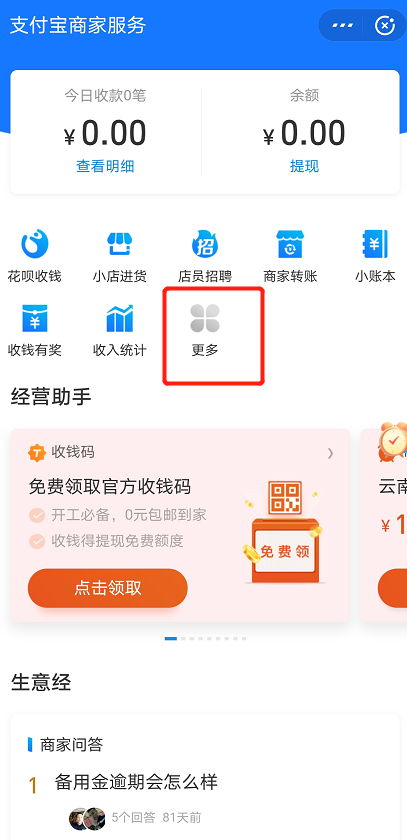
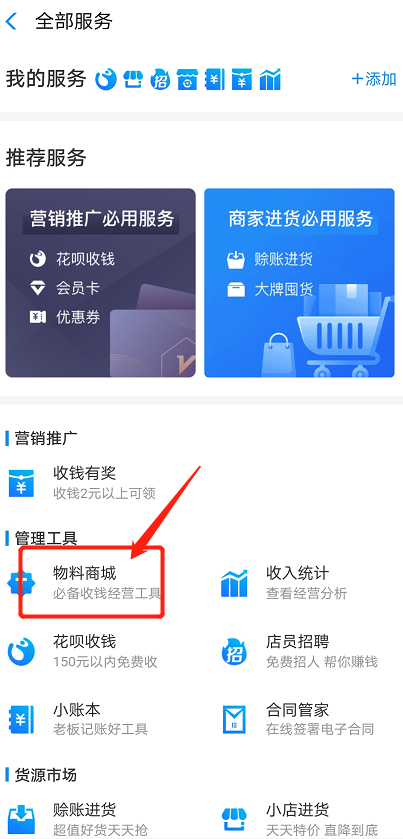
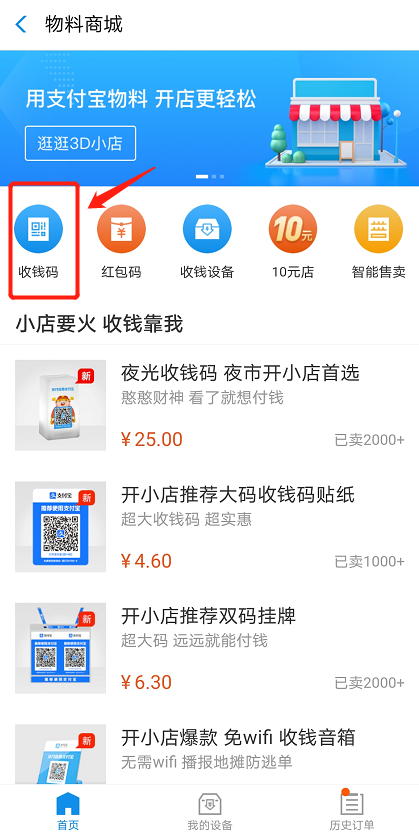
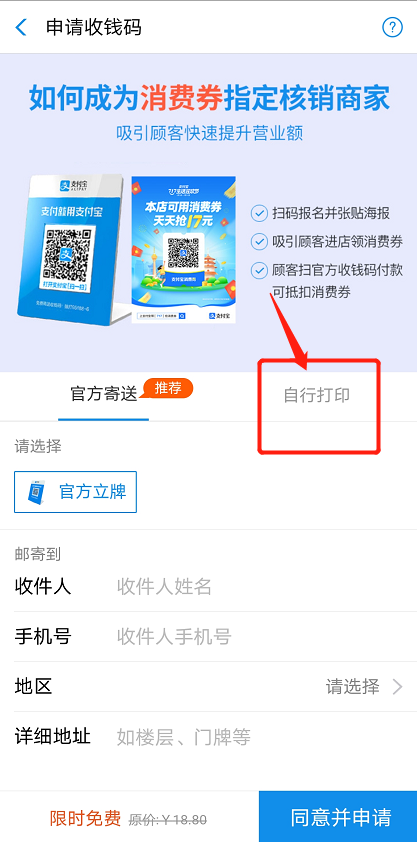
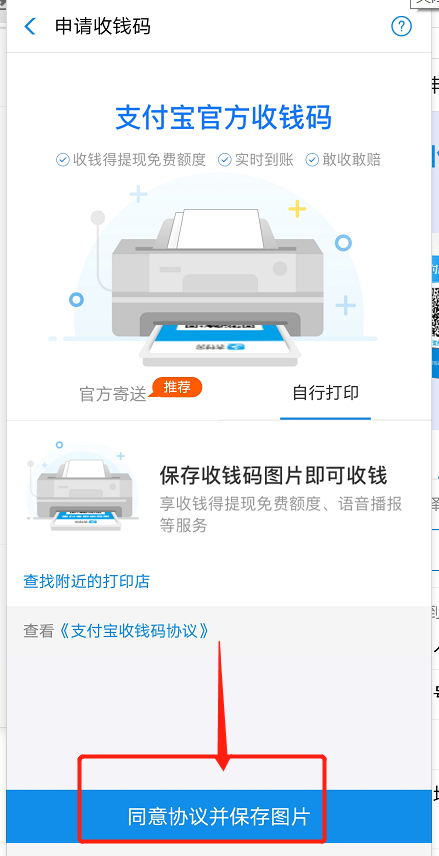
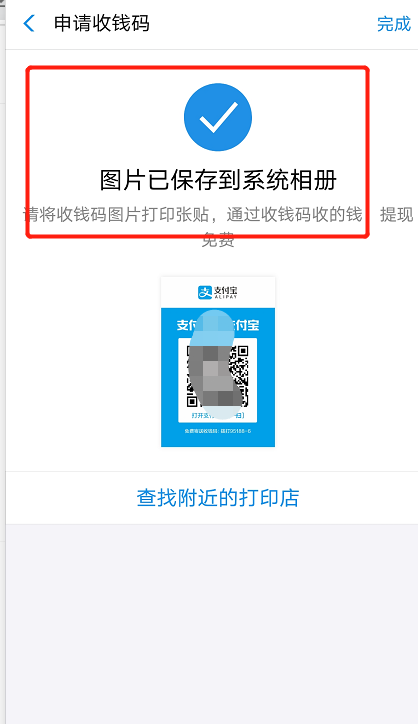
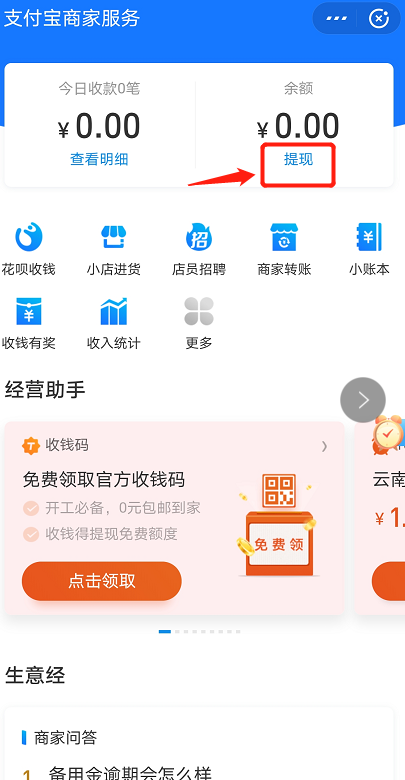
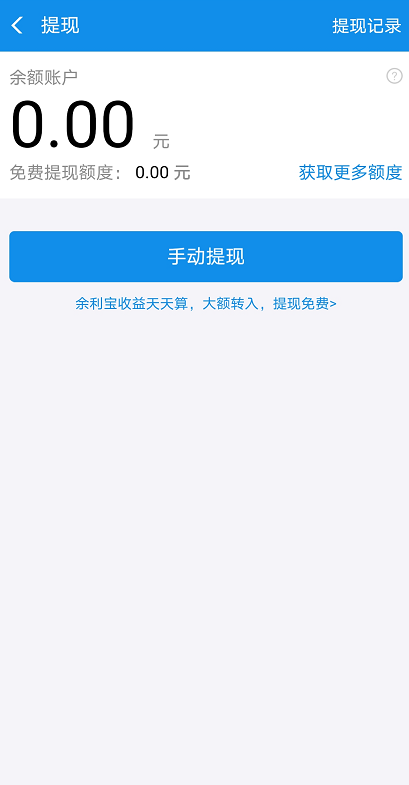
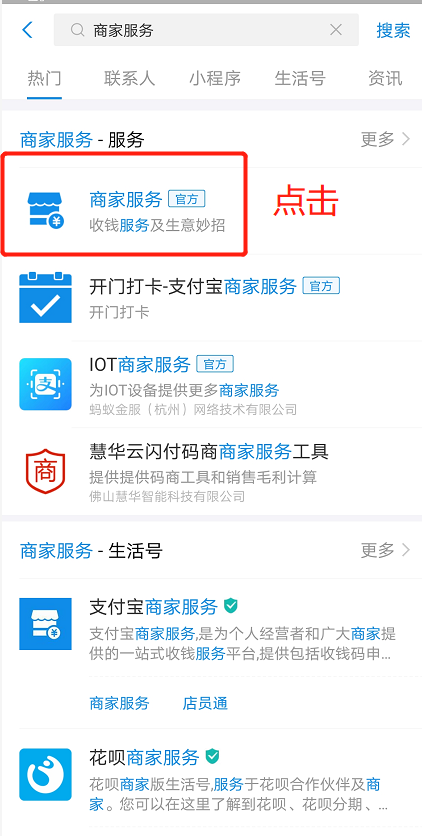
打开支付宝搜索商家服务,点击商家服务 ![](https://img.kancloud.cn/29/5e/295ed3bc28770dcf0ab4cb26fc2c03c5_422x836.png) 点击更多 ![](https://img.kancloud.cn/c4/1c/c41ce81285d2b4d50358a1d358158ae6_407x840.png) 点击物料商城 ![](https://img.kancloud.cn/48/22/482213ed68d93819eaac1b8df0db6621_403x839.png) 点击收钱码 ![](https://img.kancloud.cn/6a/00/6a003a8add6ae26ebd30bc29ab897500_419x838.png) 选择自行打印 ![](https://img.kancloud.cn/28/30/28303406058c23b89cb6bb355d9de300_417x842.png) 点击同意并保存打图片 ![](https://img.kancloud.cn/4b/66/4b669d13501186a436023e9eec51ea05_439x856.png) 然后图片就保存到手机相册里面去了 ![](https://img.kancloud.cn/8d/c1/8dc15246c11183e25921d7a19ab4fc52_418x724.png) 打开手机相册就可以找到,这个码收的款提现都是不要手续费的 ![](https://img.kancloud.cn/97/f9/97f9f1b634ab425e0d43f9b301189eef_424x858.png) 提现方法,首先还是进入商家服务,看到提现,点击提现即可 ![](https://img.kancloud.cn/d8/8f/d88f07eb38d9de8c91d7a92c333bcd89_405x780.png) ![](https://img.kancloud.cn/4b/5a/4b5acf260d068eff54a6e7691a973238_409x785.png)