
## **餐道配送是对接第三方配送公司进行同城跑腿配送,接口已经对接好,需要使用可以直接联系售后群**
http://open-api.can-dao.com/#/home
登陆餐道开放平台
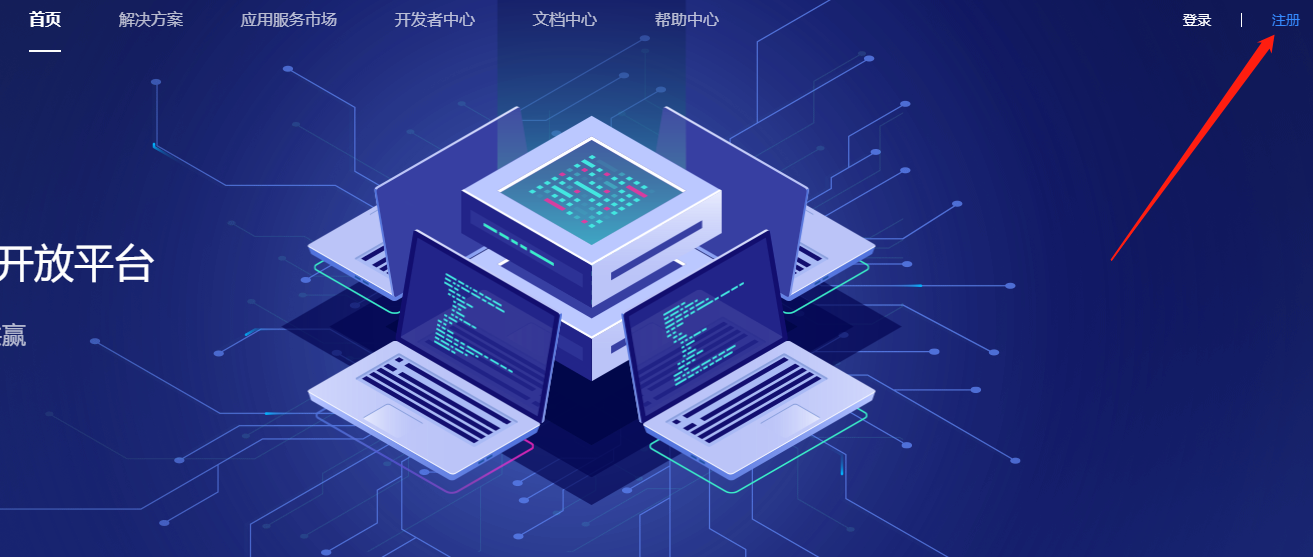
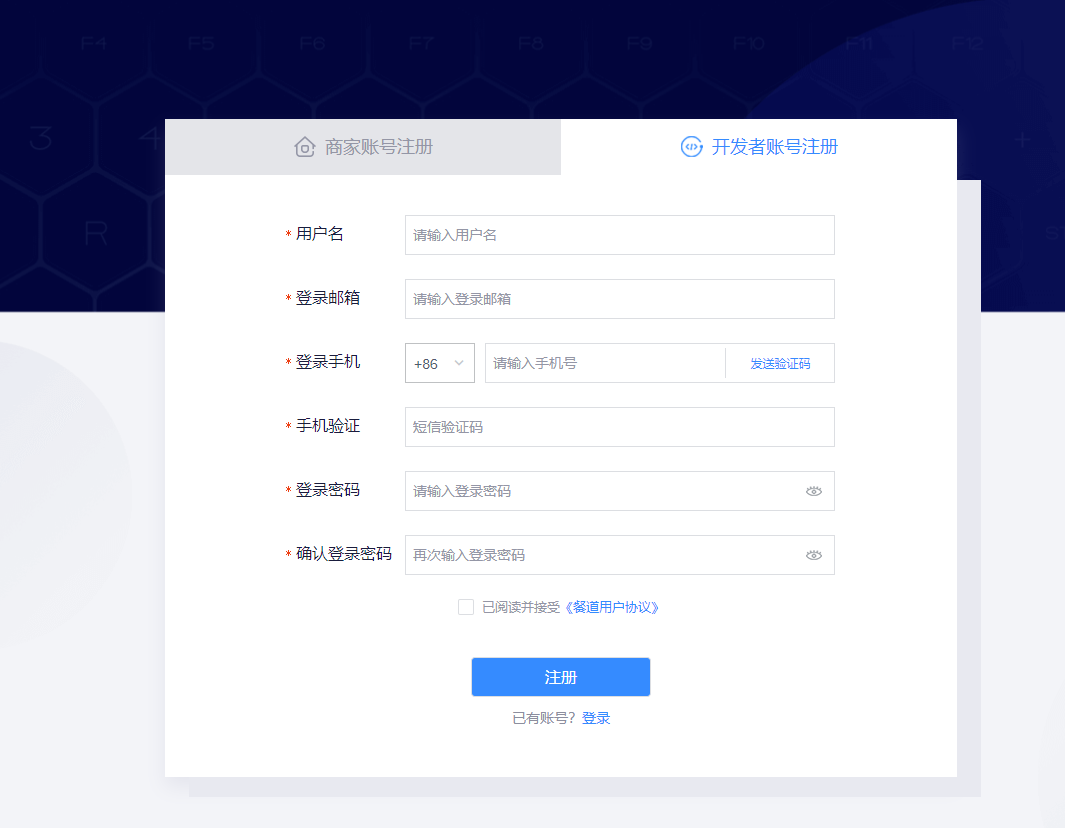
注册开发者账户
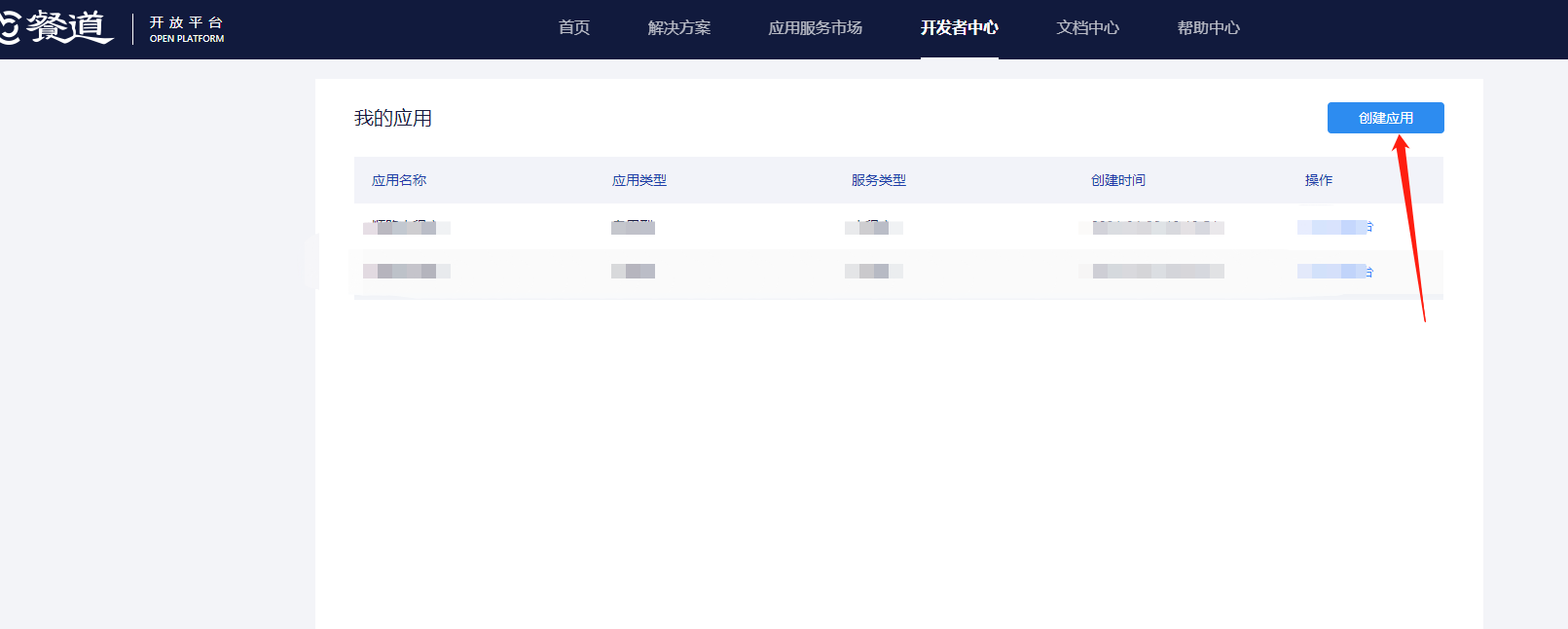
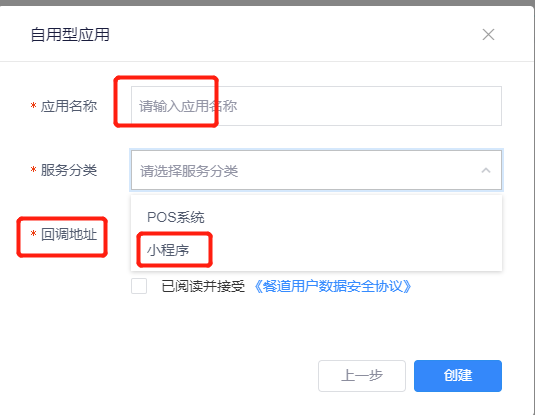
审核通过后,创建应用,注意(应用名称不可以修改,请不要乱写哦)
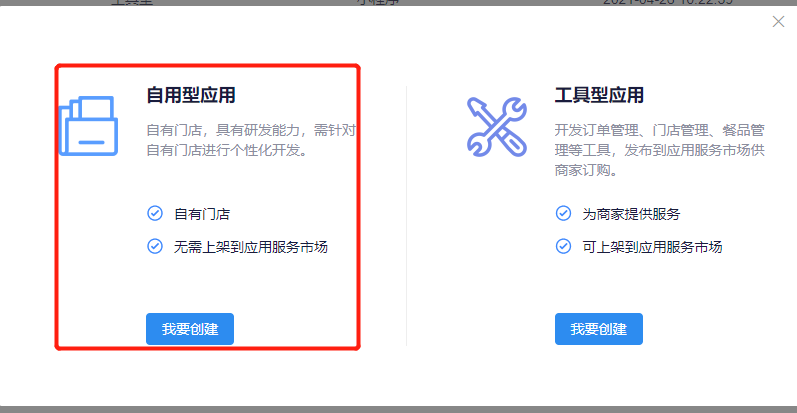
选择自有型
输入应用名称,选择小程序,输入回调地址,点创建
*https://all.vjmchina.com/Payment/candao/candaoNotify.html*
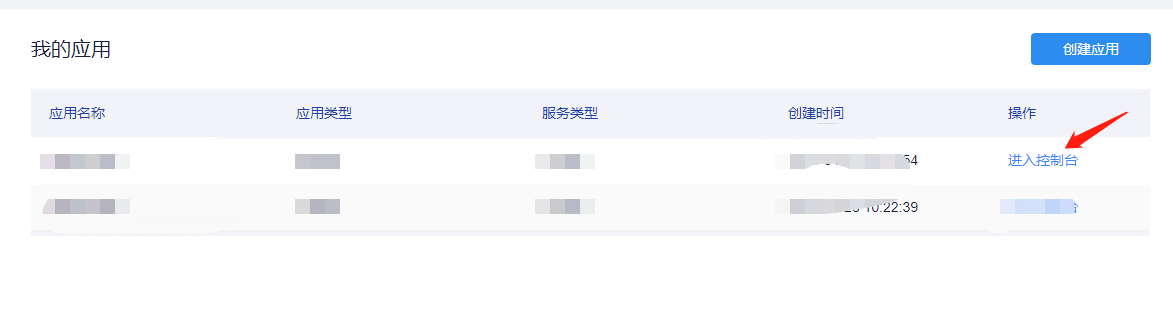
进入控制台
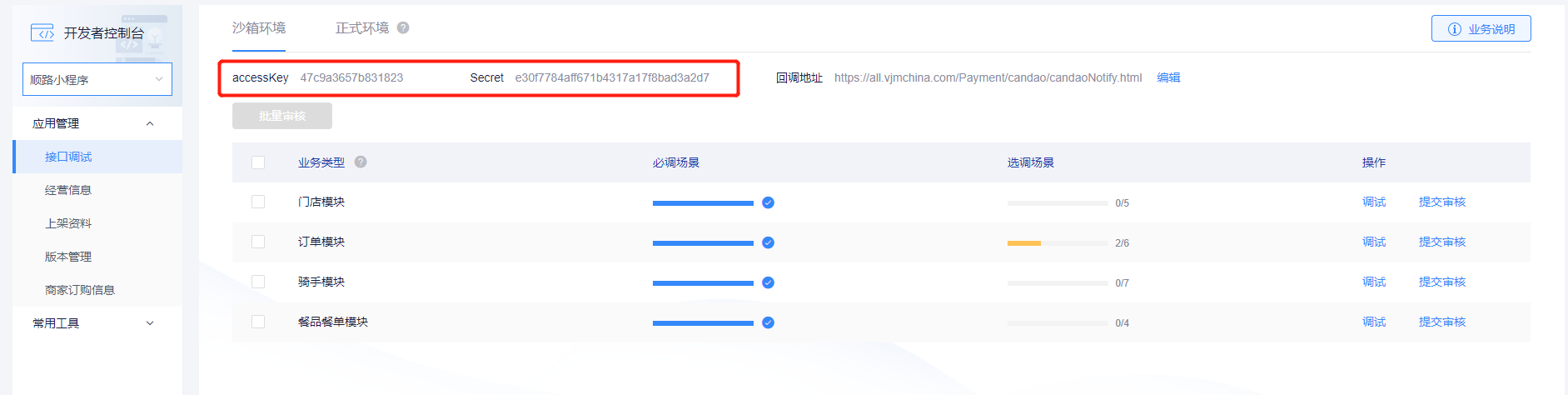
将**accessKey***和***Secret***参数复制到我们后台对应地方
转正式环境
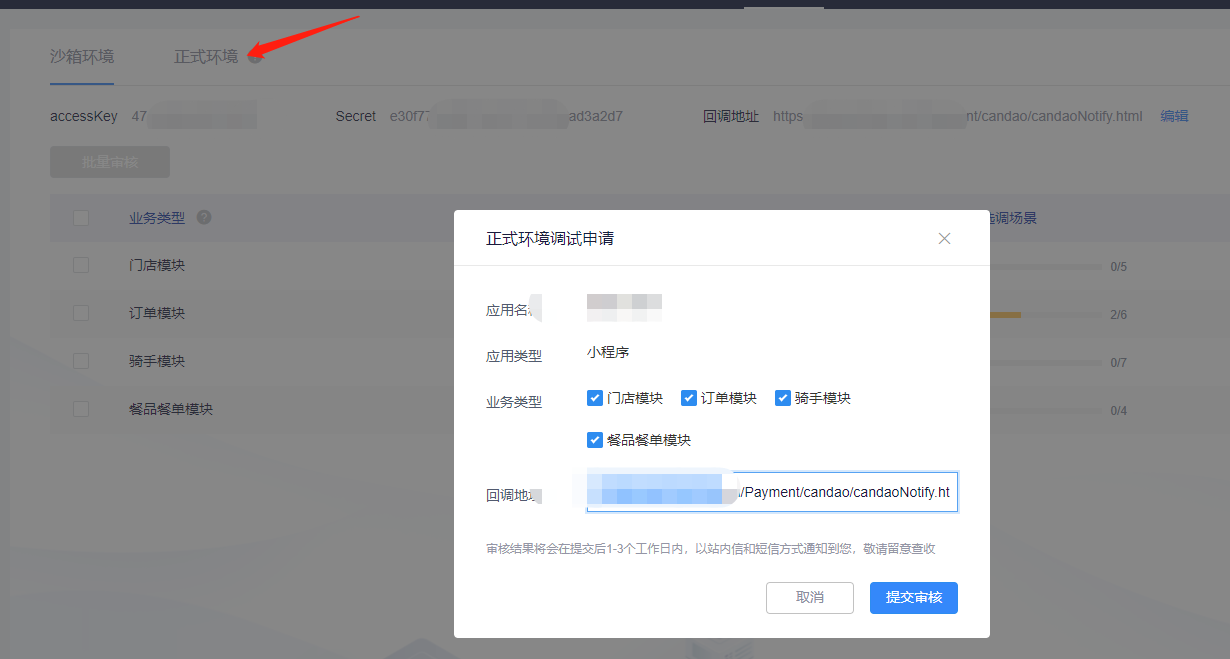
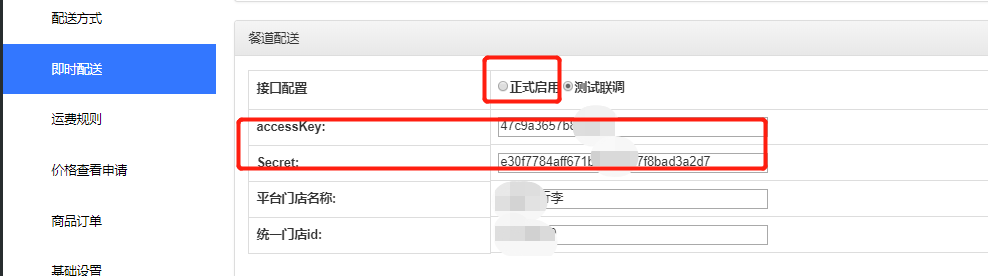
平台门店名称:和统一门店id:需要联系餐道的售后人员开通提交申请
可以直接用我们已经对接号的参数,以上步骤就可以忽略
accessKey:d79e6ae644f42ae6
Secret::2291e166edac116f42ea8a466957c8f7
- 小程序后台操作指南
- 一、账户管理使用教程
- 1.账户充值
- 2.修改密码
- 3.子账户管理
- 4.短信余额
- 5.短信发送记录
- 6.模板收益
- 二、全局设置使用教程
- 1.加载动画
- 2.个人中心
- 3.商家设置
- 4.商家手机端
- 5.门店管理
- 6.小票打印机
- 7.开屏海报
- 三、万能装修使用教程
- 1.模板市场
- 2.万能页面
- 2.1万能页面功能简介
- 2.2页面管理
- 2.3小程序装修
- 2.4小程序菜单
- 2.5小程序组件使用教程详解
- 2.6功能库链接使用教程详解
- 3.生成模板
- 四、微信开发使用教程
- 1.小程序发布
- 2.小程序配置
- 3.小程序跳转
- 4.内嵌网页
- 5.分享有礼
- 6.公众号配置
- 五、百度开发使用教程
- 1.百度小程序发布
- 2.百度小程序配置
- 3.百度小程序支付配置
- 4.小程序下载
- 六、支付宝使用教程
- 1.支付宝小程序配置
- 2.支付宝小程序下载
- 3.服务商支付配置方法
- 4.支付宝客服配置
- 5.新版服务商自己做小程序方法
- 七、头条抖音使用教程
- 1.字节跳动小程序配置
- 2.字节跳动小程序支付配置(不用了)
- 3.字节跳动小程序下载
- 4.头条支付配置方法(新)
- 八、会员管理使用教程
- 1.会员管理
- 2.会员标签
- 3.积分规则设置
- 4.积分消费规则
- 5.积分规则说明
- 6.模板消息设置(作废)
- 7.会员等级设置
- 8.余额/积分导入列表
- 九、万能展示使用教程
- 1.基本设置
- 2.轮播管理
- 3.关于我们
- 4.新闻中心
- 5.产品展示
- 6.案例展示
- 7.联系我们
- 8.加入我们
- 9.留言板
- 十、酒店系统使用教程
- 1.酒店管理
- 2.客房管理
- 3.订单管理
- 4.评价管理
- 5.酒店设置
- 十一、万能表单使用教程
- 1.表单列表
- 2.添加表单
- 十二、商城系统使用教程
- 1.数据统计
- 2.模板消息设置(作废)
- 3.商品列表
- 4.商品类别
- 5.商品规格
- 6.商品分组
- 7.商品标签
- 8.商品订单
- 9.订单设置
- 10.发货管理
- 11.评价管理
- 12.维权管理
- 13.运单模板设置
- 14.地址库
- 15.配送方式
- 16.区域配送
- 17.运费规则
- 18.单商品独立分销佣金设置
- 19.商品批量导入
- 20.商品采集
- 21.plus会员
- 22.api物流查询
- 23.电子面单
- 24.库存预警
- 十三、分销管理使用教程
- 1.分销设置
- 2.分销商管理
- 3.提现管理
- 4.佣金明细
- 5.不可提现佣金
- 6.打款设置
- 6.1企业付款到零钱
- 6.2商家转账到零钱
- 十四、营销活动使用教程
- 1.优惠券管理
- 2.拼团商品
- 3.拼团列表
- 4.拼团订单
- 5.秒杀商品
- 6.秒杀订单
- 7.大转盘参数
- 8.大转盘奖项
- 9.大转盘记录
- 10.砍价商品设置
- 11.砍价订单列表
- 12.集字游戏活动
- 13.集字游戏中奖
- 14.投票设置
- 15.投票列表
- 十五、智慧餐厅使用教程
- 1.餐厅设置
- 2.促销管理
- 3.桌台设置
- 4.二维码管理
- 5.菜品分类
- 6.菜品列表
- 7.点餐订单列表
- 8.外卖订单列表
- 9.队列管理
- 10.聚合码
- 11.取餐订单列表
- 十六、多商家使用教程
- 1.基础设置
- 2.商家入驻
- 3.门店管理
- 4.提现管理
- 5.分类设置
- 十七、同城信息使用教程
- 1.同城设置
- 2.轮播图管理
- 3.公告管理
- 4.用户名管理
- 5.分类设置
- 6.信息管理
- 7.评论管理
- 十八、超级客服使用教程
- 1.客服接入
- 2.图文管理
- 3.参数配置
- 4.自动回复
- 十九、预约系统使用教程
- 1.系统设置
- 2.分类管理
- 3.服务项目
- 4.服务人员
- 5.预约列表
- 二十、智慧美业使用教程
- 1.预约列表
- 2.店铺服务
- 3.预约用户
- 4.作品管理
- 二十一、优惠买单使用教程
- 1.买单设置
- 2.订单查询
- 二十二、文章(知识付费)
- 1.文章分类
- 2.文章管理
- 3.文章设置
- 4.轮播图管理
- 5.订单管理
- 二十三、留言反馈使用教程
- 1.留言反馈列表
- 二十四、微培训使用教程
- 1.店铺设置
- 2.课程列表
- 3.老师列表
- 4.视频实录
- 5.预约课程
- 6.订单列表
- 二十五、微装修使用教程
- 1.店铺设置
- 2.分类管理
- 3.设计师管理
- 4.报价申请
- 5.预约列表
- 6.案例管理
- 7.图库管理
- 二十六、微拼车使用教程
- 1.信息管理
- 二十七、宅多多使用教程
- 1.小程序设置
- 2.门店列表
- 3.用户列表
- 4.区域列表
- 5.装修情况
- 6.用途列表
- 7.申请列表
- 8.求租/购列表
- 二十八、聚合码
- 二十九:QQ小程序
- 1:小程序配置
- 2:支付配置(QQ钱包升级无法使用)
- 3.小程序下载
- 三十:直播管理(微信官方,推荐使用这个)
- 1.手机直播
- 2.推流直播
- 3.小助手设置
- 4.商品添加
- 三十一、直播卖货(贴牌的代理商才可以使用)
- 1.阿里云直播配置
- 2.奥点云DMS配置
- 3.直播间管理
- 4.订阅消息设置
- 三十二、积分商城
- 1.轮播图管理
- 2.积分商品管理
- 3.积分商品订单管理
- 4.积分商城设置
- 三十三、商家手机助手小程序端
- 三十四、获取小程序页面路径的方法
- 三十五、即时配送
- 1.基本操作
- 2.闪送
- 3.顺丰同城
- 4.达达
- 5.美团配送
- 6.UU跑腿
- 三十六、视频号链接配置方法
- 三十七、百业联盟
- 1.1.基础设置
- 2.2首页幻灯片
- 3.3首页导航
- 4.4地址管理
- 5.5门店列表
- 6.6评论管理
- 7.7卡密项目
- 8.8卡密规则
- 9.9卡密订单
- 10.10卡密销售
- 11.11卡密绑定
- 12.12商户核销
- 13.13直领卡密
- 三十八、提货卡系统
- 1.1基础设置
- 2.2卡密列表
- 三十九、蜂鸟配送
- 四十、智慧经营券
- 40.1、微信支付代金券
- 40.2、发放记录
- 40.3、订阅消息配置
- 40.4、推送发券
- 40.5、活动内容
- 40.6、活动推送
- 40.7订阅消息如何在小程序体现的说明
- 40.8微信设置
- 40.9免充值代金券开通方法
- 四十一、数字化转型券
- 1.订阅消息配置
- 2.推送发券
- 3.活动列表
- 4.活动推送
- 5.订阅消息在小程序的位置
- 四十二、餐道配送
- 四十三、券包兑换
- 43.1券包基础设置
- 43.2券包商品管理
- 43.3券包规则管理
- 43.4券包商品订单
- 四十四、支付宝点餐奖励
- 物料申请
- 扫码点餐激励3.0
- 四十五、视频号直播
- 45.1认证视频号
- 45.2视频号直播
- 45.3小程序跳转视频号直播
- 四十六、抖音广告
- 四十七、企微信配置
- 47.1企微配置
- 47.2.h5跳小程序
- 四十八、盲盒
- 四十九、硬件管理
- 49.1云喇叭
- 五十、域名配置方法
- 五十一:流量主
- 1.流量主介绍
- 2.准备工作
- 3.广告设置
- 五十二、订阅消息