
下面有常见布局
*****
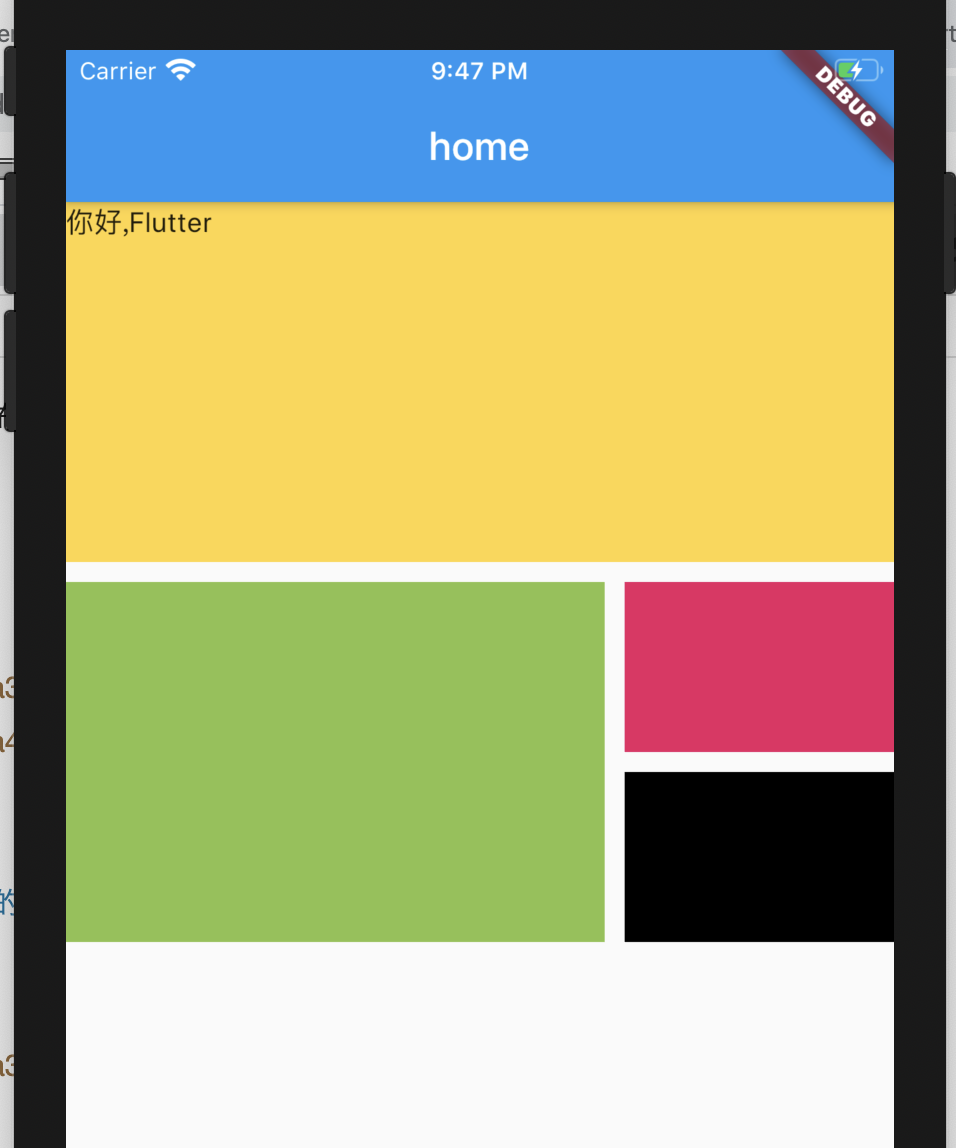
~~~
import 'package:flutter/material.dart';
import 'res/listData.dart';
void main() => runApp(Myapp());
class Myapp extends StatelessWidget{
@override
Widget build(BuildContext context) {
// TODO: implement build
return MaterialApp(
title: 'home',
home: Scaffold(
appBar: AppBar(
title: Text('home'),
),
body: Home(),
),
);
}
}
class Home extends StatelessWidget {
@override
Widget build(BuildContext context) {
// TODO: implement build
return Column(
children: <Widget>[
Row(
children: <Widget>[
Expanded(
child: Container(
height: 180,
color: Colors.amberAccent,
child: Text("你好,Flutter"),
)
)
],
),
SizedBox(height: 10),
Row(
children: <Widget>[
Expanded(
flex: 2,
child: Container(
height: 180,
color: Colors.lightGreen,
)
),
SizedBox(
width: 10,
),
Expanded(
flex: 1,
child: Container(
height: 180,
child: ListView(
children: <Widget>[
Container(
height: 85,
color: Colors.pink,
),
SizedBox(
height: 10,
),
Container(
height: 85,
color: Colors.black,
)
],
)
)
)
],
)
],
);
}
}
~~~
*****
*****
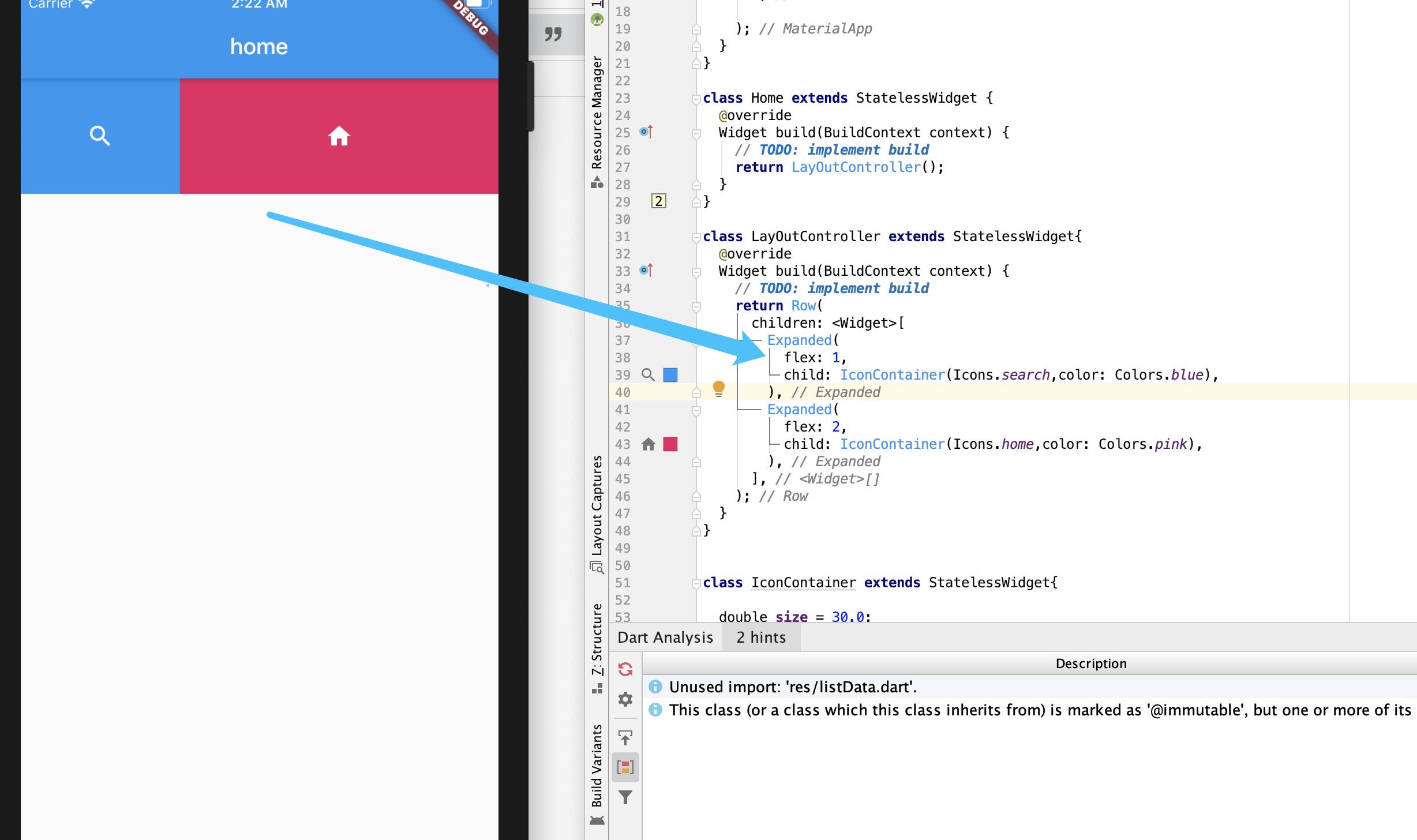
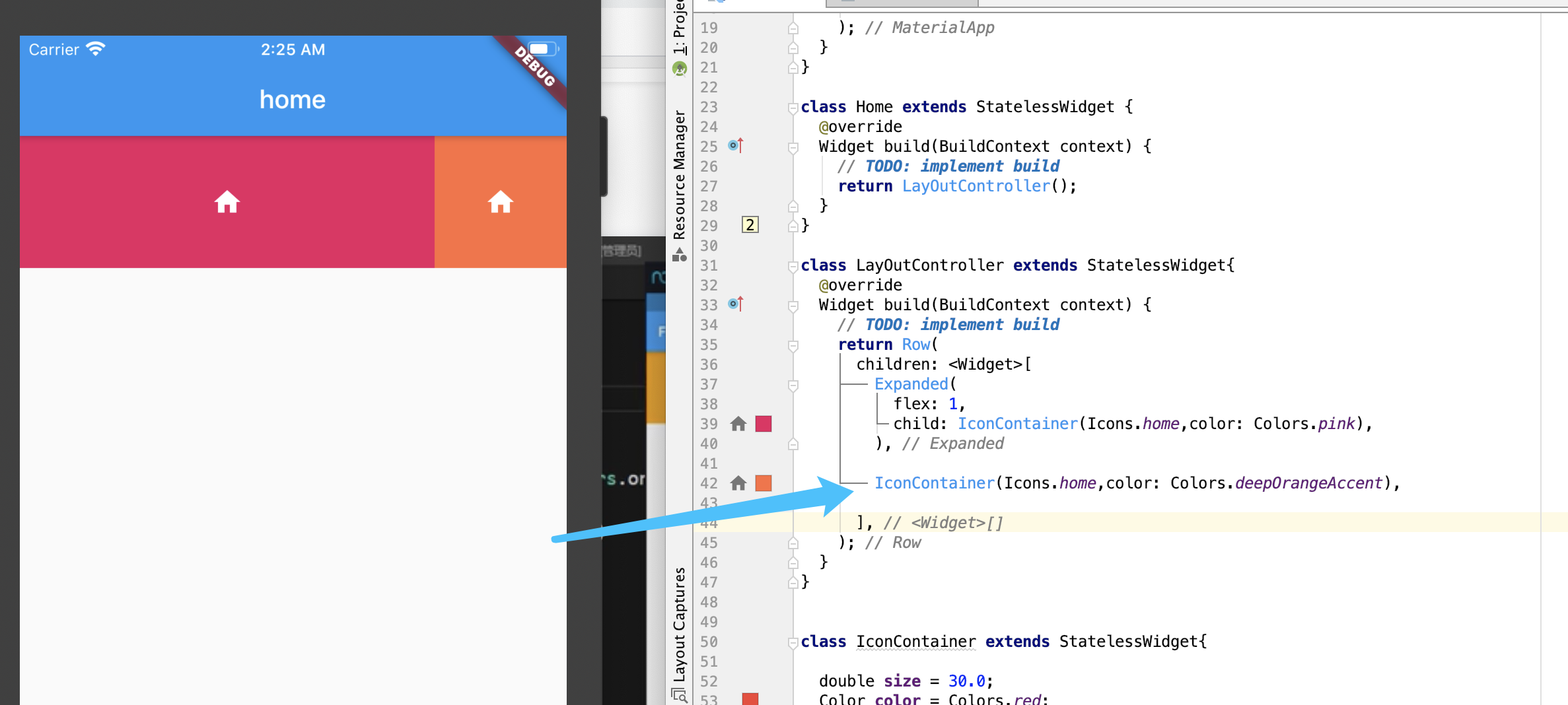
~~~
使盒子里面的东西垂直显示,如图片和文字如果用ListTile的时候,会横向布局
Column
~~~
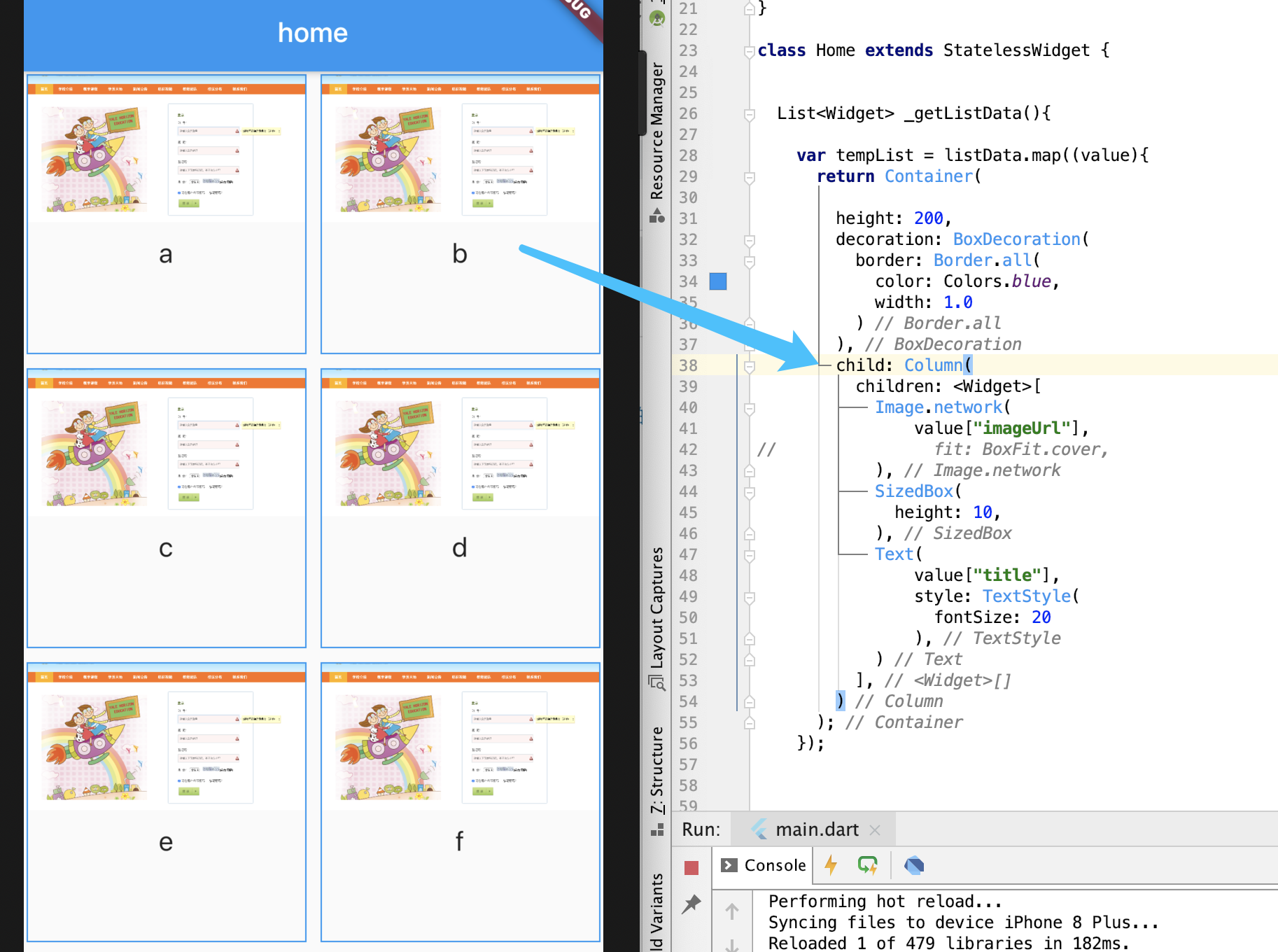
~~~
增加图中图片和文字都间距
SizedBox
~~~

~~~
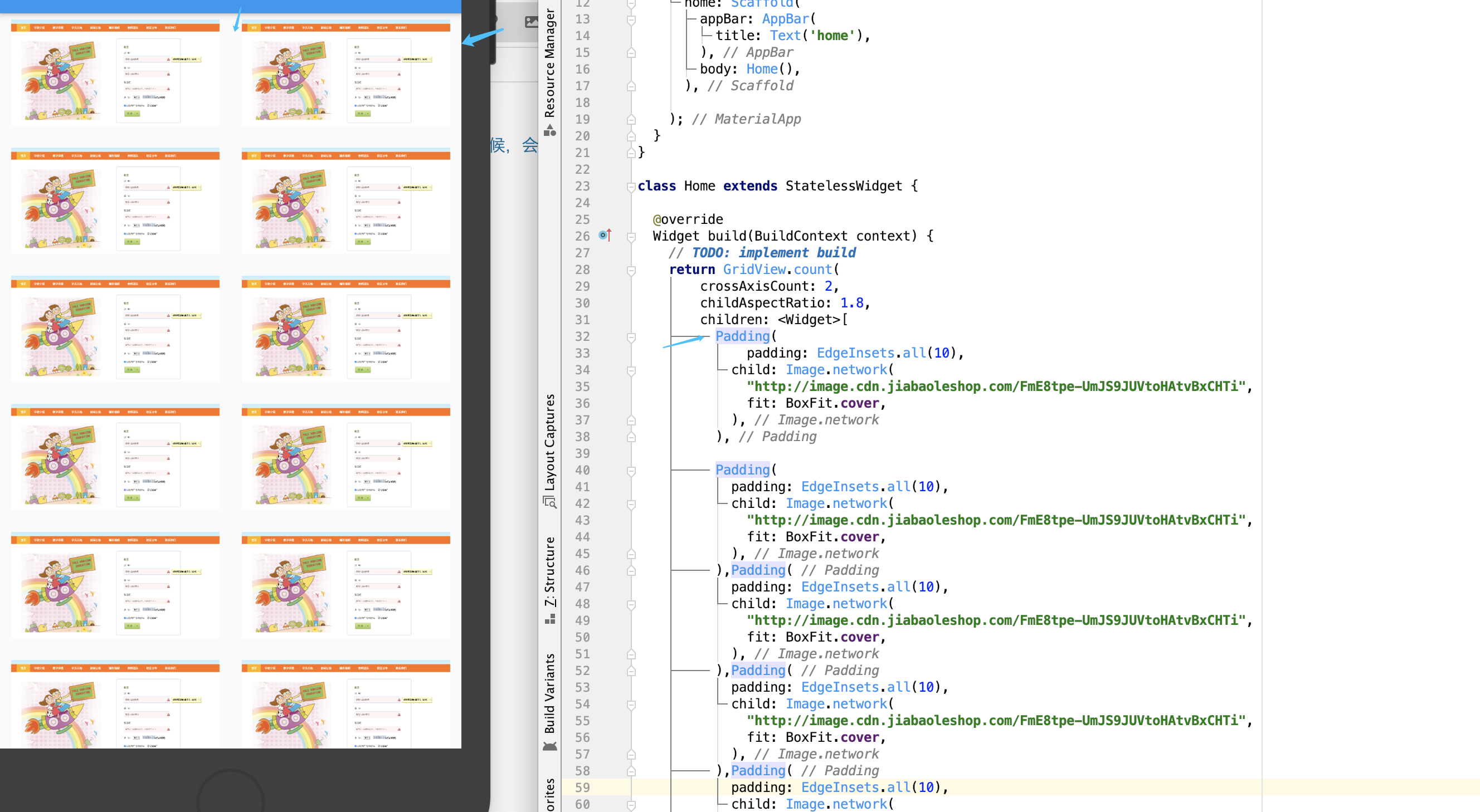
增加容器内边据(error示范)
Padding
~~~
>四周都是10,但是中间是20。。
~~~
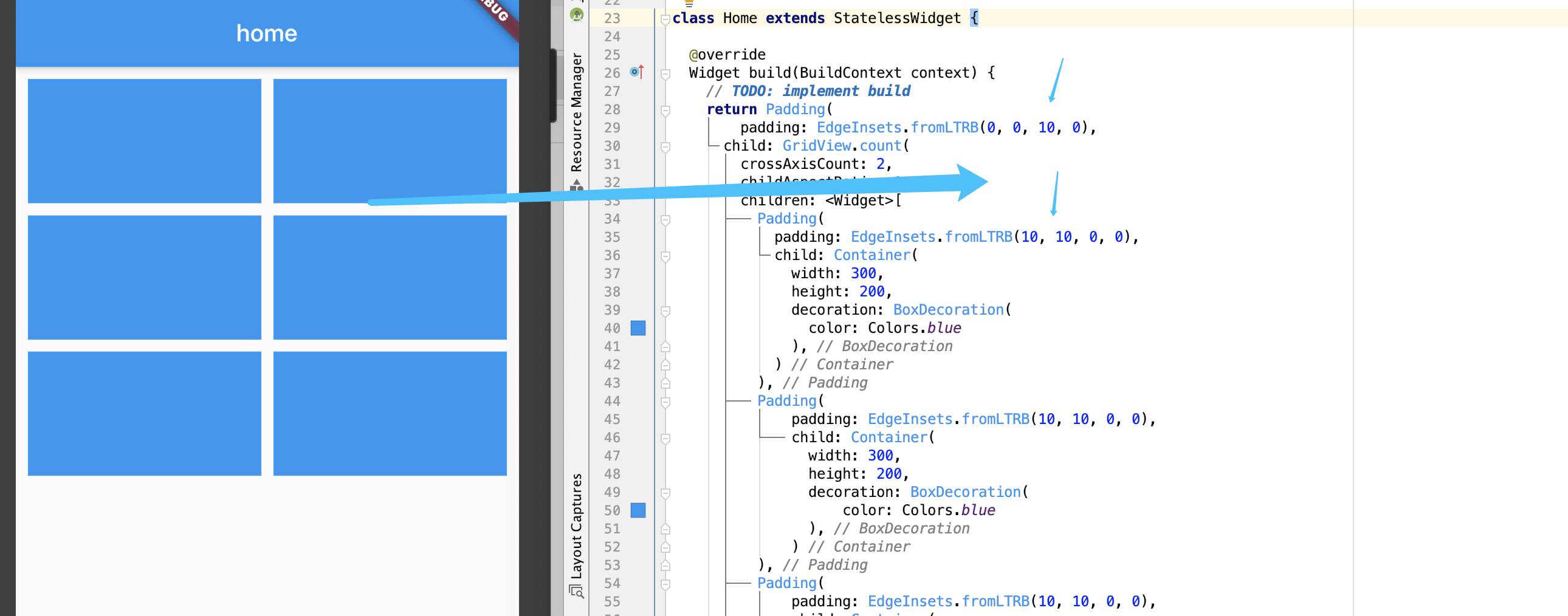
增加容器内边据(success示范)
Padding
~~~
- 开始
- 盒子(容器)
- 盒子属性
- 盒子圆角属性
- Padding
- Transform(旋转)
- Alignment(文字显示位置)
- 备注
- 给任何元素加点击事件
- 主题
- Text
- overflow(文字溢出处理)
- textScaleFactor(文字缩放倍率)
- maxLines
- TextAlign
- TextStyle(字体样式)
- 图片
- 本地引入
- 远程引入
- 属性
- 圆形图片功能实现方法1
- 圆形图片功能实现方法2
- 列表
- 垂直列表
- Demo
- 图文列表
- 全图列表
- 水平列表
- 动态列表(使用自定义列表)
- 动态列表(官方API)
- 页面布局
- 网格布局(更强大的布局)
- GridView(竖xiang)
- 使用DEMO
- GridView.builder(不常用)
- 横向布局(ROW)
- (Column)垂直布局
- Stack层叠组件
- AspectRatio(比例继承上层组件宽高)
- Card组件
- Wrap(流布局)
- Expanded自适应
- 按钮
- 凸起|基本按钮
- 凸起-阴影按钮
- 自适应按钮
- 按钮加图标
- 圆角按钮
- 圆按钮
- 常按水波纹设置
- OutlineButton按钮
- ButtonBar按钮组
- 浮动按钮
- 有状态组件
- DEMO
- 底部导航
- 底部导航实现点击切换
- 代码分离+底部切换+内容切换
- 页面传值|页面跳转
- 右下角浮动按钮
- 命名路由|动态传参|推荐|项目基础架构
- 备注函数
- 路由
- 导航栏
- 子导航
- 抽屉
- 顶部加按钮
- 设置bar高度
- 表单
- CheckBox
- Radio
- FORM-DEMO
- 日期
- 常用第三方
- swiper
- ALert
- HandleAlert
- 网络
- 请求
- Body
- scrollDirection