[TOC]
# 一、原理
流程如下:
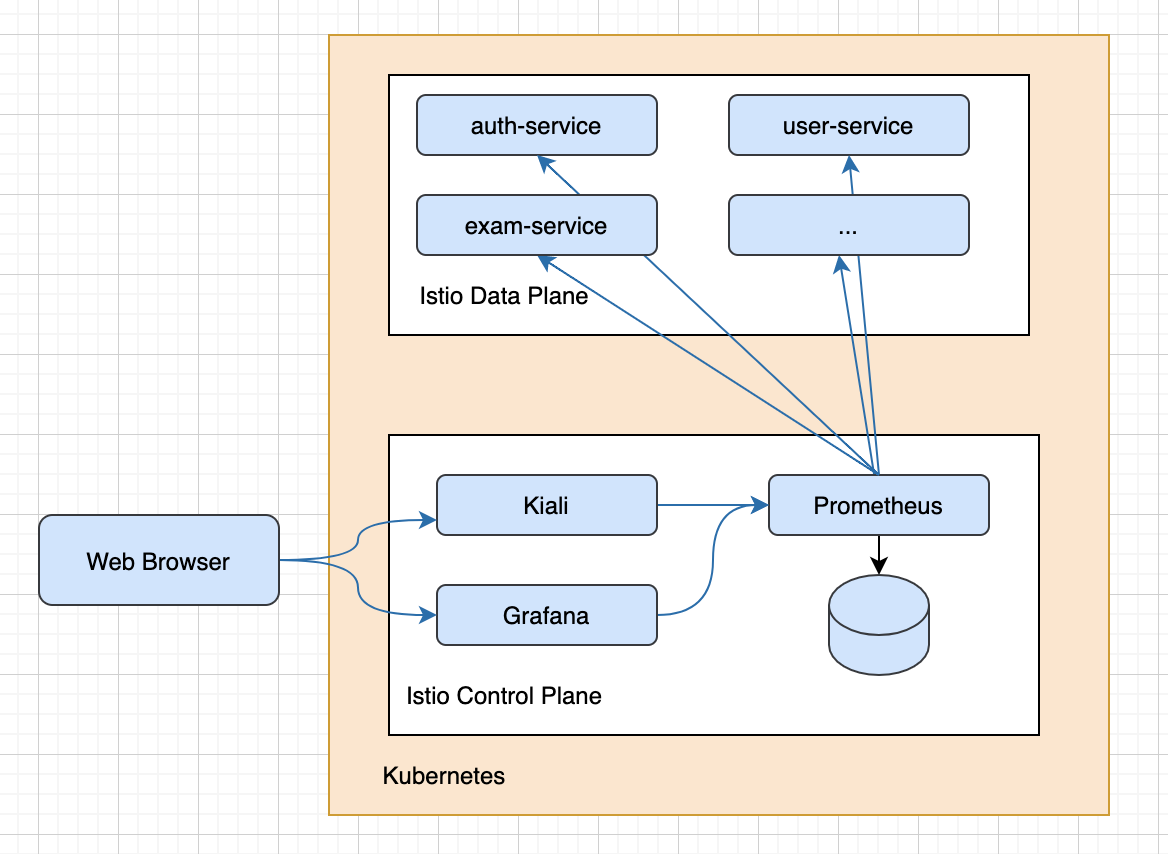
主要依赖:
* `implementation 'org.springframework.boot:spring-boot-starter-actuator'`
* `implementation("io.micrometer:micrometer-registry-prometheus")`
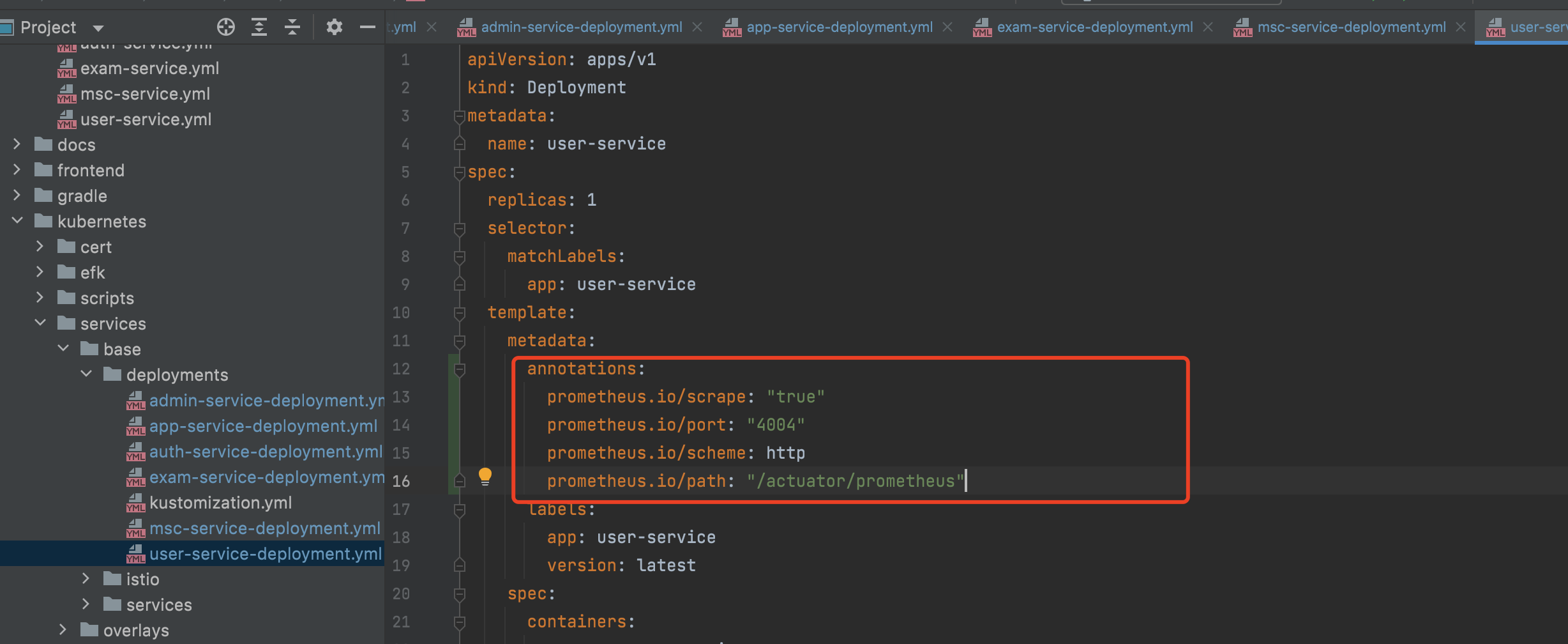
各服务通过`/actuator/prometheus`暴露服务指标
具体配置见:`kubernetes/services/base/deployments`
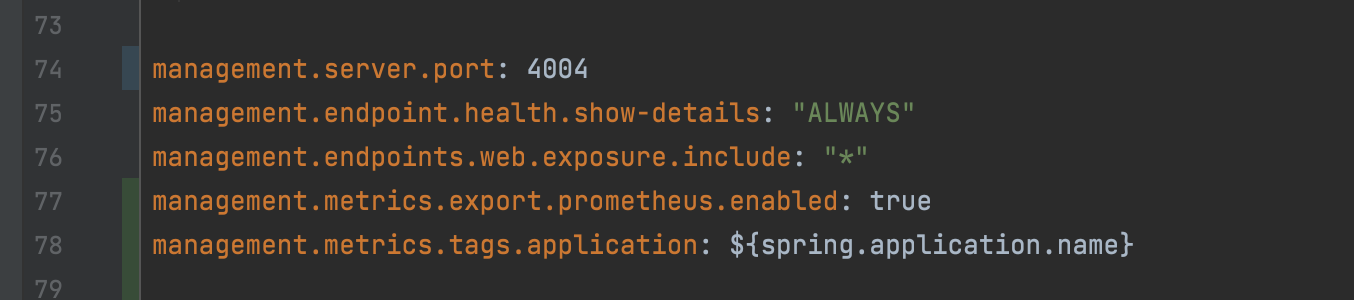
`application.yml`配置:
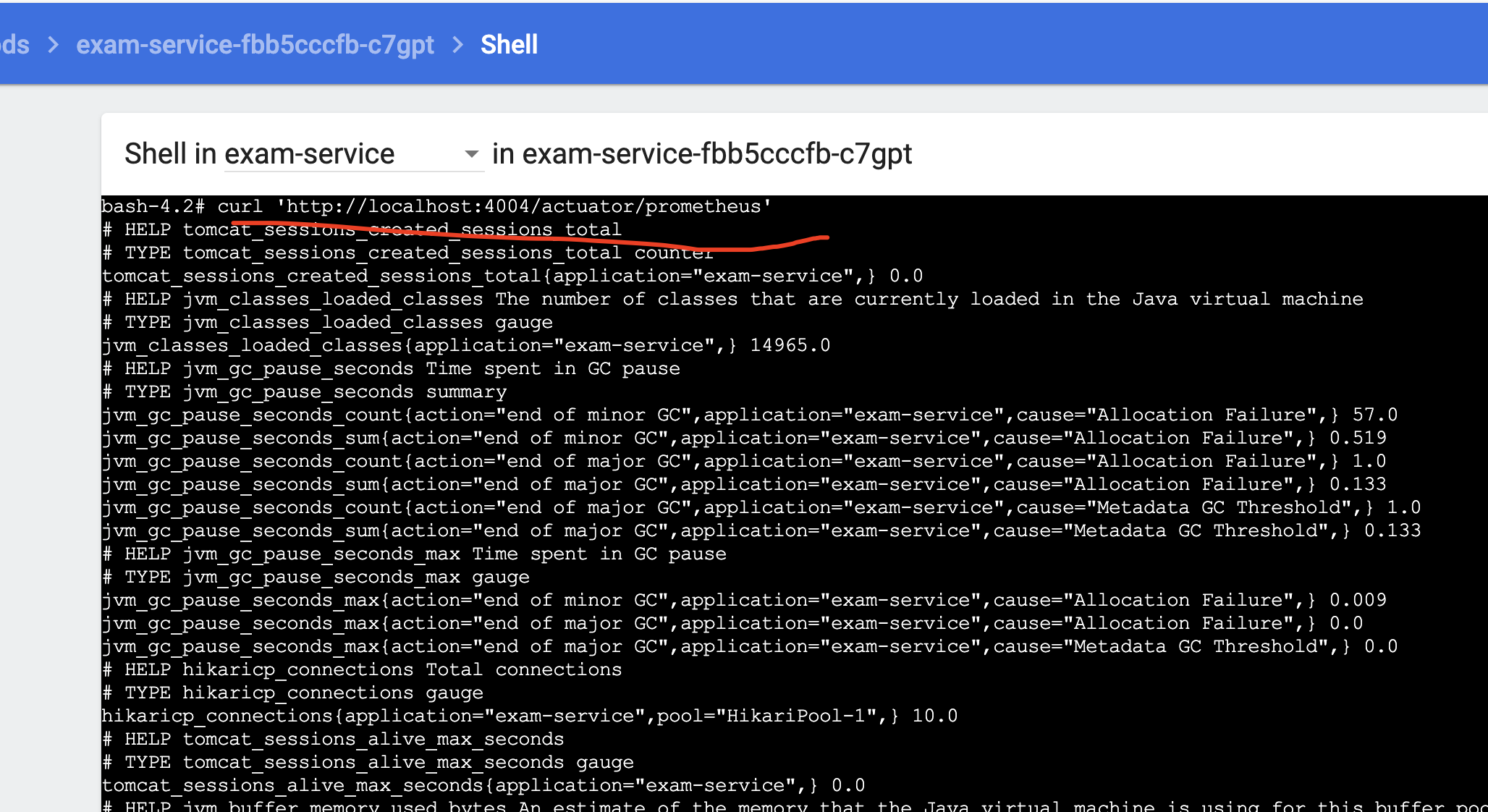
可以在容器内curl确认prometheus指标是否上报成功:
```
$ curl 'http://localhost:4004/actuator/prometheus'
```
# 二、配置Grafana Dashboards
打开Grafana Dashboards
```
$ istioctl dashboard grafana
```
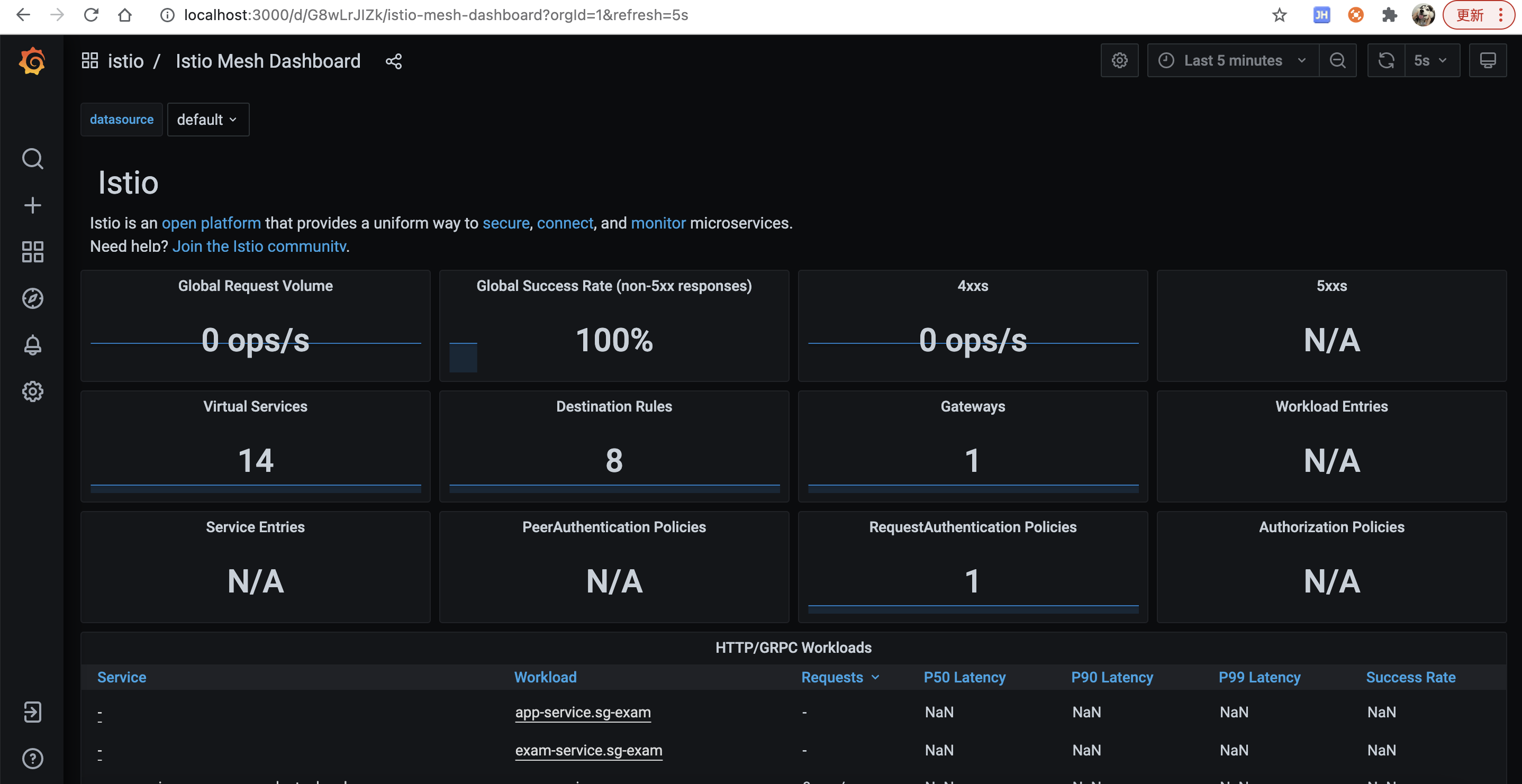
访问[http://localhost:3000/dashboard/new?layout=list&search=open&orgId=1](http://localhost:3000/dashboard/new?layout=list&search=open&orgId=1)
可以看到服务网格的一些指标
# 三、导入JVM dashboard
主要是JVM的监控dashboard
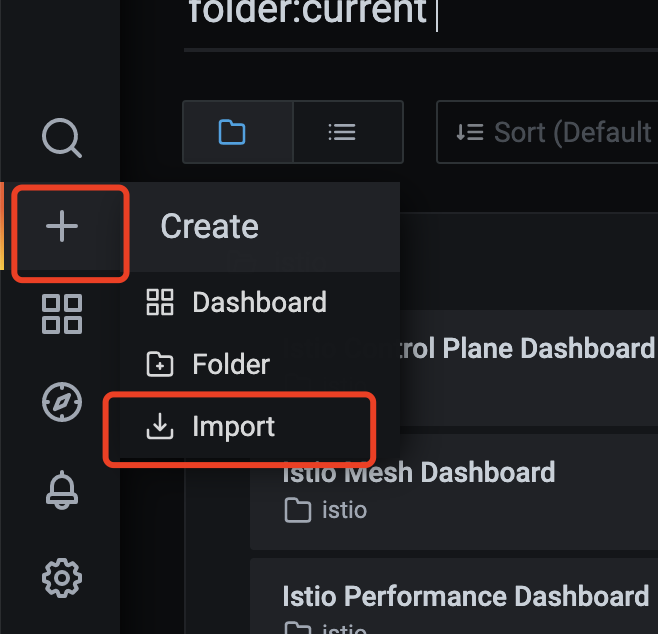
1. 点击“+”号,选择import
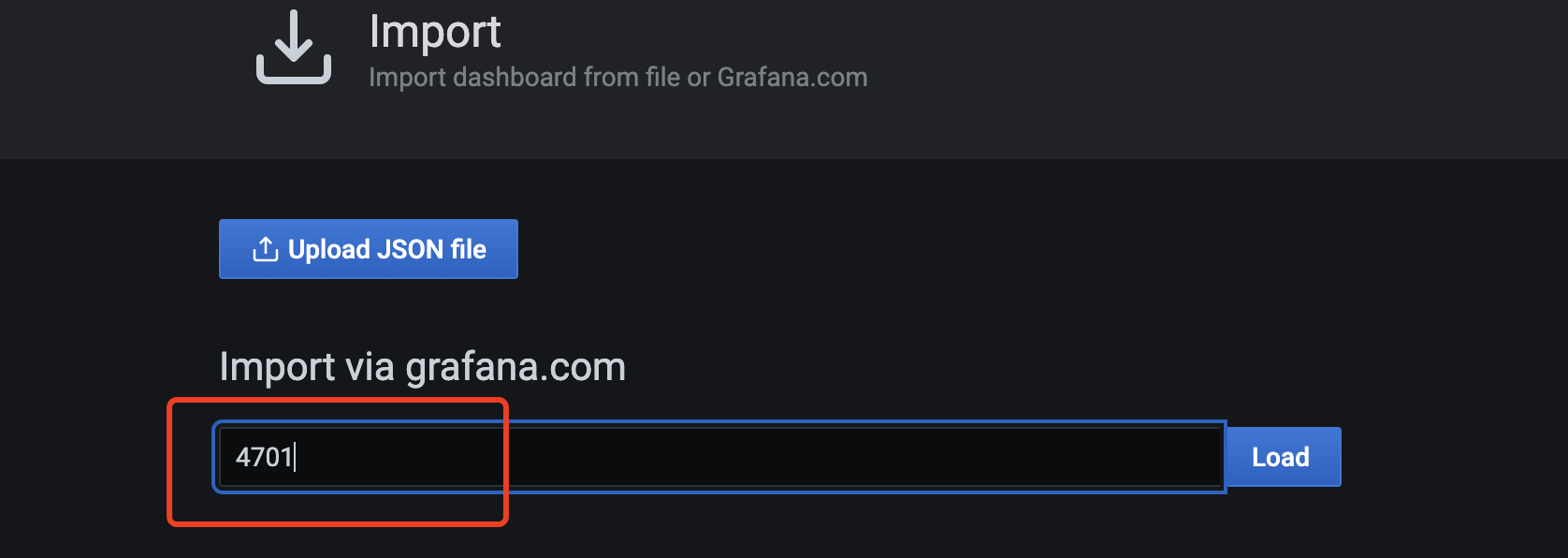
2. 输入4701,点击load
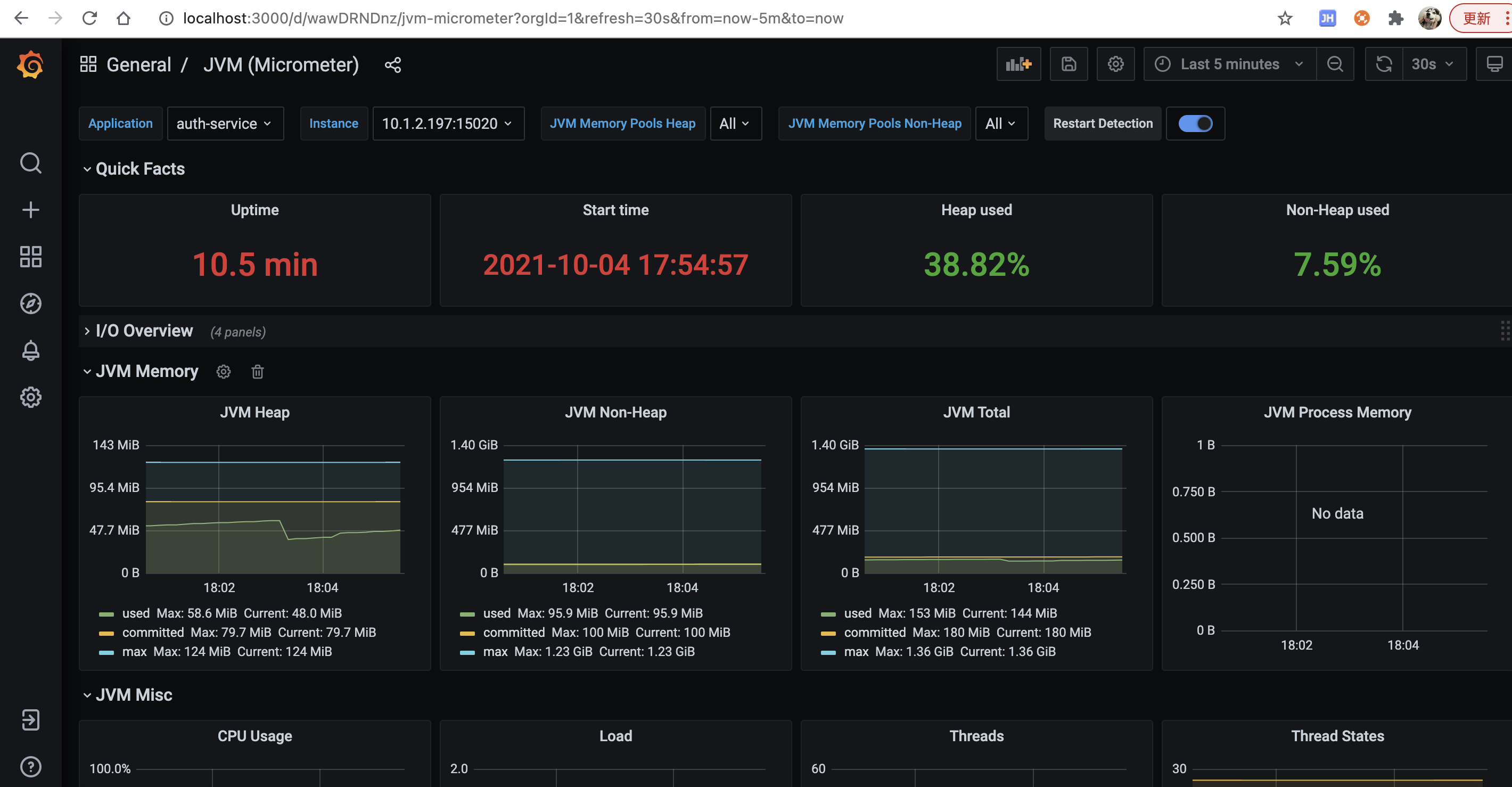
3. 可以看到网络IO、JVM内存、线程等指标的监控
# 四、发送告警邮件
执行脚本:
```
$ ./kubernetes/scripts/deploy-mail-server.bash
```

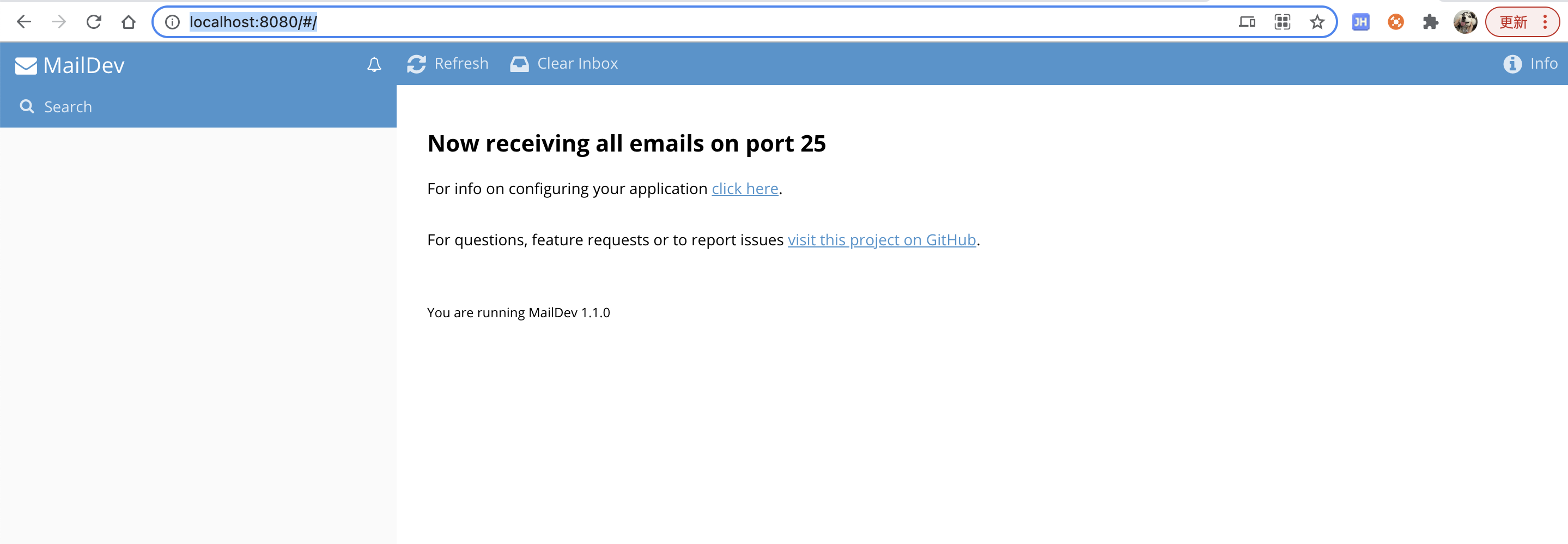
访问`http://localhost:8080/#/`
配置Grafana发送邮件到mail server,执行以下命令:
```
$ kubectl -n istio-system set env deployment/grafana \
GF_SMTP_ENABLED=true \
GF_SMTP_SKIP_VERIFY=true \
GF_SMTP_HOST=mail-server.sg-exam.svc.cluster.local:25 \
GF_SMTP_FROM_ADDRESS=grafana@minikube.me
$ kubectl -n istio-system wait --timeout=60s --for=condition=ready pod -l app=grafana
```

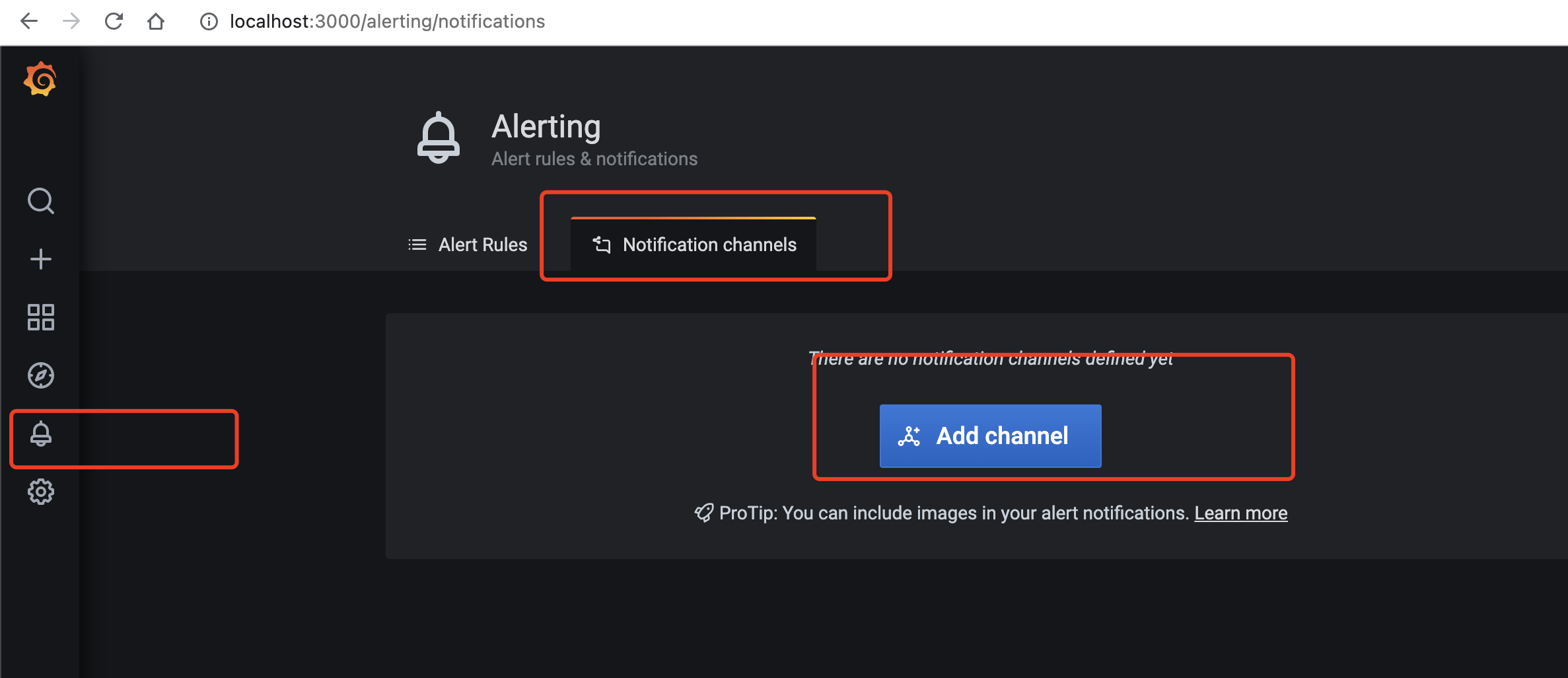
配置Grafana发送告警邮件
# 五、Elasticsearch监控
主要是监控日志收集的es集群
1. 下载并运行最新版本cerebro: [https://github.com/lmenezes/cerebro/releases](https://github.com/lmenezes/cerebro/releases)
访问:[http://localhost:9000/](http://localhost:9000/)
2. 输入es集群的地址
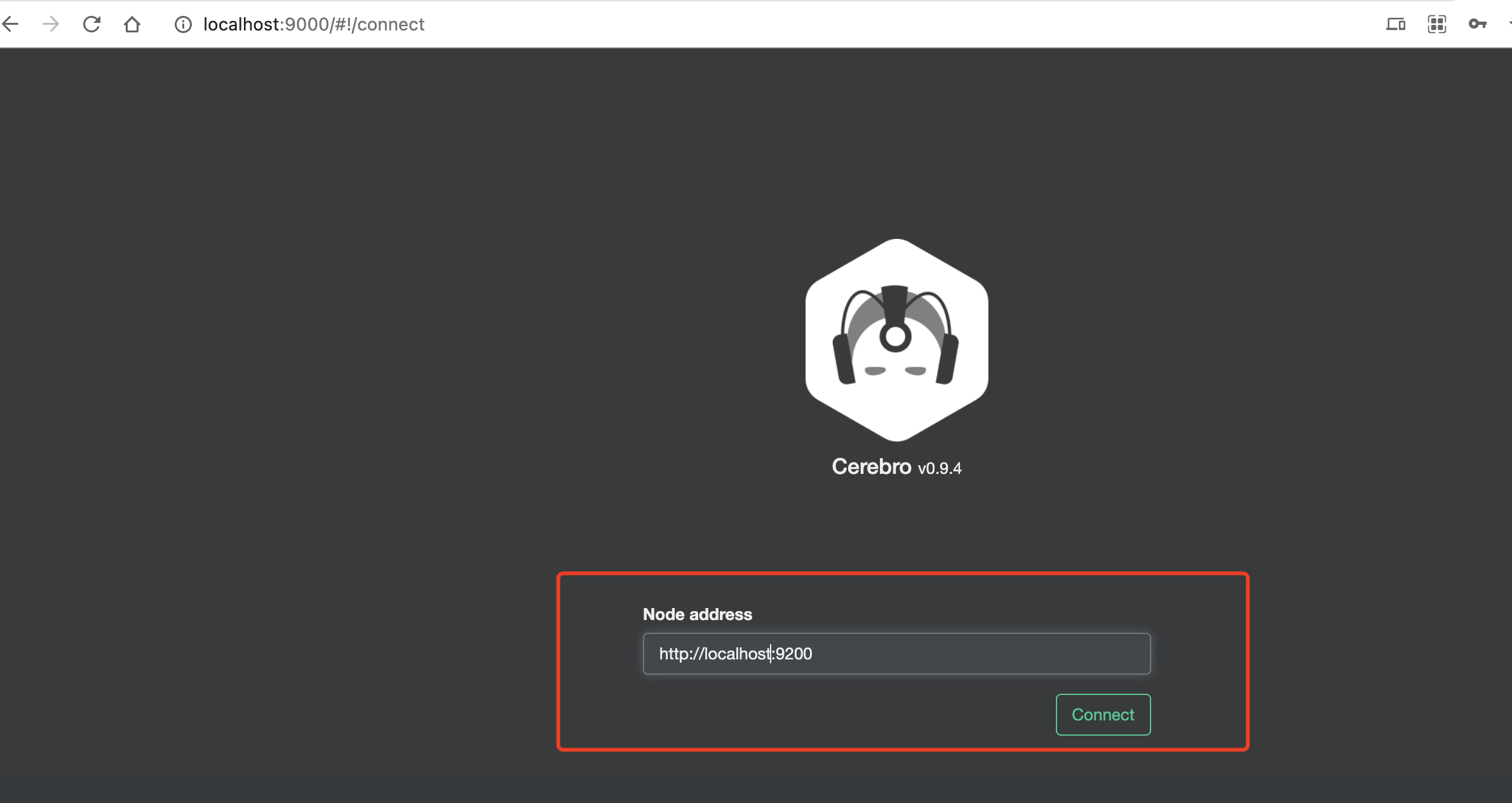
点击connect
3. 效果
可以监控到es集群、索引等指标,cerebro还是非常强大的,其它功能的具体使用参考官方wiki
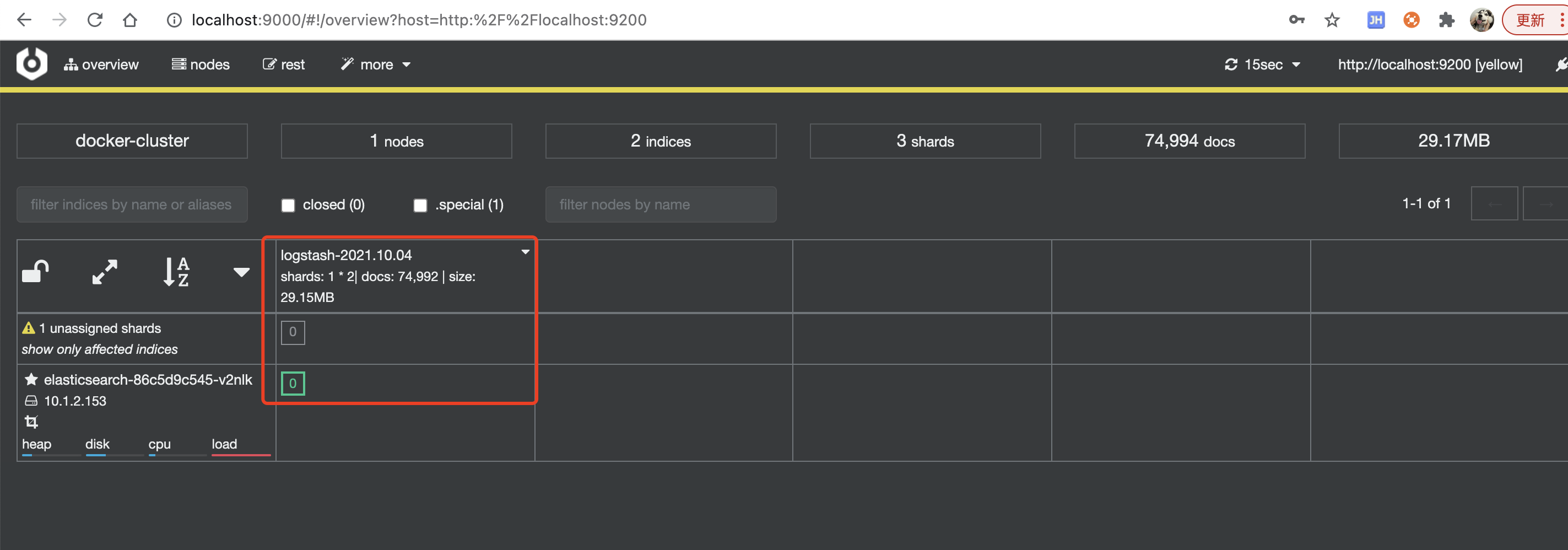
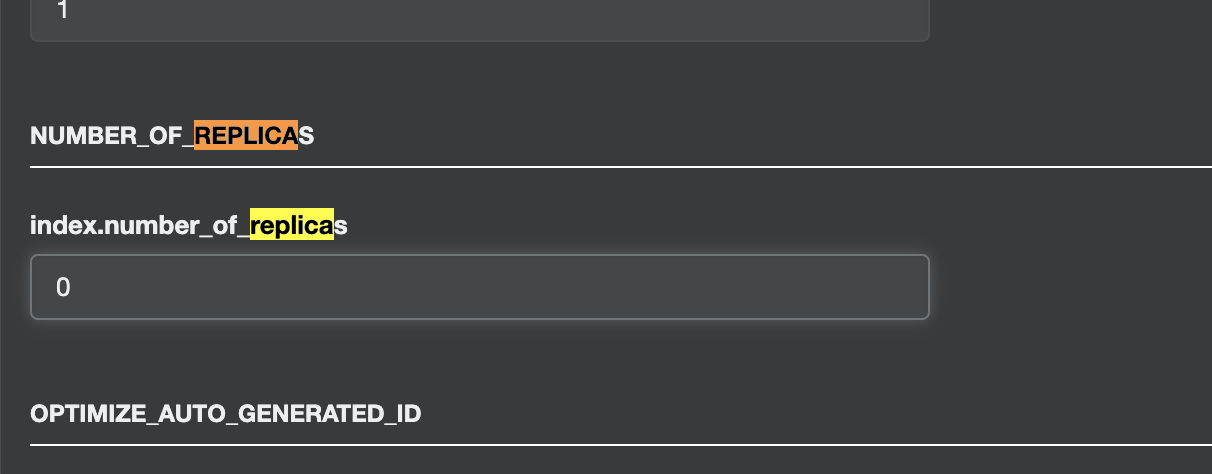
集群变黄色是因为部署的es集群为单节点,副本分片分配不了,但不影响使用,可修改副本数解决,点击索引->index settings
修改index.number_of_replicas为0