企业🤖AI智能体构建引擎,智能编排和调试,一键部署,支持知识库和私有化部署方案 广告
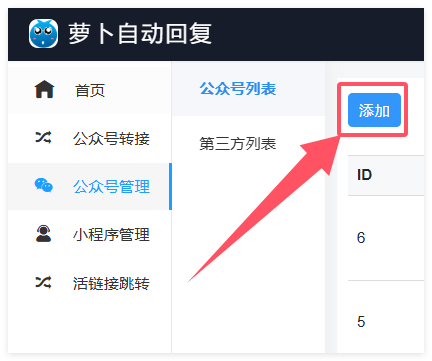
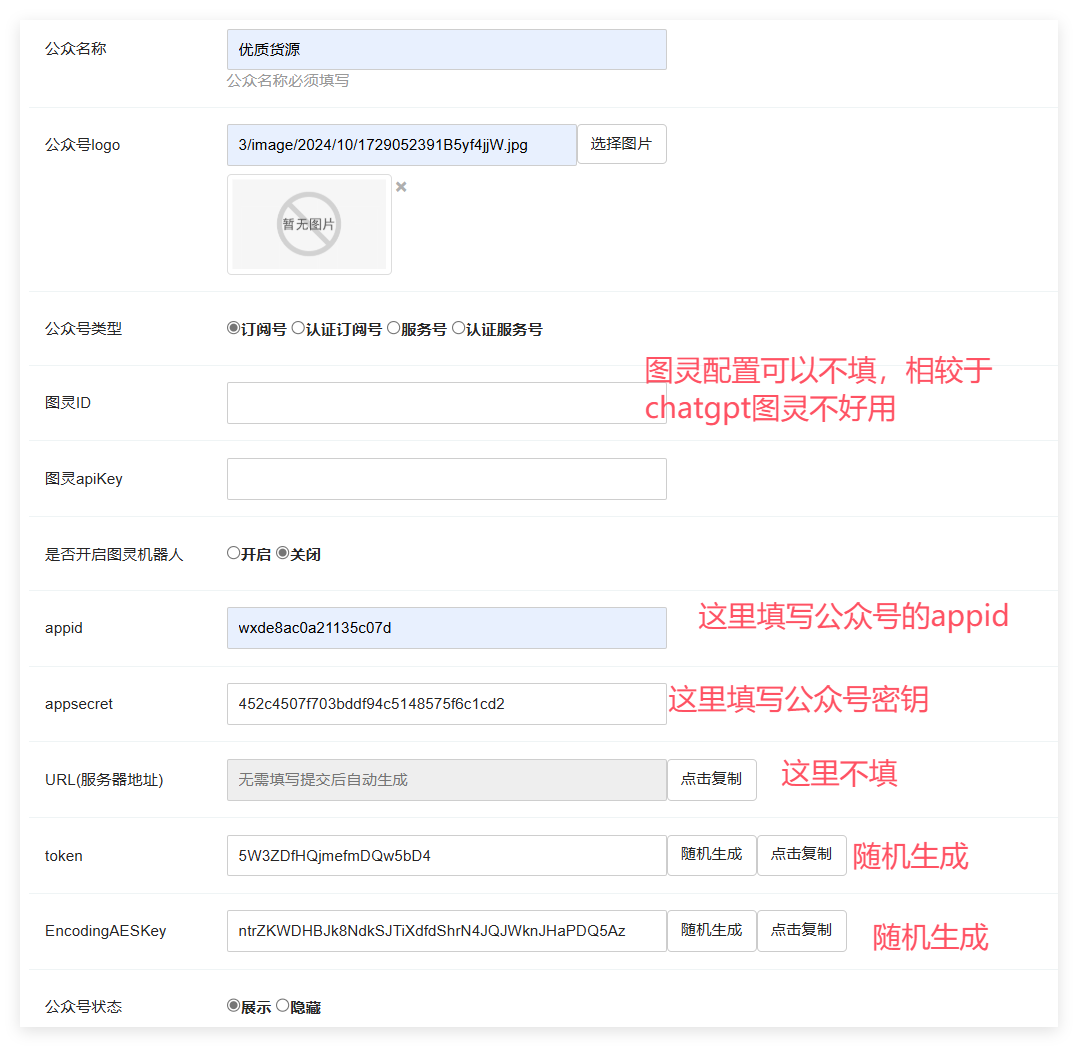
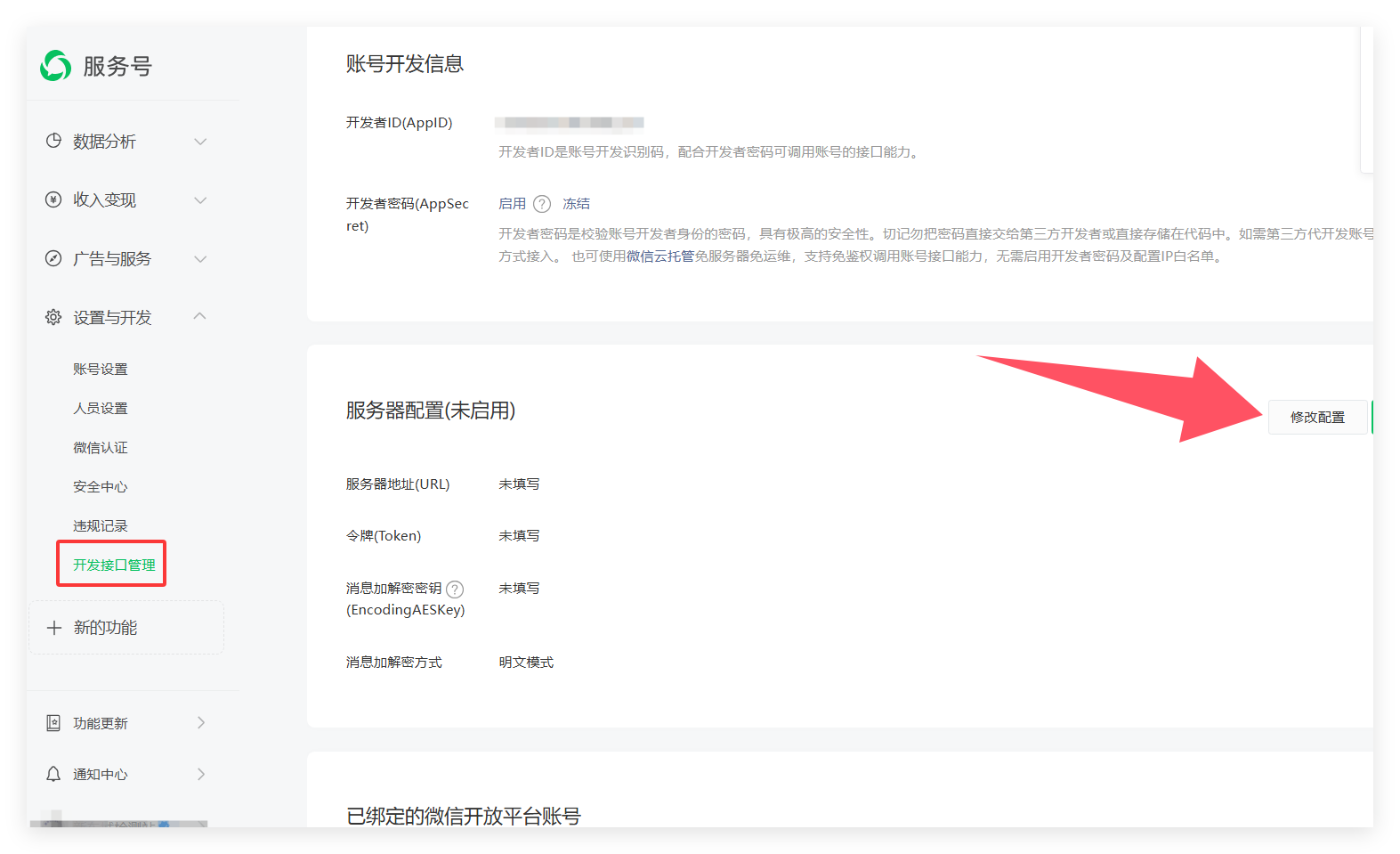
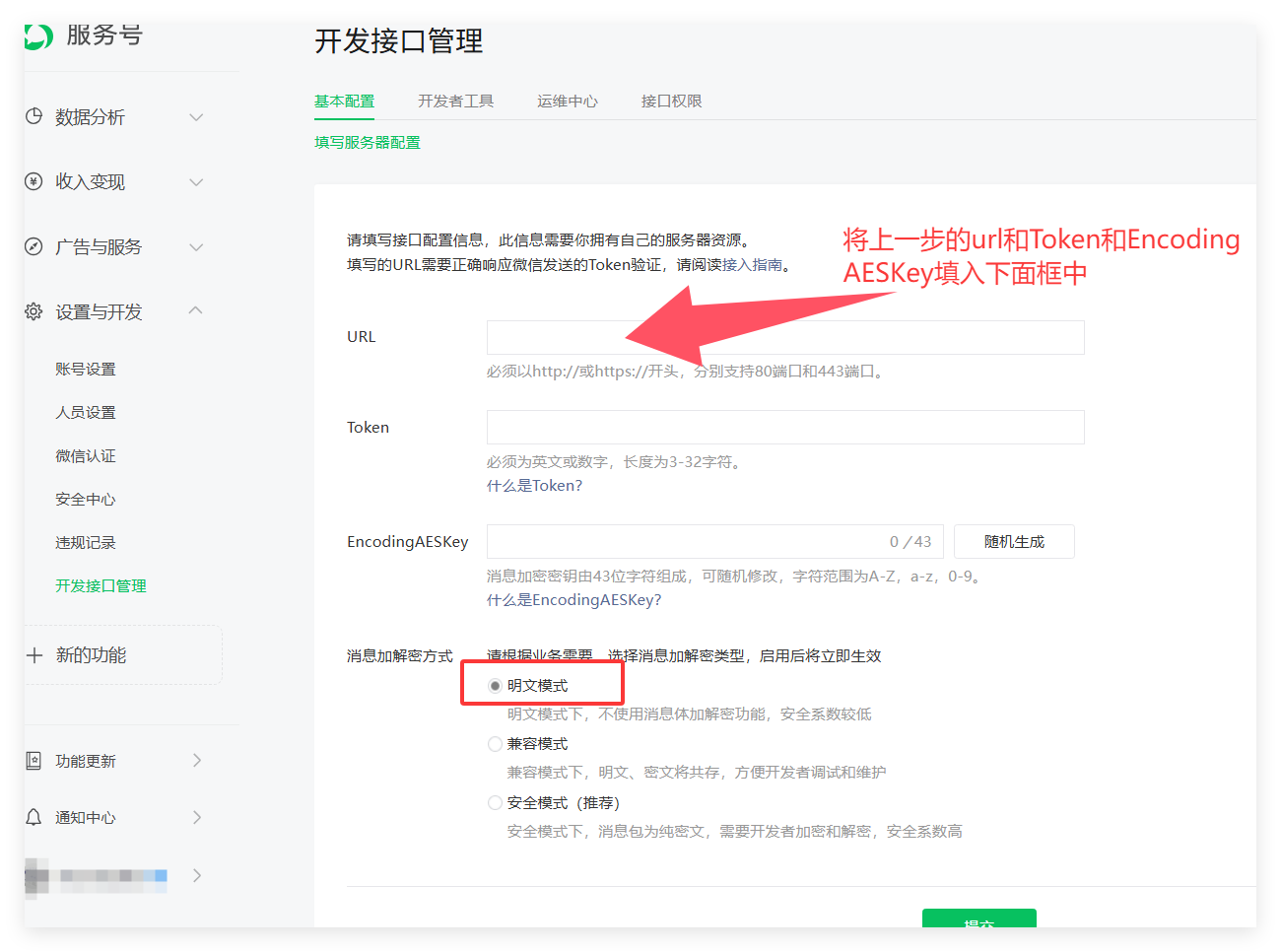
## 设置公众号自动回复配置 1、点击公众号管理,然后点击添加按钮 ![](https://img.kancloud.cn/40/81/40812c3eb53ea6ce1a0f919e46bf9e0c_432x361.png) 2、添加公众号配置 ![](https://img.kancloud.cn/11/66/11661e413c20bea3fc40edac41254b46_1078x1047.png) 3、提交保存 ## 打开公众号平台 1、点击服务器配置---修改配置 ![](https://img.kancloud.cn/0f/95/0f958eae0a30eb43ce8d6b34ae7eeb8e_1573x959.png) ![](https://img.kancloud.cn/16/78/1678fc5eea8a9ff59e0a28d67fdd0a6f_1300x966.png) 2、然后提交保存 3、点击启用 ![](https://img.kancloud.cn/fc/f5/fcf583b5ac14541c0c24e8aaeae59df0_1633x973.png)