### 伪静态设置
**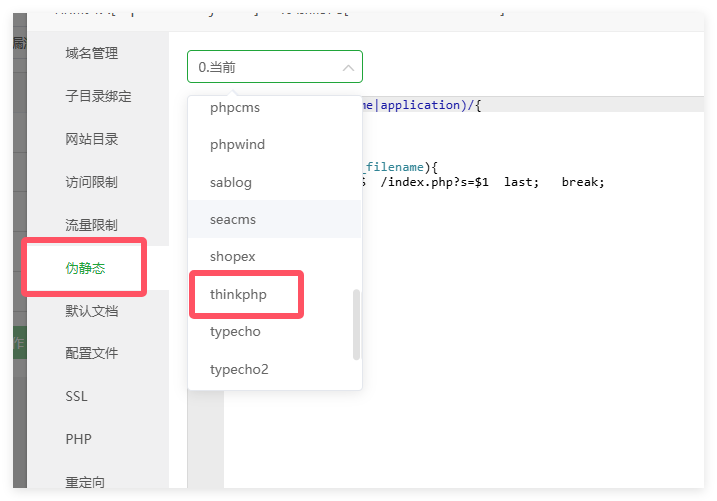
如何你是宝塔面板,下面就不用看了,按上图设置即可**
* Apache 服务器配置
~~~
<IfModule mod_rewrite.c>
Options +FollowSymlinks -Multiviews
RewriteEngine On
RewriteCond %{REQUEST_FILENAME} !-d
RewriteCond %{REQUEST_FILENAME} !-f
RewriteRule ^(.*)$ index.php/$1 [QSA,PT,L]
</IfModule>
~~~
* Nginx 服务器配置
~~~
if (!-e $request_filename) {
rewrite ^(.*)$ /index.php$1 last;
}
~~~
* IIS 服务器管理
~~~
<rewrite>
<rules>
<rule name="OrgPage" stopProcessing="true">
<match url="^(.*)$" />
<conditions logicalGrouping="MatchAll">
<add input="{HTTP_HOST}" pattern="^(.*)$" />
<add input="{REQUEST_FILENAME}" matchType="IsFile" negate="true" />
<add input="{REQUEST_FILENAME}" matchType="IsDirectory" negate="true" />
</conditions>
<action type="Rewrite" url="index.php/{R:1}" />
</rule>
</rules>
</rewrite>
~~~
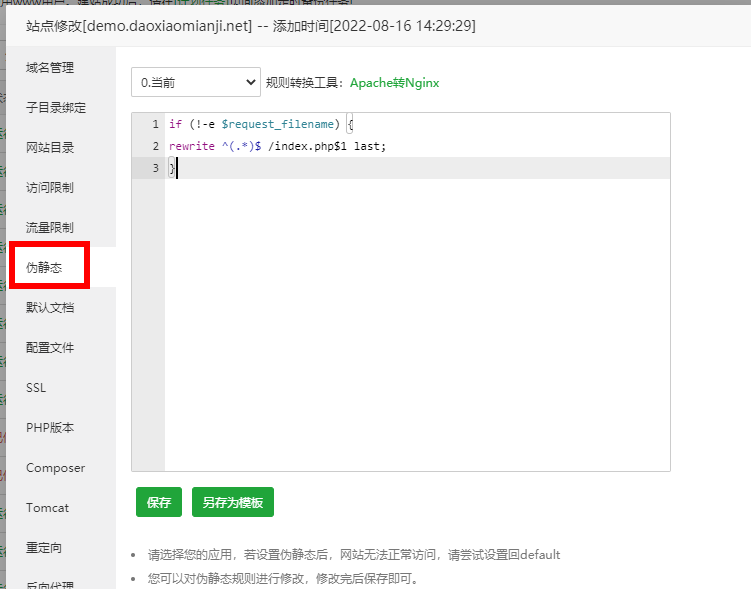
在宝塔面板站点管理。设置伪静态
如手动安装时已设置伪静态还但是提示未开启伪静态
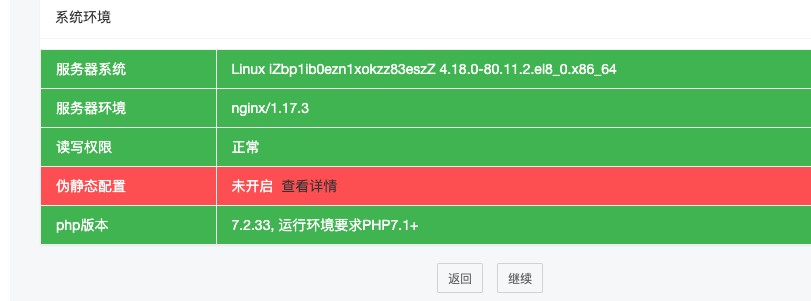
检查网站是否开启了强制https,先关闭一下,等安装结束再打开
