NIUCLOUD是一款SaaS管理后台框架多应用插件+云编译。上千名开发者、服务商正在积极拥抱开发者生态。欢迎开发者们免费入驻。一起助力发展! 广告
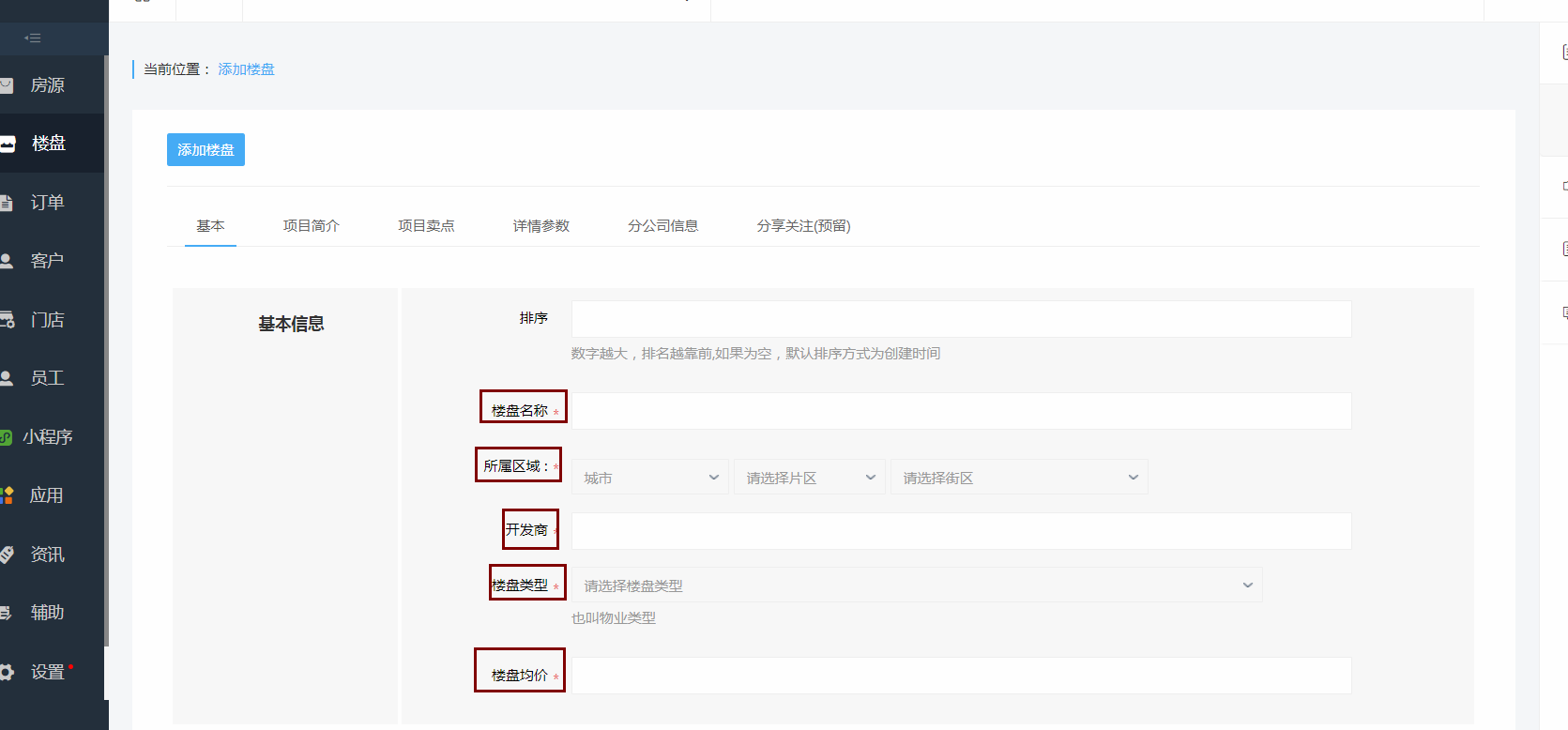
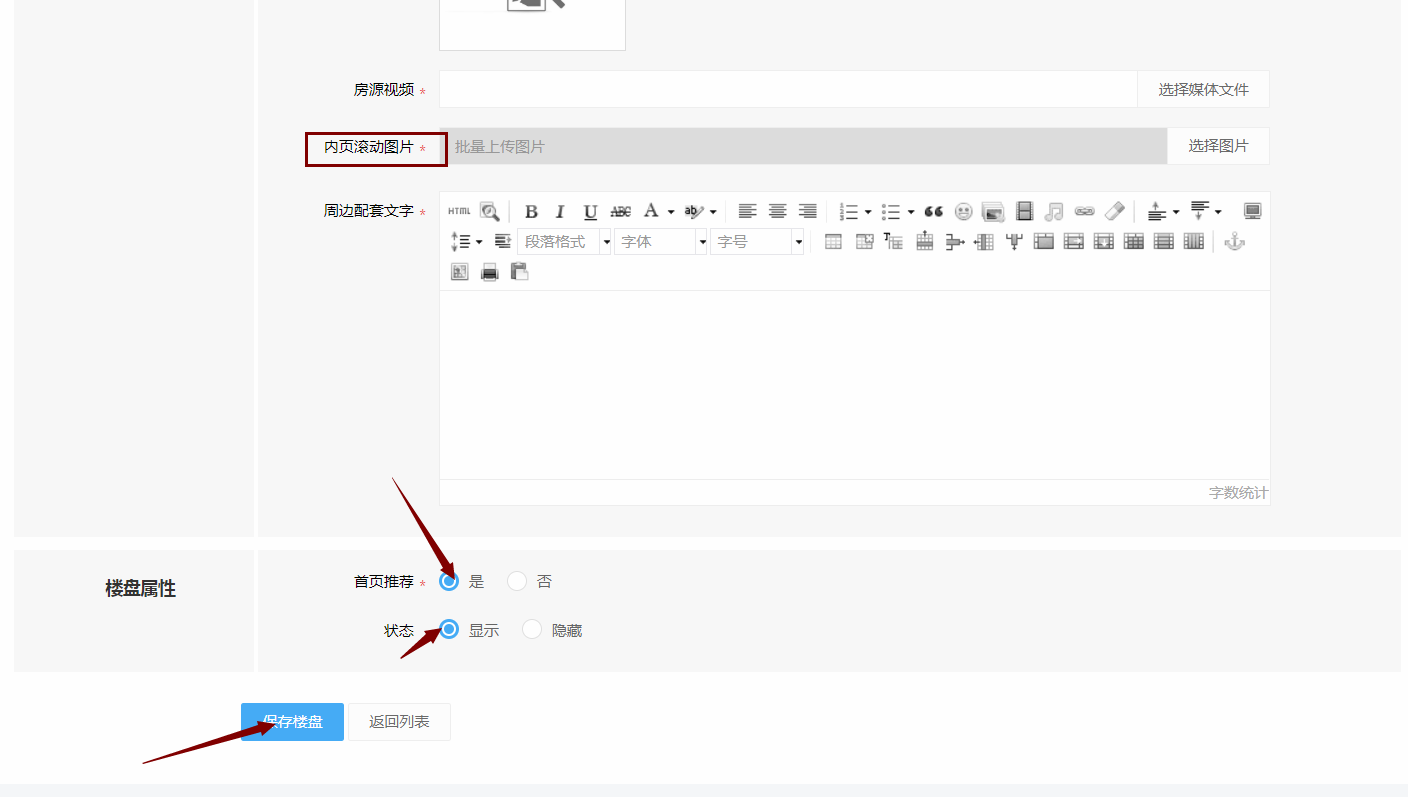
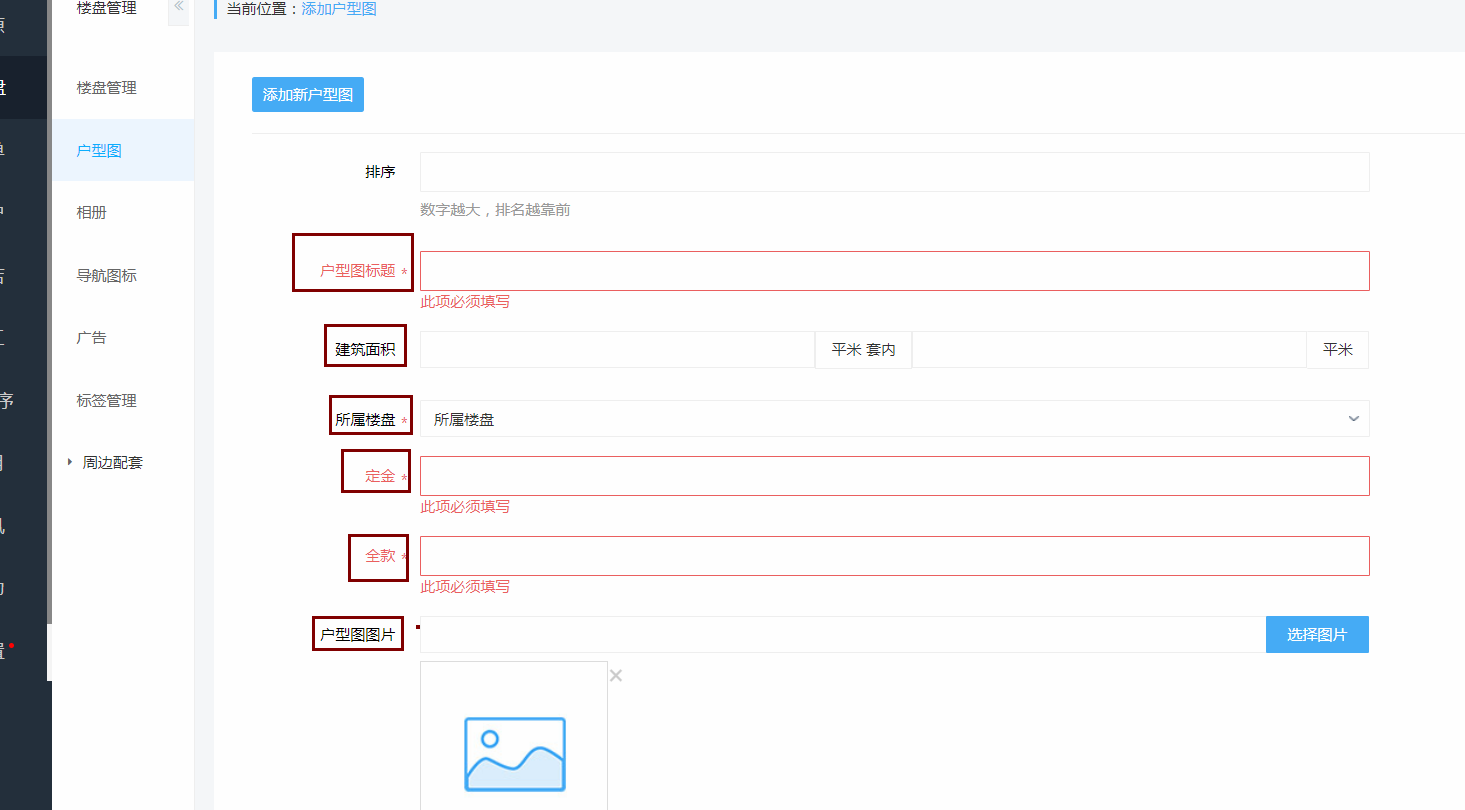
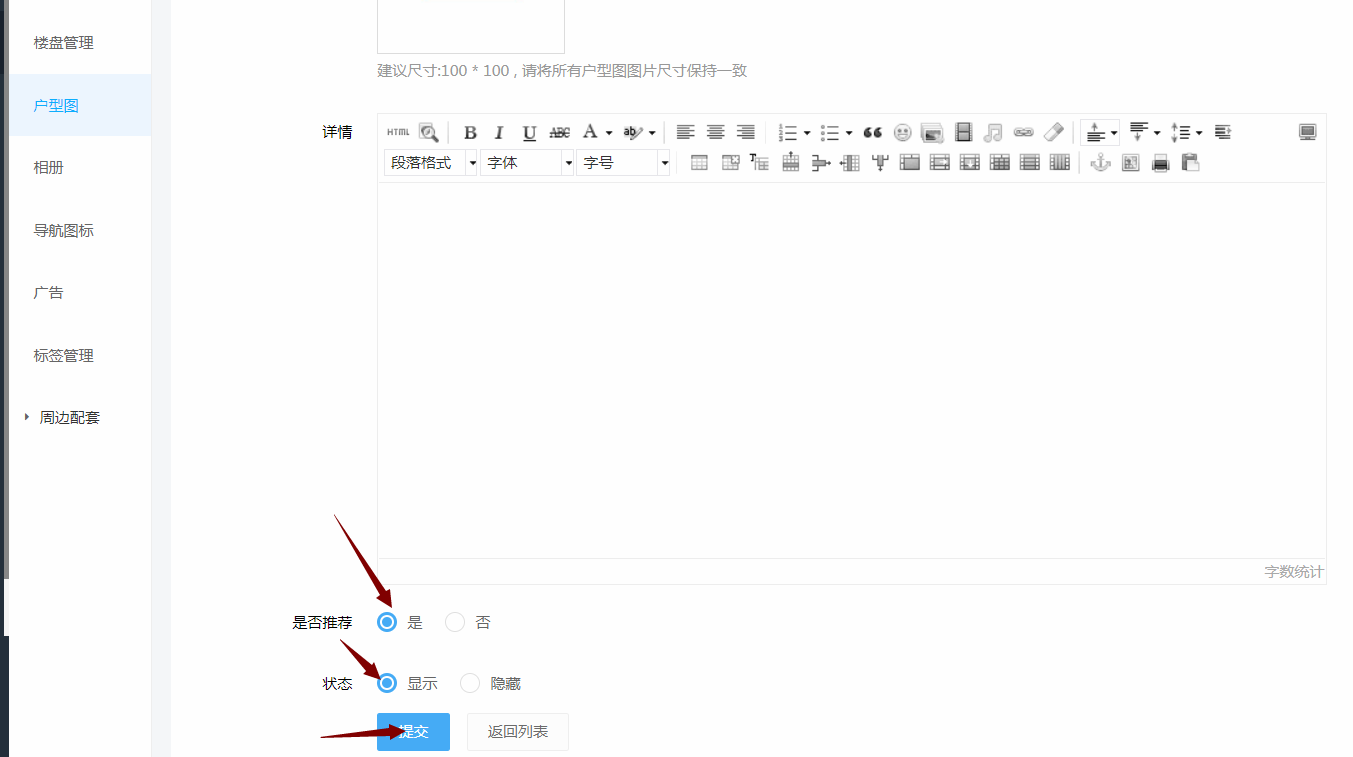
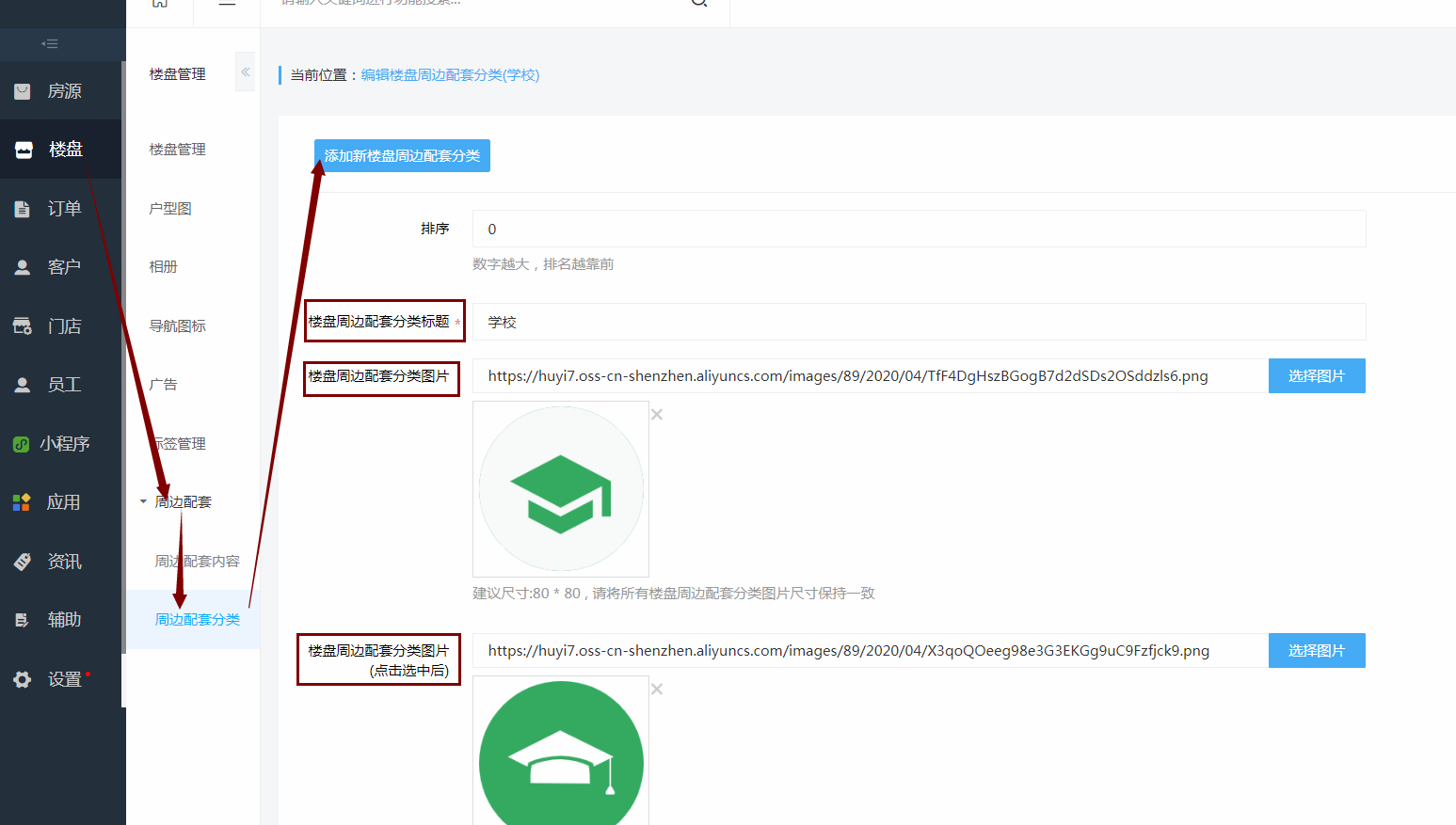
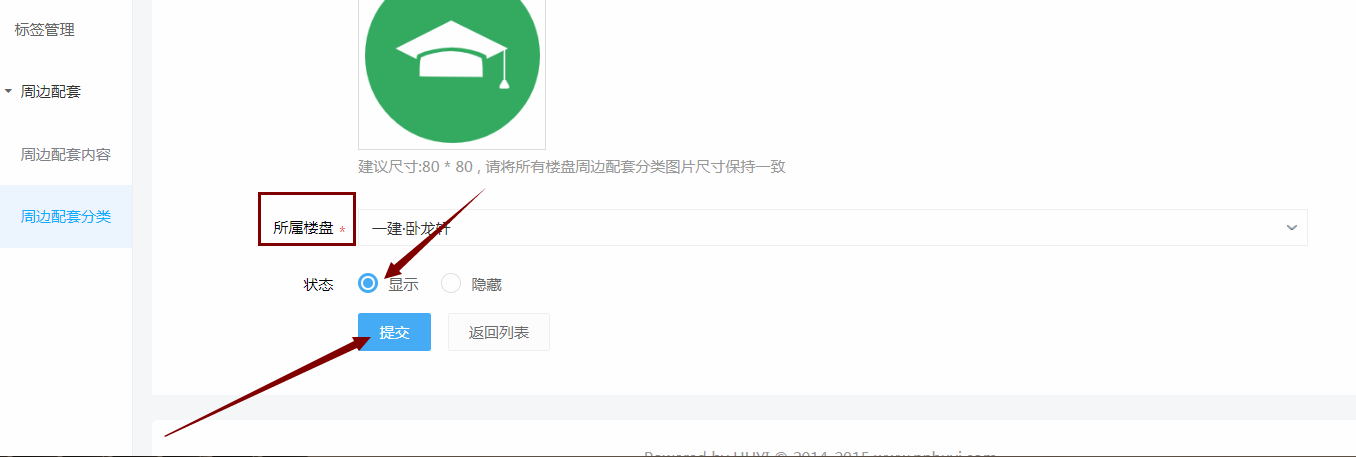
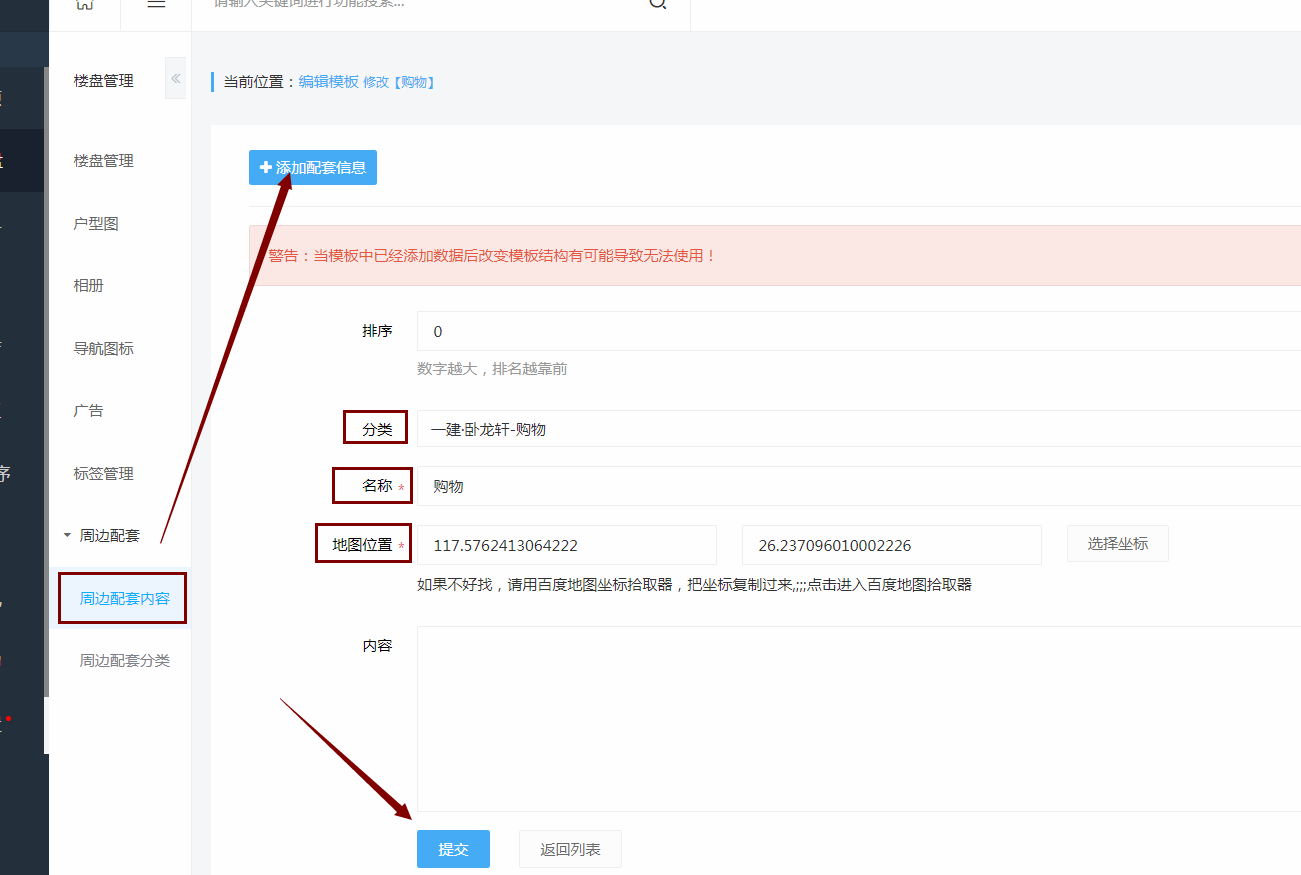
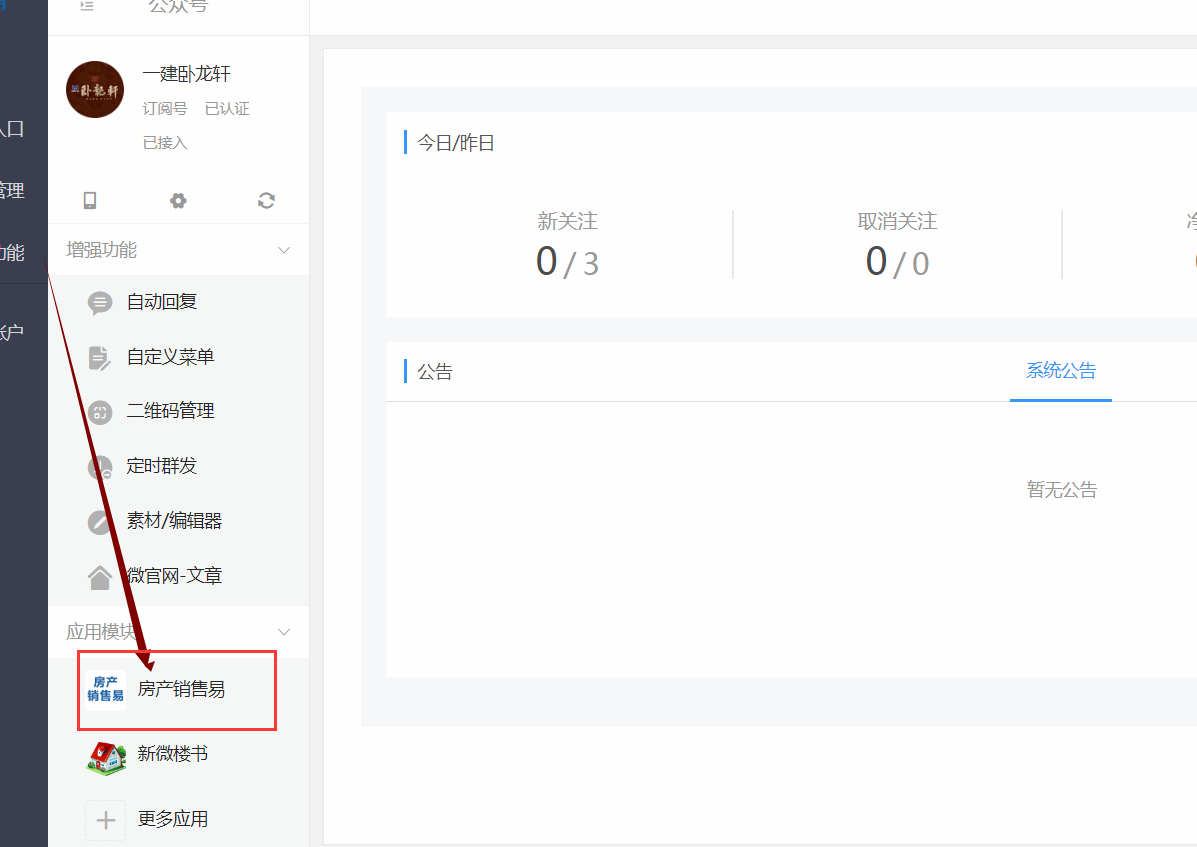
第一步进入公众号后,点击进入小程序 ![](https://img.kancloud.cn/03/99/0399990b03454b7ff02561241aad537e_1197x847.png) 进入小程序找到楼盘,在楼盘管理添加楼盘 ![](https://img.kancloud.cn/cf/1b/cf1bfb25f46d3d6c0ce2a7841bd7a076_1619x800.png) 带有红色边框必须要填,填完信息提交楼盘 ![](https://img.kancloud.cn/25/28/25281556822497771393ebe9ce332793_1671x778.png) ![](https://img.kancloud.cn/13/a6/13a6b8a2470ac364df387f19969e627e_1501x823.png) ![](https://img.kancloud.cn/39/73/3973cbe22a8bf9119af5cfe984d9484f_1357x806.png) ![](https://img.kancloud.cn/c4/f0/c4f0a348822c0b745100ea5c5186492a_1408x797.png) 第二步添加户型图,填写户型图信息并提交 ![](https://img.kancloud.cn/0d/6a/0d6aa6a024746f949f78546724ce1569_1582x675.png) ![](https://img.kancloud.cn/f9/58/f958690df037db3f697839da054a70d4_1465x810.png) ![](https://img.kancloud.cn/2c/30/2c3042fb54fee71e88570f2ba02ba7bc_1353x757.png) 第三步添加相册,(最好每个商品类型都添加一个) ![](https://img.kancloud.cn/fc/81/fc815a2a9aec324d537676e820c53039_1666x652.png) ![](https://img.kancloud.cn/d3/b8/d3b8d0a146a540d7fa69bd5d5510a693_1396x788.png) ![](https://img.kancloud.cn/83/f4/83f456f31a7e9cabe87927721671de41_1398x631.png) 第四步导航图标 ![](https://img.kancloud.cn/52/af/52afdfecf3d40185de9da7b337d0feaa_1459x904.png) 第五步周边配套 先设置周边配套分类 ![](https://img.kancloud.cn/9c/43/9c43e728ef4554aebd8539427e7750d3_1547x877.png) ![](https://img.kancloud.cn/26/5f/265fda71f2f26f3e27aeaf3e0a7d3a98_1356x457.png) 周边配套内容 ![](https://img.kancloud.cn/18/f3/18f32f9980d322a400ba50874d59862c_1301x875.png)